T3adda direct lel contenu
JdidUpscaling b-tes3a toro9, w Compare Before and After

Les vidéos mte3ek 3morhom ma chbebou hekka.

Le lecteur vidéo gratuit lel Mac elli y5addem kol chay, w y5alli et-taswira telma3 — m3a vrai HDR, SDR to HDR, tes3a upscalers GPU, mouvement silky-smooth, Voice Boost w bibliothèque 3la style l-application Apple TV. Gratuit, blech pub w blech tracking.

Gratuit · Version 1.6 · macOS 26 Tahoe wella ma ajadd · Apple Silicon

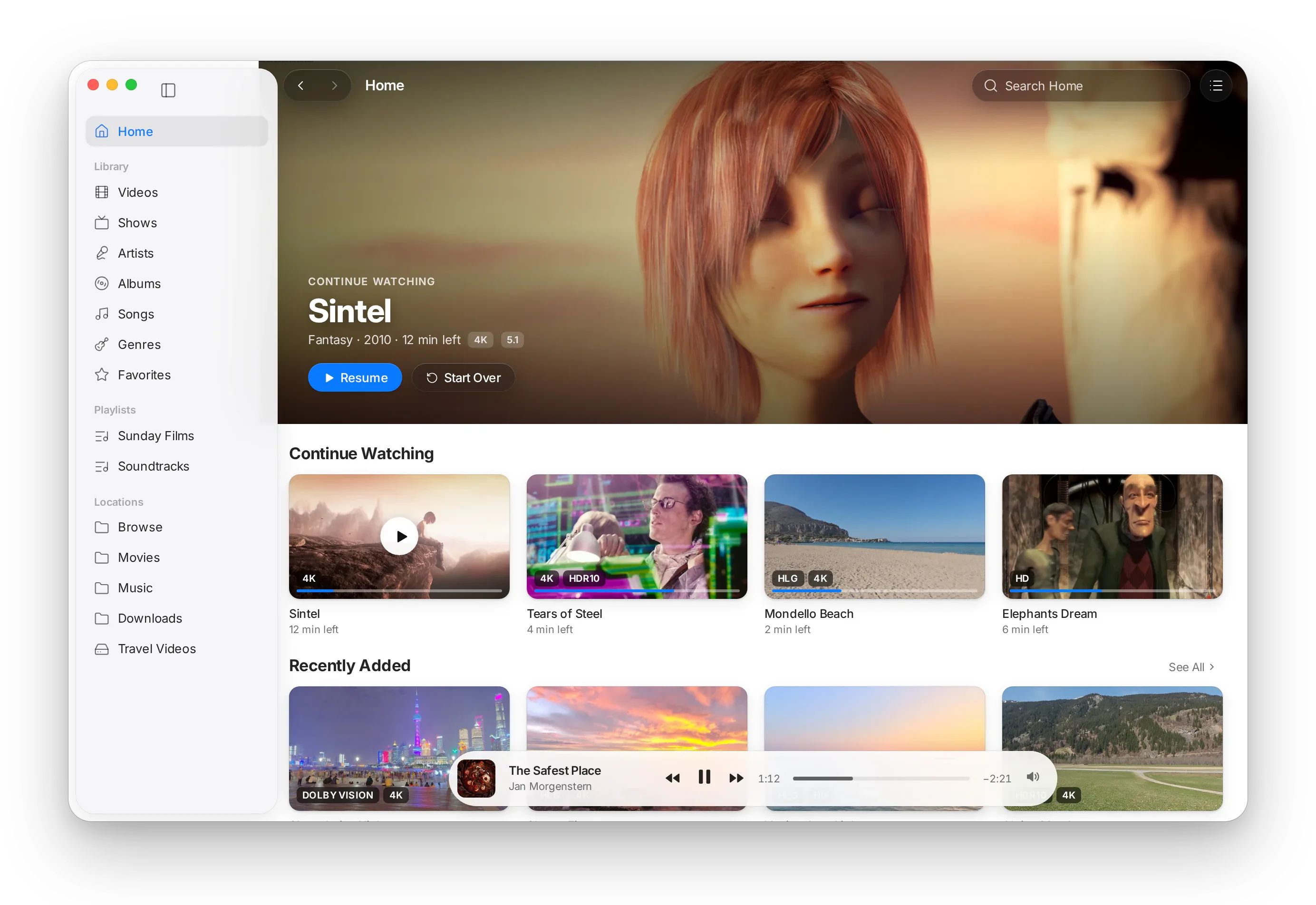
Bibliothèque mta3 MacLC: Sintel 7adher lel reprise fou9, men ba3d rayyet Continue Watching w Recently Added m3a badges HDR, w ghneya temchi fil barre Now Playing.Bibliothèque mta3 MacLC: Sintel 7adher lel reprise fou9, men ba3d rayyet Continue Watching w Recently Added m3a badges HDR, w ghneya temchi fil barre Now Playing.

Chnowa jdid

Akther men lecteur. Dima sahel b-nafs ed-darja.

Echnach-en sbeb bech trodd MacLC l-application elli t7ell biha les vidéos mte3ek.

Tes3a toro9 l-upscaling

Vidéos sghar ytkabbrou 3la GPU bech y3abbew écran kbir, men MetalFX, FSR w NIS l-réseaux de neurones sghar.

A9ra akther →

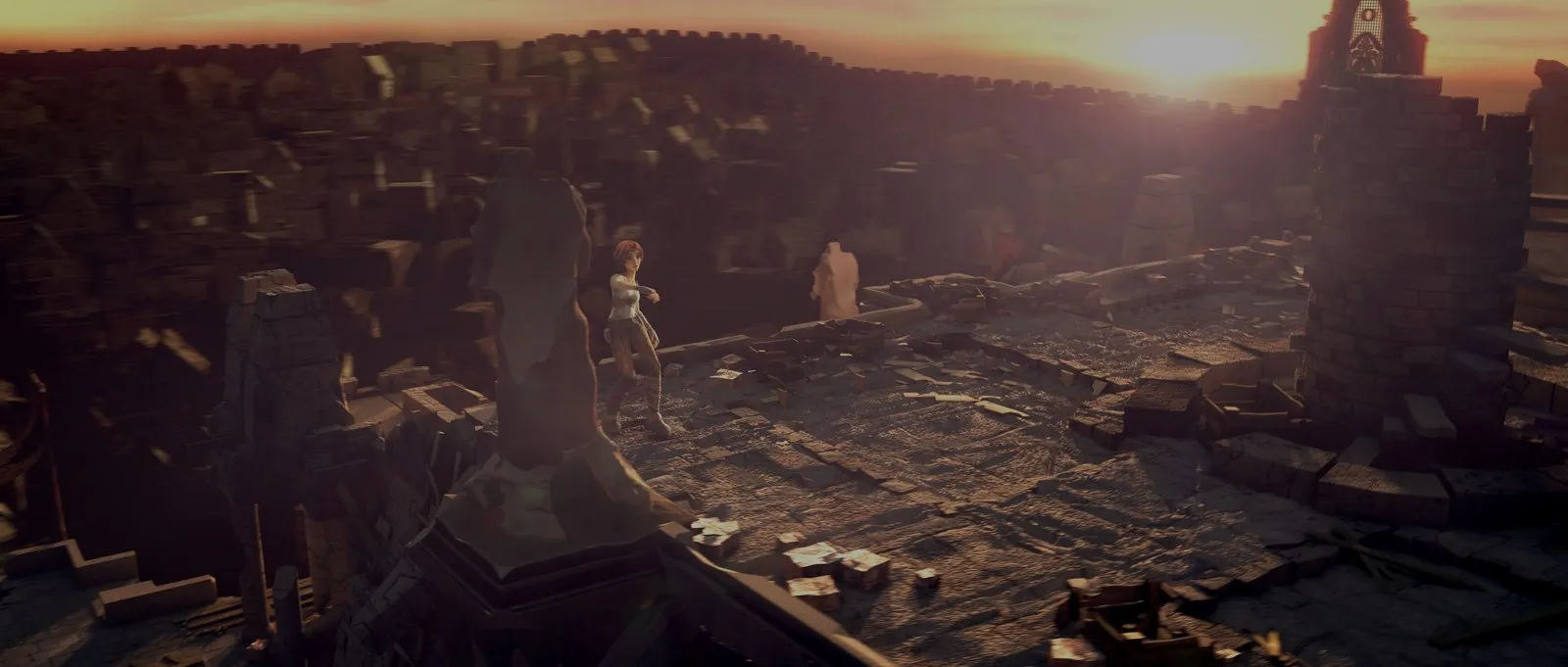
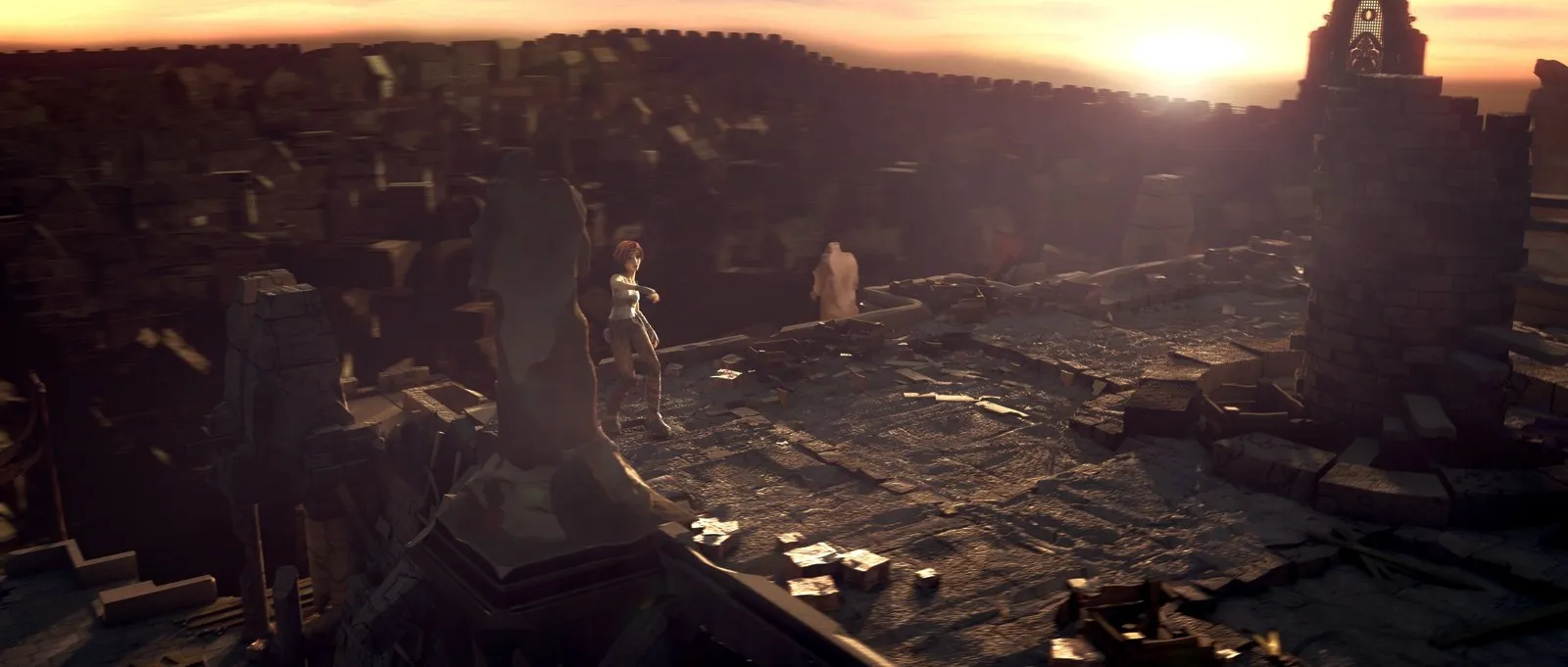
Compare Before and After

T9oss et-taswira f-ech-chtar: blech SDR to HDR, upscaling w interpolation 3la lisar, w bihom 3la limin.

A9ra akther →

Discovery fi Watch

9asser Home 3la les services de streaming elli testa3melhom, dour fi vignettes des genres w ktechof sélections d’éditeurs m3a The Edit.

A9ra akther →

Choose a Version

Ma3loumat wadh7a 3la kol flux (résolution, HDR, sout, peers) m3a des filtres w des conseils yfassrou l-klem et-technique.

A9ra akther →

History, favorites w reprise

Favorites w History fil barre latérale ta7t Watch, Continue Watching 3la Home, w reprise tetfakkark win w9oft.

A9ra akther →

YouTube fil barre latérale

Home, Subscriptions, History, Watch Later, Liked Videos w playlists ye5dmou b-yt-dlp, m3a connexion privée ki t7eb.

A9ra akther →

Torrents tnajem ttaba3hom

Yebda b-thwéni vérifiés, yet’adapta m3a vitesse es-swarm, m3a écran de chargement animé w repère de tampon.

A9ra akther →

Add-ons compatibles m3a Stremio

Rakkeb des add-ons lel catalogues, métadonnées w flux. Cinemeta intégré, m3a les add-ons communautaires b-clic wa7ed.

A9ra akther →

Tes3a modes de son w égaliseur

Voice Boost y9awwi el 7war men ghir ma y9awwi les effets; mode nuit w égaliseur 10-bandes yfesslou kol piste.

A9ra akther →

Play on TV

Ab3eth chnowa 9a3ed yemchi l-Apple TV wella récepteur AirPlay, wella l-Chromecast, w t7akkem fih mel Mac wella mel télécommande.

BêtaA9ra akther →

Bibliothèque l-kol ma tetfarrej fih

Zid dossier w MacLC yal9a les affiches, yjamma3 les séries wel albums mte3ek, w yetfakker win w9oft.

A9ra akther →

Vidéos el 3adiya, mchou3la

3la écran Mac ysupporti l-HDR, edh-dhawet, es-sma wel in3ikasset yelam3ou — el wjouh wel dhlel yo93dou 9rab l-kifech tsawwrou.

A9ra akther →

HDR men ghir takhmin

Dolby Vision, HDR10+, HDR10 wella HDR mta3 iPhone: MacLC ye5tar a7sen version l-écranek w y9ollek 3lech.

A9ra akther →

Mouvement liss kima l-7rir

Films mssawrin b-24 images par seconde ynajmou yzalgou 7atta l-120 3la écran ProMotion. Clic wa7ed bech tjarrab.

A9ra akther →

01 SDR to HDR

Les vidéos mte3ek, b-dhaw jdid.

MacBook Pro jdid wella Pro Display XDR ynajem yech3el marrat a9wa barcha men elli ayy vidéo 3adiya totlbou mennou. MacLC yal9a edh-dhawet, l-in3ikasset wes-sma fi kol mach-had w y5allihom yelam3ou — wa9t-elly l-wjouh wel dhlel yo93dou 9rab l-kifech tsawwrou.

Taswira men Sintel wa9t ghroub e-chams, kima twarriha vidéo 3adiya: e-chams wes-sma ye9fou 3and l-abyadh el 3adi.
Mchabbha l-hal écran. 3la Mac ywarri l-HDR, el lma3an el 7a9i9i ykoun mezel adhwa barcha.

Ken el lma3an yetbeddel

L-luminosité tatla3 b-chwaya b-chwaya fel dhowet el 9wiyin, bech 7atta chay ma yna99ez w les couleurs yebdew fidèles. Fel niveau Balanced, kol chay ta7t el abyadh diffus — dhow mta3 maryoul abyadh — yo93od kima ken.

Dheki m3a l-Mac mte3ek

Auto te5tar a7sen wa7da men 5amsa niveauwet mta3 qualité elli l-Mac ynajem y5addemhom tawwa: le modèle kemel ki ykoun branché, w modèle a5aff 3al batterie.

Chouf el far9

Eb9a nezel 3la M wa9t-elly l-vidéo temchi bech tchouf l-originale, w sayyeb bech tchouf MacLC. Enti te5tar 9adeh el lma3an ynajem ya9wa.

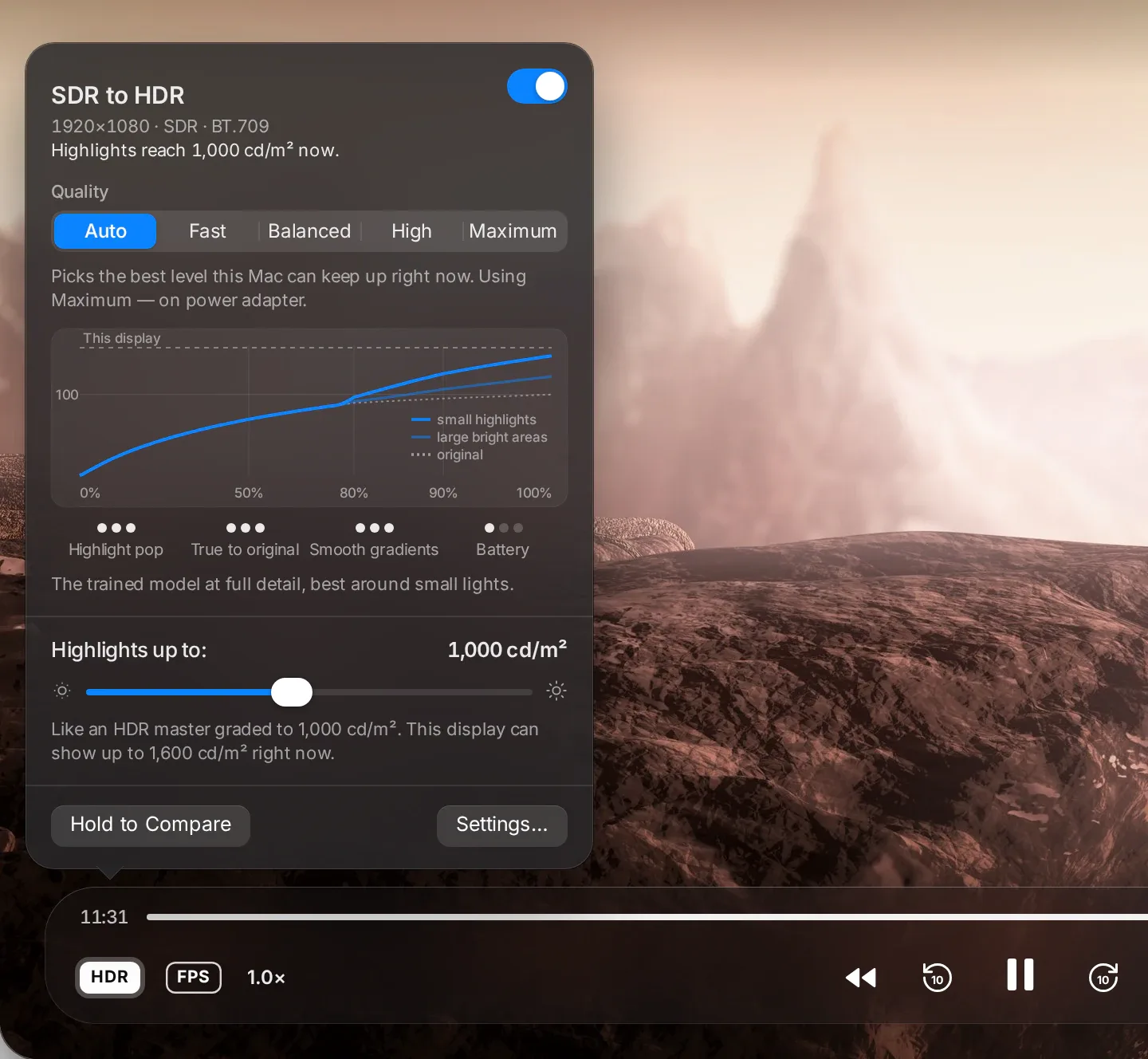
Popover mta3 SDR to HDR fou9 Sintel 9a3da 3la jrof wa9t ghroub e-chams: el bouton mcha3el, Quality ma7touta 3la Auto (testa3mel Maximum 3al chargeur secteur), w courbe twarri lma3an marfou3 7atta l-1 000 nits 3la écran b-1 600 nits.
Auto

Ye5tar a7sen niveau ynajem y5addmou hal Mac tawwa.

Fast

Courbe wa7da l-kemel et-taswira. A5aff 7aja 3al batterie.

Balanced

Yet’adapta m3a kol mach-had. Y5alli l-abyadh naturel wel dégradés rtab.

High

Modèle entrainé yal9a edh-dhawet wel in3ikasset w yerfa3 ken houma.

Maximum

El modèle entrainé b-kamal tafasilou, tayyara 7awl edh-dhawet es-sghar.

Détails techniques: SDR to HDRLelli y7eb ya3ref akther f-technique
  • Drive: fi lumière linéaire, l-énergie mta3 kol pixel hiya l-kbira bin sa luminance w 85 % mel canal le plus éclatant; le pixel kemel yetmassa b-un seul facteur, donc teinte w saturation ma yet7arkouch.
  • Niveaux: Fast ytalba3 l-énergie fou9 nosf SDR white 3la quadratique fixe, m3a valeur w pente continues fel coude w SDR white yousel lel peak. Balanced y9awwi ken chnowa fou9 el abyadh diffus, b-a9al wa9t-elly barcha blayes kbar dhowyin, w yzid statistiques de scène, couche de base guidée, debanding w protection lel sous-titres w logos. High w Maximum yzidu grille bilatérale de gains prédite b-réseau de neurones sghir men vignette 256×256, m3a kol canal ma yfoutech 0.2 (log) mel gain de luminance, ye5dem 3la GPU b-MPSGraph: 0.45 ms (High) w 0.53 ms (Maximum) par image 3la M3 Max.
  • Model: entrainé men Hazen Studio 3la tsawer Poly Haven CC0, intégré fil application (sdr2hdr-high-v1, sdr2hdr-max-v1).
  • Auto te5tar 7asb source d’alimentation, l’état thermique, classe GPU w débit de pixels, w thabbet en-niveau fi blast ma ttiyya7 des images.
  • Output: lumière linéaire half-float 64-bit, primaires BT.2020, 1.0 = abyadh SDR; el 9amma hiya l-a9al bin réglage mte3ek wel headroom EDR actuel mta3 l-écran. Les sources PQ w HLG yo93dou kima houma.
  • Where: passe Metal 3al chemin d’affichage natif mta3 macOS (AVSampleBufferDisplayLayer), w fil moteur de rendu Metal mta3 MacLC bid-dhet.

Kifech ye5dem SDR to HDR, 5atwa b-5atwa →

02 HDR

HDR, men ghir takhmin.

Dolby Vision, HDR10+, HDR10, wella vidéos HDR mel iPhone mte3ek: MacLC ychamm chnowa 9a3ed t5addem, ye5tar a7sen tari9a bech ywarrih 3la écranek, w y9ollek b-jomla wa7da chnowa 3mal.

Dolby VisionHDR10+HDR10HLG
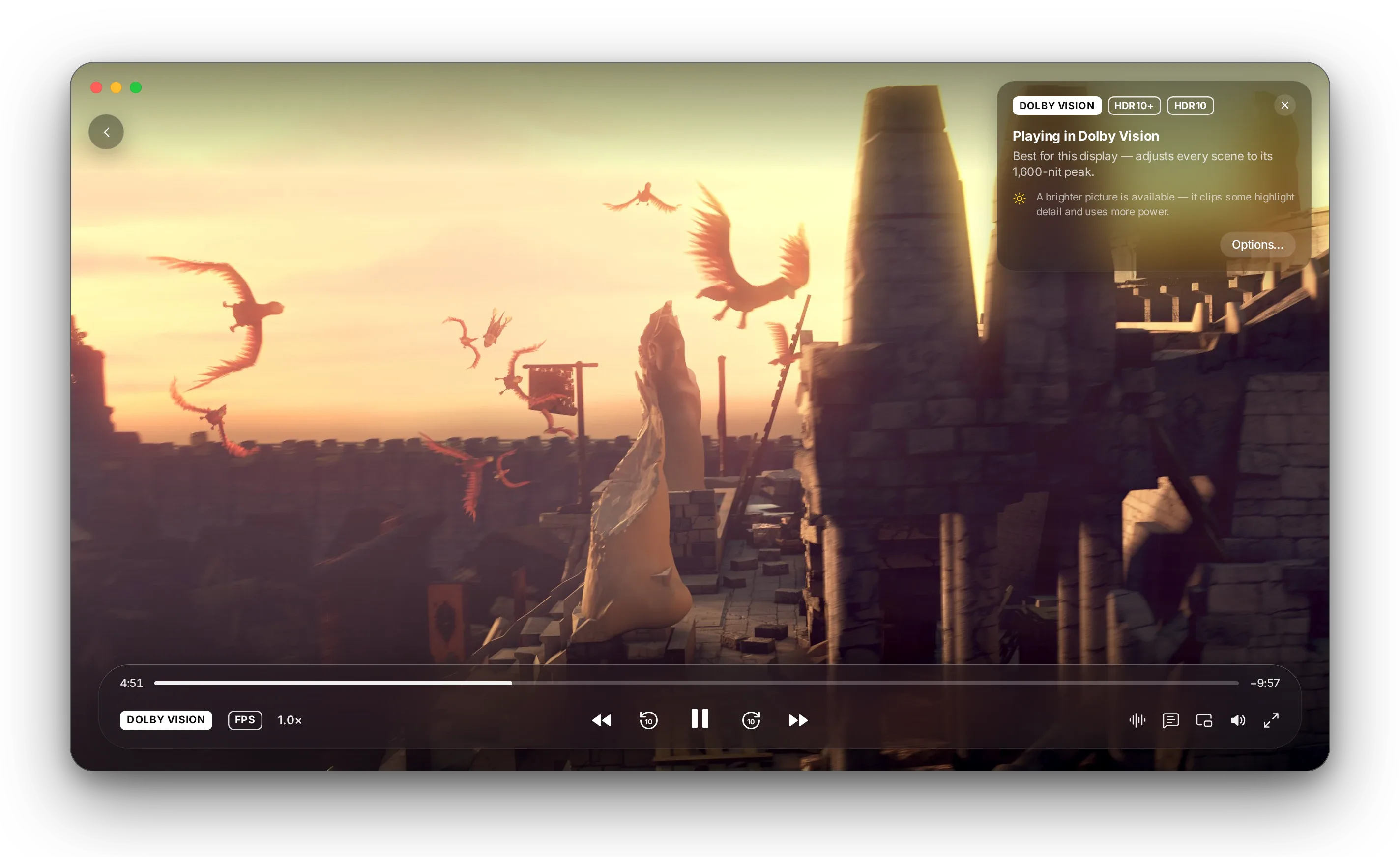
Carte fou9 Sintel t9ayyed les formats mta3 el film — Dolby Vision (sélectionné), HDR10+ w HDR10 — w t9oul « Lecture en Dolby Vision: l-a7sen l-hal écran, yriguel kol mach-had l-9ammtou mta3 1 600 nits. »

Y9ollek chnowa 9a3ed yemchi

Carte sghira tsammi les formats elli fihom el film wel format elli e5tarou MacLC, men ba3d tetna7a. Clic wa7ed ybaddlou.

Tletha styles d’image

Accurate y5alli l-film kima tcalibra. Balanced ychedd les détails 3la écrans a9al dhaw. Bright yerfa3 et-taswira lkol.

Vidéos iPhone mte3ek, kima tsawwrou

Les vidéos HDR men iPhone yemchiw b-nafs lma3an les films HDR — wella ahedy, ken t7eb.

Sous-titres ma ye3miwch

Les sous-titres yo93dou b-luminosité mori7a, 7atta fou9 a9wa machhed fih dhaw.

Mriguel 3la kol écran

7awwel l-fenêtre l-écran e5er wet-taswira tet’adapta m3ah toul.

Yra7em 3al batterie

Wa9t zouz formats ya3tiw nafs et-taswira 3la écranek, MacLC ye5tar elli yestahlak a9al énergie, w y9ollek.

Détails techniques: HDRLelli y7eb ya3ref akther f-technique
  • Formats: profils Dolby Vision 5, 7 (couche de base w RPU; couche d’amélioration ignorée), 8.1 w 8.4; HDR10+ (métadonnées dynamiques SMPTE ST 2094-40, ma7fouza 7atta lin ybaddalha le flux); HDR10 m3a mastering ST 2086 w CTA-861.3 MaxCLL/MaxFALL; HLG (ARIB STD-B67).
  • Choice: wa9t-elly le master kemel yod5ol ta7t pic l-écran, Dolby Vision, HDR10+ w HDR10 ywarriw nafs l’image, hekka MacLC yrecommandi HDR10 3bar pipeline natif mta3 macOS (a9al consommation). Wa9t-elly yelzem tone mapping, yfaddhel Dolby Vision, men ba3d HDR10+, men ba3d HDR10. Tabdil el format yredémarri la piste w ycherchi b-di99a, hekka yched ta9riban seconde fi blast GOP.
  • Picture modes: Accurate y3awed yentj kol niveau 7atta l-90 % men pic l-écran w yetwi l-be9i fi shoulder doux fil domaine PQ; Balanced howa ITU-R BT.2390 EETF; Bright yerfa3 7atta l-1.6× 9bal roll-off BT.2390. Wa9t-elly le master yod5ol lkol, le mapping howa l’identité.
  • Reference white: PQ mthabbet 3la 100 cd/m² fil abyadh SDR, la convention elli testa3melha macOS l-surfaces PQ. HLG ma5doum lel écran de référence BT.2100 1 000 nits (par défaut) wella mriguel 3al headroom actuel mta3 l-écran.
  • Engines: Natif (AVSampleBufferDisplayLayer m3a EDR) par défaut. RPUs Dolby Vision w HDR10+ yet3addaw 3bar moteur de rendu Metal mta3 MacLC (décodeur Dolby Vision porté men libplacebo, pics de scène HDR10+, courbes de tons, gamut mapping, filtres de mise à l’échelle, vidéo 360° w LUTs .cube), m3a OpenGL ma7foudh k-fallback.
  • Tasli7at 3la masar HDR l-mourouth men VLC 4.0-dev 3la macOS: headroom yet9ass men jdid fi kol tabdil d’écran w profil; sous-titres mchaddou 3al abyadh SDR; sources 12- w 16-bit yo93dou fou9 8 bits; HDR a9al men 4K taggé b-s7i7; vrai chemin HDR-to-SDR.

Détails mta3 pipeline HDR →

03 Library

Bibliothèque mzayna kima les films mte3ek.

Warri l-MacLC les dossiers Films w Musique mte3ek. Ylem kol chay fi écran Home elli ykammel men win w9oft, m3a les affiches, les séries mgrouppyin b-saisons wel albums m3a les pochettes mte3hom. 7atta chay ma yo5rej mel Mac mte3ek.

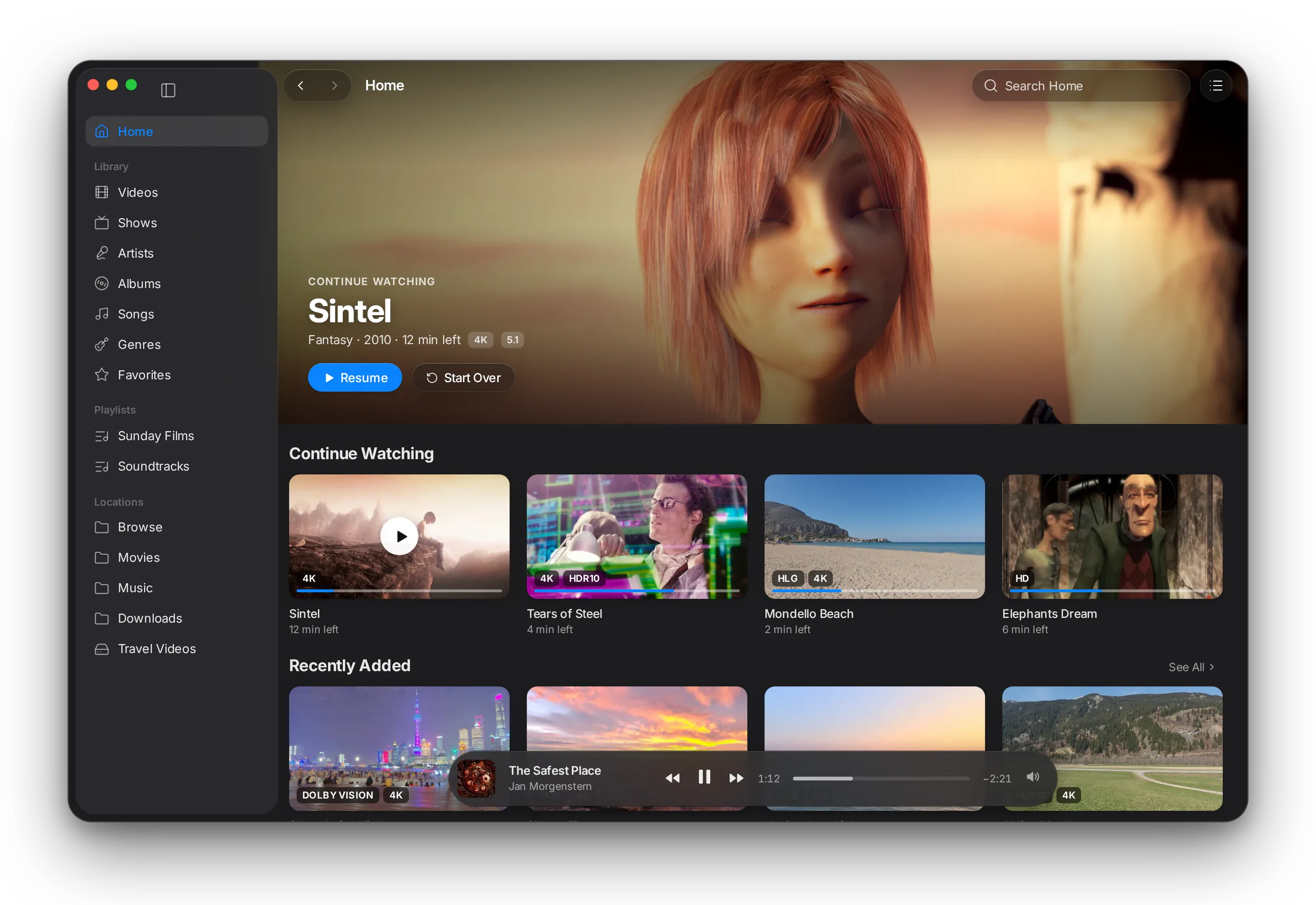
L-écran Home fil bibliothèque: Continue Watching m3a Sintel, Tears of Steel, Mondello Beach w Elephants Dream, men ba3d Recently Added m3a badges Dolby Vision, HLG w HDR10.L-écran Home fil bibliothèque: Continue Watching m3a Sintel, Tears of Steel, Mondello Beach w Elephants Dream, men ba3d Recently Added m3a badges Dolby Vision, HLG w HDR10.

Continue watching

Home tefto7 3al film elli akther we7ed 9rib tkammlou, men ba3d elli bdit fihom welli 3addek kif zedthom.

Kol 7aja fi blast-ha

Videos, Shows, Artists, Albums, Songs, Genres, Favorites w Playlists, kol we7ed 3andou recherche w tri mte3ou.

Up Next

Chnowa jey ba3d w baddel et-tartib bel glisser-déposer. Les chapitres yodh-hrou zeda wa9t-elly l-film fih chapitres.

Now Playing, dima 7adher

Erja3 lel bibliothèque wa9t-elly vidéo temchi: barre flottante t5alli taswira live wel commandes ta7t ydek.

HDR f-darbet 3in

Badges Dolby Vision, HDR10, HLG w 4K y9ouloulk anehom les fichiers elli bech yelam3ou 9bal ma t7elhom.

Reprise, ama jamais fil générique

MacLC ya9tara7 ykammel men win w9oft — w mouch wa9t-elly ma b9a ken l-ekher.

Détails techniques: LibraryLelli y7eb ya3ref akther f-technique
  • Mabni 3la libmedialibrary w TagLib mta3 VideoLAN, intégrés fil application: indexation, miniatures, genres, noumrouwet pistes w disques, snin w pochettes intégrées ma yetalbou 7atta chay yett’installa.
  • Les épisodes msammyin kima Show Name S01E02 yetjamm3ou fi séries w saisons. Badges HDR yjiw mel métadonnées de couleur ma9riyin wa9t indexation el fichier.
  • Interface AppKit native: barre latérale source-list, inspecteur Up Next, capsule Now Playing w barre d’outils 3la Liquid Glass (macOS 26), m3a kol commande mawjouda zeda fil barre des menus.
  • Reprise mtrou7a lel médias mta3 3 d9aye9 wella akther, jamais fil d9i9a el loula wella l-le5raniya (wella 5 %), w jamais 3and l-ekher wella ba3dou.

04 Watch

El9a 7aja tetfarrej fiha. W men ba3d enzel Play.

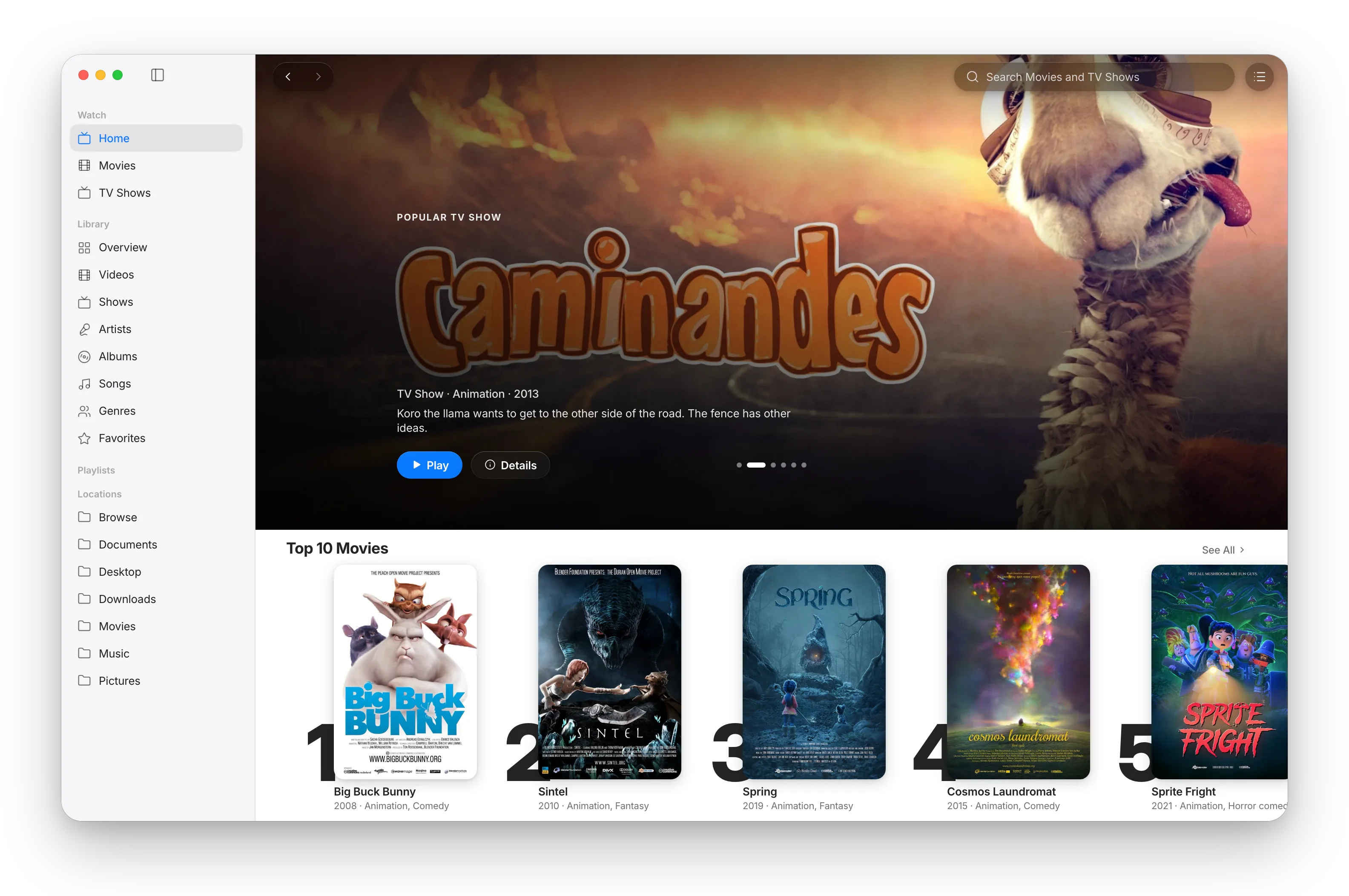
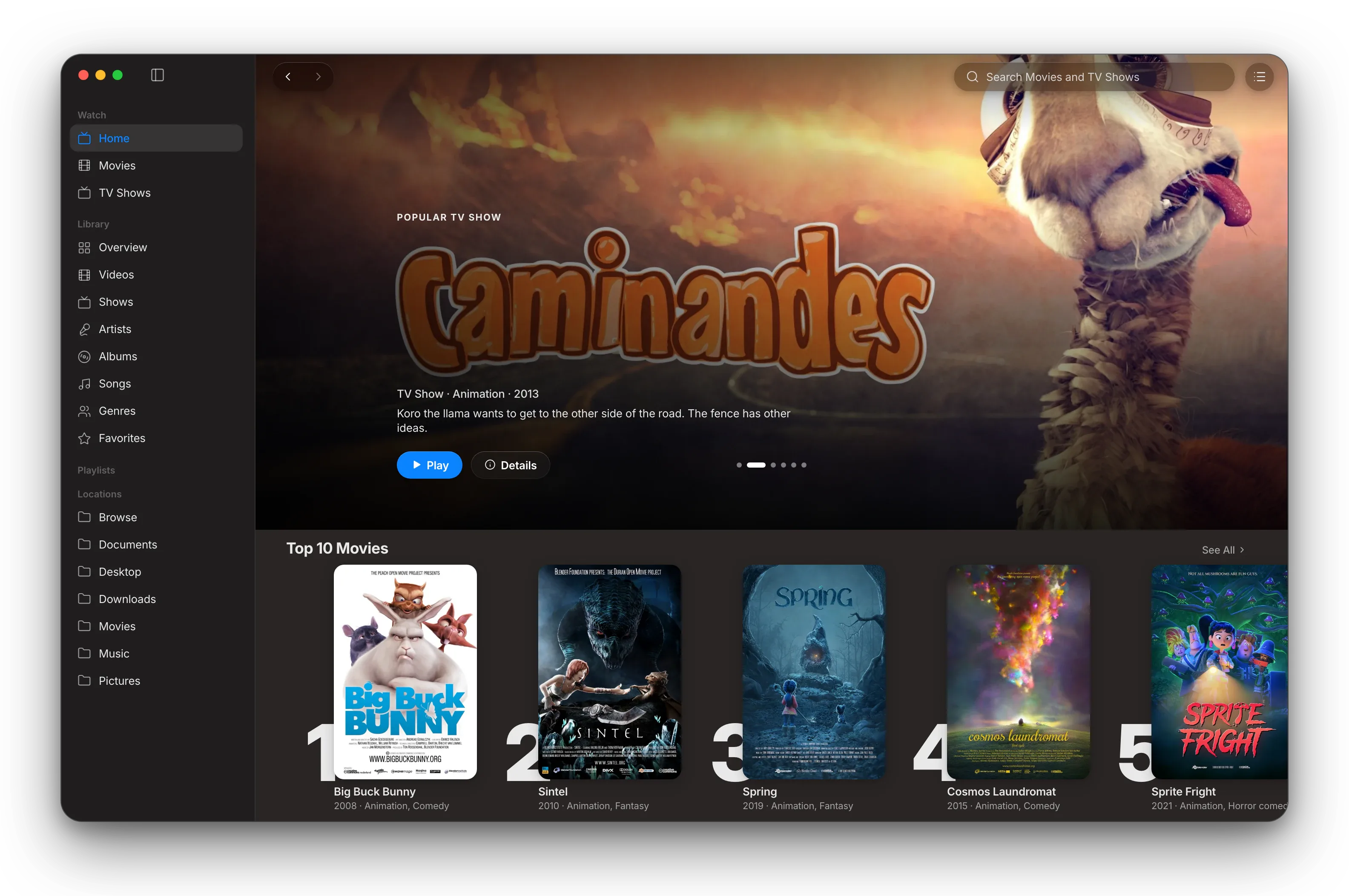
Section jdida Watch fil barre latérale tjib navigation b-style Apple TV lel add-ons elli trakkabhom: carrousel d’affiches à la une, rayyet, fiches détaillées w sélecteur de flux.

Section Watch mta3 MacLC: écran Home b-style Apple TV m3a carrousel à la une w rayyet d’affiches mta3 films ma7loula men Blender Foundation.Section Watch mta3 MacLC: écran Home b-style Apple TV m3a carrousel à la une w rayyet d’affiches mta3 films ma7loula men Blender Foundation.

Discovery fi Watch

9asser Home 3la les services de streaming elli testa3melhom m3a catalogues publics men add-on communautaire. Dour fi vignettes des genres w The Edit: sélections d’éditeurs ma5toura men MacLC w tetbaddel kol jem3tin. Les rayyet yzalgou b-e7sas élastique men ghir barres de défilement.

Choose a Version

Kol flux yet7all fi ma3loumat wadh7a: résolution, HDR, Dolby Vision, sout (5.1, Atmos), lougha, taille w peers, m3a filtres. Astuces animées sghar yfassrou l-klem et-technique.

History, favorites & resume

Favorites w History fil barre latérale ta7t Watch, w Continue Watching 3la Home. La lecture tkammel men win w9oft, 7atta ba3d ma tsakker l-app. Mark as Watched t7ott badge 3al carte. Stokké localement kahaw.

YouTube fil barre latérale

Home, Subscriptions, History, Watch Later, Liked Videos, playlists, chaînes w recherche, m5addmin b-yt-dlp. Connexion privée optionnelle 3bar vue web Google wella session navigateur.

Films & Séries

Rayyet mnadhmin 7asb en-naw3 wel genre, m3a grilles « See All » bech testakchef les catalogues lkol.

Fiches détaillées ghniya

Arrières-plans, logos des titres, 3am, note, modda, acteurs w réalisateurs. Les séries fihom sélecteur de saisons w cartes d’épisodes m3a captures d’écran.

Add-ons Stremio

MacLC yefhem le protocole d’add-ons mta3 Stremio. Cinemeta yji intégré lel affiches, descriptions, acteurs w recherche.

7atta contenu mouch intégré

MacLC ma yjib m3ah 7atta film, série wella flux. Les add-ons ye5dmou 3and des tiers; esta3melhom ken lel contenu elli 3andek el 7a9 tetfarrej fih.

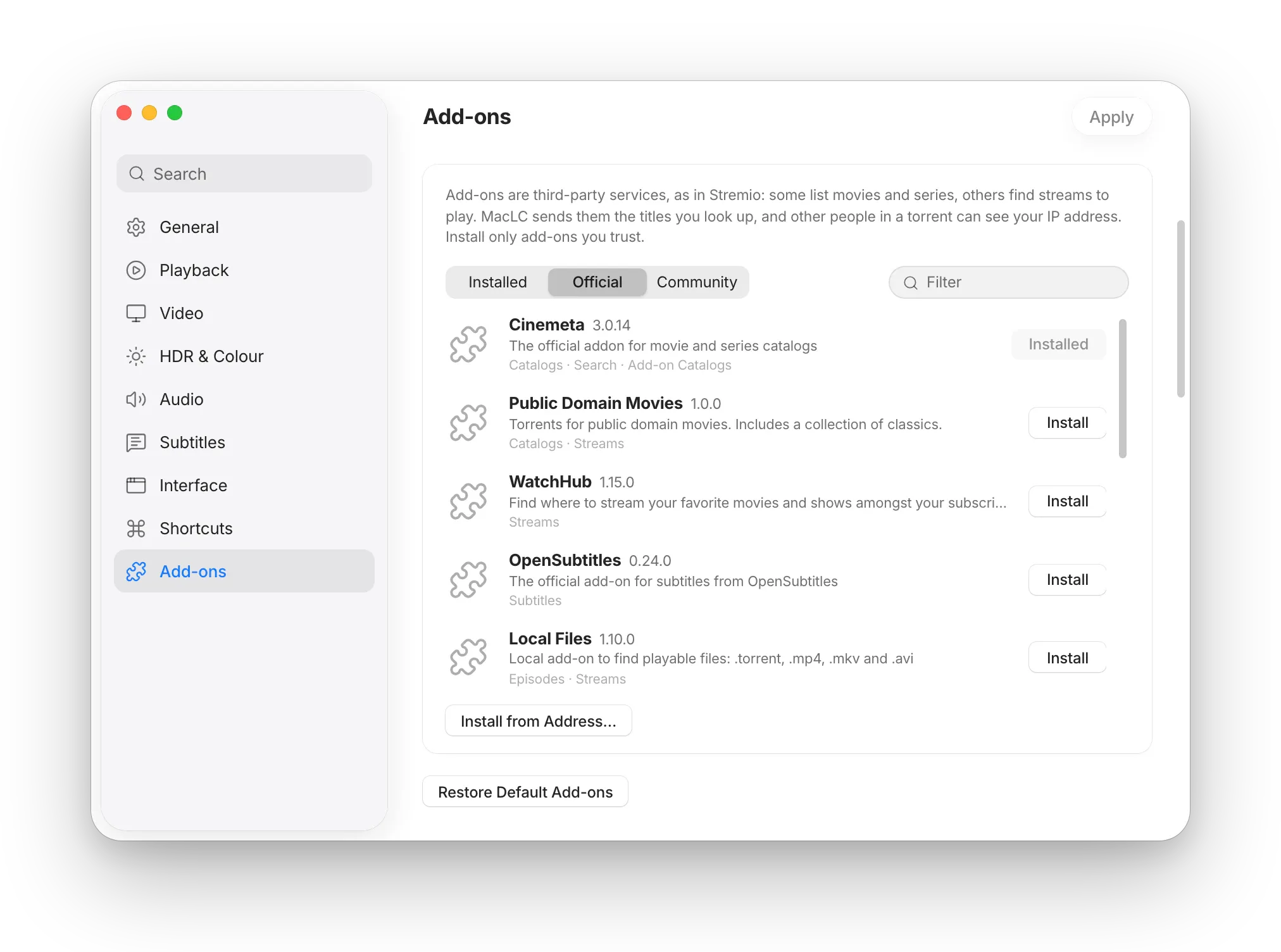
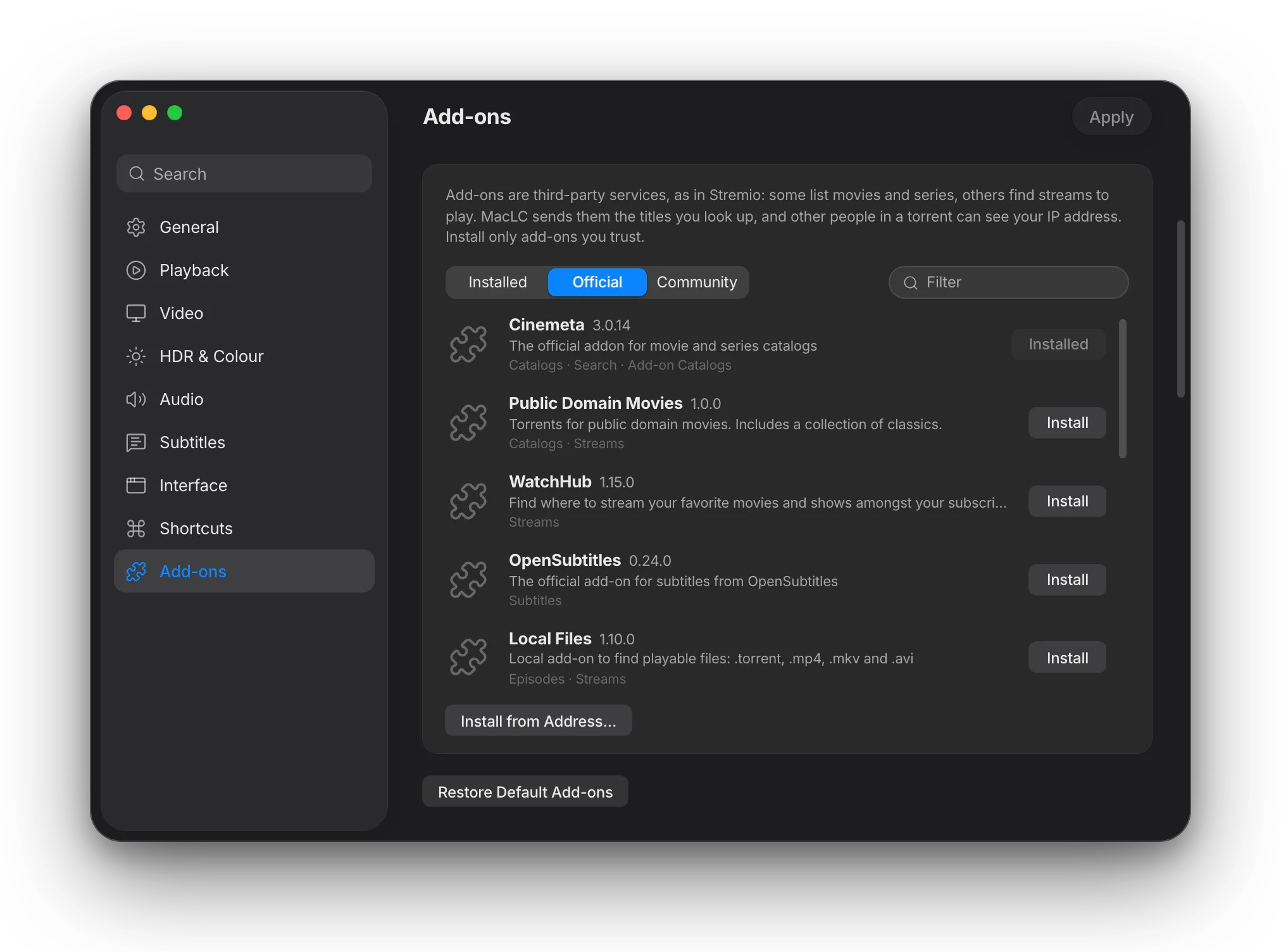
Réglages MacLC > Add-ons ywarri listes Installed, Official w Community m3a boutons Install b-clic wa7ed.Réglages MacLC > Add-ons ywarri listes Installed, Official w Community m3a boutons Install b-clic wa7ed.

Add-ons, t’installihom b-clic wa7ed.

7ell Settings › Add-ons bech testakchef les add-ons Official w Community. Enzel Install, riguel les paramètres ki yettalbou, wella enzel « Install from Address… » bech tlassa9 adresse d’add-on wella lien stremio://.

Melli add-on ywalli yjib des flux, esta3mel File › Search Add-ons… bech tlawwej 3la titre, te5tar épisode w tcliqui Play wella Add to Queue.

Détails techniques: Watch and add-onsLelli y7eb ya3ref akther f-technique
  • Protocole d’add-ons Stremio: support natif lel endpoints manifest, catalog (m3a recherche, genre w pagination skip), meta, stream w addon_catalog.
  • Résolution de flux: liens magnet ystreamiw 3bar module BitTorrent mta3 MacLC (libtorrent 2.1); vidéo web w YouTube 3bar yt-dlp; URLs directes 3bar libvlccore.
  • Sélections d’éditeurs: The Edit ytabba9 les titres m3a les add-ons de catalogue (Cinemeta par défaut), yetjadddou kol jem3tin.
  • Bibliothèque Watch: fichier JSON atomique fi ~/Library/Application Support/org.maclc.MacLC/Watch/library.json. Watched marbou7 3and 92 %; a9al men 15 s yet7seb clic ghalet.
  • AppKit natif: les affiches ytemaddou ta7t la barre d’outils m3a NSBackgroundExtensionView 3la macOS 26 (Liquid Glass). Les rayyet ma fehomch barres de défilement w ydéfilou b-physique élastique.

05 Anadhfou w aslas

Taswira anadhfou. 7araka fluide kima chachetek.

Episode fi 720p 3la écran 5K yestahel ma 5ir men flou. MacLC ykabbel les petites vidéos 3al GPU b-tes3a méthodes tnajem te5tar binethom, kol we7da mfassra b-klem wadha7.

Les films masnou3in men 24 tsawer f-thanya; écran MacBook Pro ynajem ywarri 120. MacLC yosna3 et-tsawer elli binethom bech les travellings ykounou fluidin b-di99a.

Tes3a méthodes d’upscaling

Auto, Apple Neural 4x, Anime w Anime4K lel animation, FSRCNNX lel détails rqiqa, Net (AMD FSR 1) w NIS, Efficace (MetalFX) w Classique (EWA Lanczos). Les passes neuronales mta3 Apple, Anime, Anime4K w FSRCNNX ye5dmou 3la vidéo SDR 8 bits; 3la HDR, 10 bits w m3a SDR to HDR, MacLC yesta3mel les autres méthodes.

9aren 9bal w ba3d

9assem et-taswira fi thnin fil wost, 3la la vidéo elli temchi: 3al issar blech SDR to HDR, mise à l’échelle wella interpolation, 3al imin bihom.

7araka fluide en temps réel

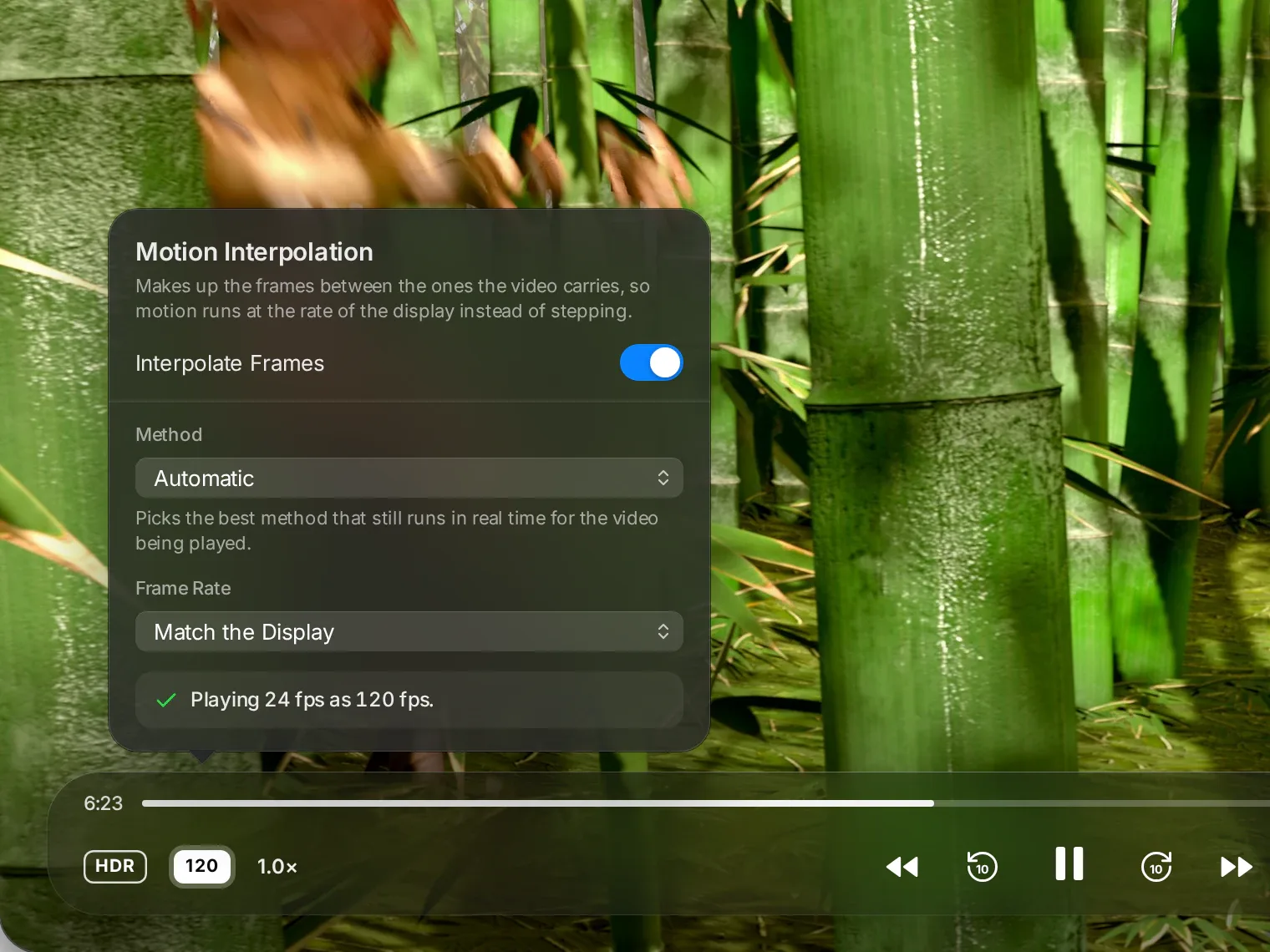
Automatic te5tar méthode ynajem y5addemha l-Mac mte3ek blech ma yna99ez. Optical flow w RIFE tnajem te5tarhom b-idek. Ye5dem zeda m3a SmoothVideo Project.

Popover mta3 Interpolation de mouvement fou9 Sintel tejri fi ghabet bambou: Interpolate Frames mcha3el, Method ma7touta 3la Automatic, Frame Rate ma7touta 3la Match the Display, w maktoub « Lecture 24 fps b-120 fps. » La barre de lecture twarri badge 120.
Détails techniques: Anadhfou w aslasLelli y7eb ya3ref akther f-technique
  • Mise à l’échelle: te5dem fil moteur Metal wa9t-elly la fenêtre tkoun au moins 1.2× akber mel vidéo. Auto testa3mel super-résolution mta3 Apple 3la petites vidéos men ba3d MetalFX; Apple Neural 4x howa téléchargement unique men Apple w yehbet l-2× ken el Mac yet3ab; FSRCNNX yetchargé ba3d ma ta9bel la licence LGPL-3.0 mte3ou. M9issa 3la M3 Max: MetalFX spatial 0.4–0.84 ms par image, FSR 1 men 720p l-1440p ~0.5 ms, NIS men 720p l-4K 1.19 ms, ArtCNN men 540p l-1080p ~2.1 ms. Les passes neuronales yetna77aw 3al batterie, fi mode économie d’énergie wella ki yes5on el Mac.
  • Moteurs d’interpolation: optical flow mta3 Apple (VTFrameRateConversion, Balanced w Quality); VTLowLatencyFrameInterpolation (7atta l-720p); estimation de mouvement par blocs 3al media engine tetba3ha compensation Metal; fondu enchaîné cross-fade; RIFE v4.25 3la Core ML (licence MIT, 960×576); SmoothVideo Project 3bar VapourSynth wa9t-elly ykoun installé.
  • Automatic te5tar moteur temps réel elli yod5ol fil budget (41.7 ms fi 24 fps): low latency, optical flow Balanced fi 2×, compensation de mouvement wella fondu. Jamais ma te5tar optical flow Quality, RIFE wella SVP, ma7foudhin lel choix manuel.
  • Cibles: match the display (mriguel 3al écran), 60 fps, 120 fps wella double el source.

06 Sout w diffusion

Aswat awdha7. Sout mfassel 3la 9yasek.

Tes3a modes de son 3la tari9at réglages de son mta3 Apple, égaliseur 10-bandes, renfort lel aswat, w lecture 3la Apple TV wella Chromecast.

Tes3a modes de son

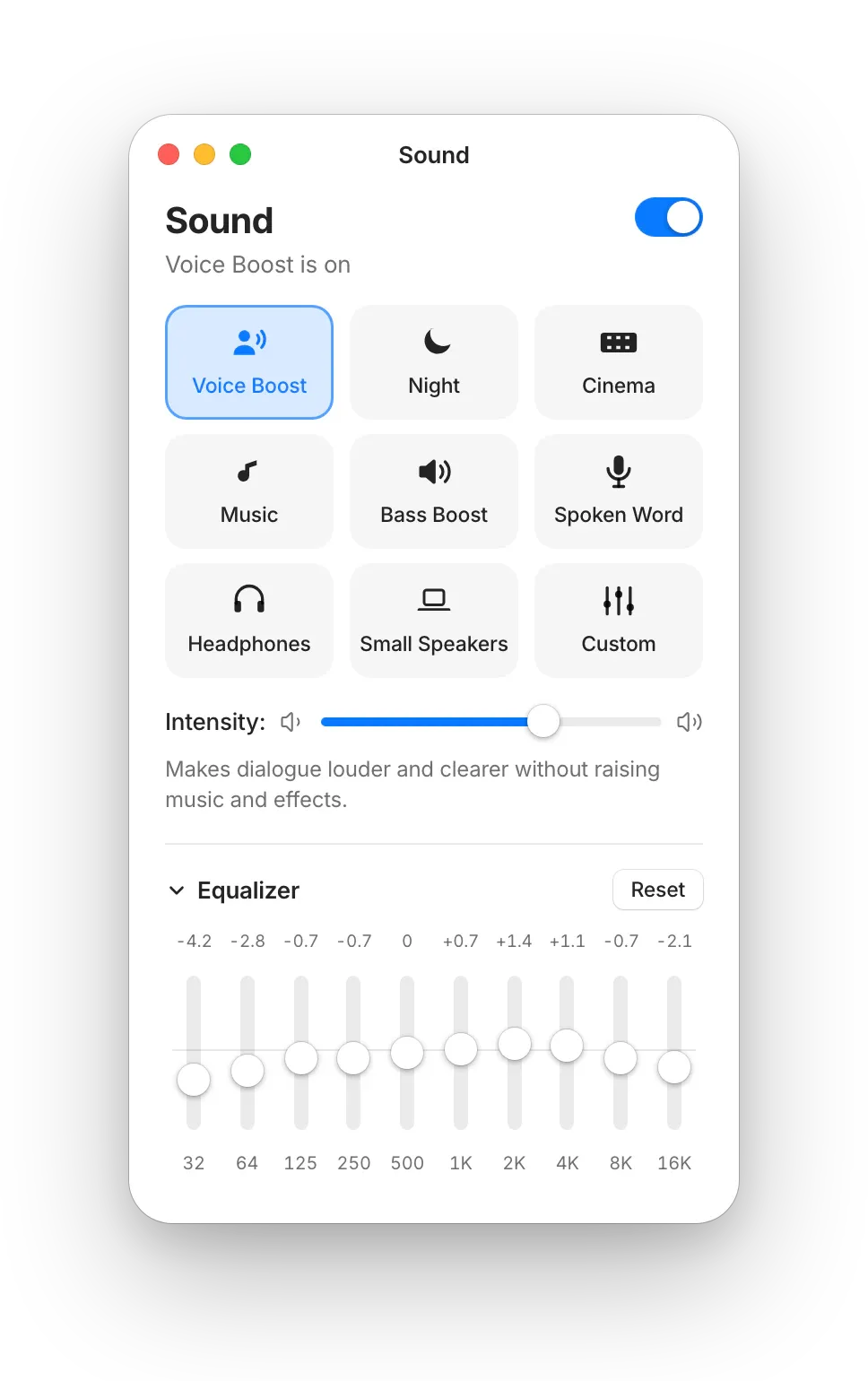
Voice Boost, Night, Cinema, Music, Bass Boost, Spoken Word, Headphones, Small Speakers w Custom, kol we7ed m3ah curseur Intensity.

Voice Boost

Yrod el 7war a3la w awdha7 men ghir ma y9awwi el mousi9a wel effets. M9issa: +7.4 dB d’avantage de dialogue 3la mix 5.1, +4.8 dB fi bande vocale en stéréo.

Egaliseur 10-bandes

Riguel les bandes men 32 Hz l-16 kHz 3bar Audio › Equalizer… (⌥⌘E) wella bouton Sound. Limiteur yemna3 el saturation fil la7dhat el 9wiya.

Mode nuit

Y9arreb bin el la7dhat el 9wiya wel hedya bech tnajem t5alli l-volume habt men ghir ma yfoutk klem el chakhsiyyet.

Play on TV Bêta

Ab3eth chnowa 9a3ed yemchi l-Apple TV, récepteur AirPlay e5er wella Chromecast bel bouton Play On. Testa3mel commandes MacLC wella télécommande et-télé mte3ek.

Panneau Sound mta3 MacLC: Sound mechi, Voice Boost ma5tour, curseur Intensity wel égaliseur 10-bandes ma7loul.Panneau Sound mta3 MacLC: Sound mechi, Voice Boost ma5tour, curseur Intensity wel égaliseur 10-bandes ma7loul.
Détails techniques: Sound and castingLelli y7eb ya3ref akther f-technique
  • Chaîne de signal: égaliseur 10-bandes 3la fréquences centrales ISO (32 Hz l-16 kHz), compresseur optionnel, filtre maclc_dialogue, w limiteur 3and -1.5 dB.
  • maclc_dialogue: rééquilibrage 5.1 vers le canal central; extraction centrale de dialogue en stéréo b-Short-Time Fourier Transform (STFT) m3a Apple vDSP (1024 points, 16 ms de latence).
  • Play on TV (beta): sortie de flux jdida airplay: MacLC y5arrej la vidéo k-HLS (MP4 fragmenté, l’audio en rendition EXT-X-MEDIA) 3la réseau mte3ek, w AVPlayer yab3athha lel récepteur 3bar AirPlay. Chromecast yesta3mel la sortie Chromecast mta3 libVLC. Corrections en amont: le démultiplexeur Chromecast ma 3adch y9os les fins, w les sorties de flux y3addiw l’horloge (set_pcr) bech HLS y9atta3 les segments.

07 Y5addem kol chay

Ken yemchi fi ayy blasa, yemchi lehna.

Ta9riban ayy fichier vidéo, audio wella flux — MKV, MP4, AVI, WebM, AV1, HEVC, FLAC, DTS, sous-titres SRT w ASS — men ghir 7atta chay e5er ma t’installih lel fichiers. W zouz biban jdod.

  • MKV
  • MP4
  • MOV
  • AVI
  • WebM
  • MPEG-TS
  • HEVC
  • AV1
  • VP9
  • ProRes
  • MPEG-2
  • FLAC
  • MP3
  • AAC
  • ALAC
  • Opus
  • WAV
  • SRT
  • Sous-titres ASS
  • Streams HTTP
  • Torrents
  • Liens web
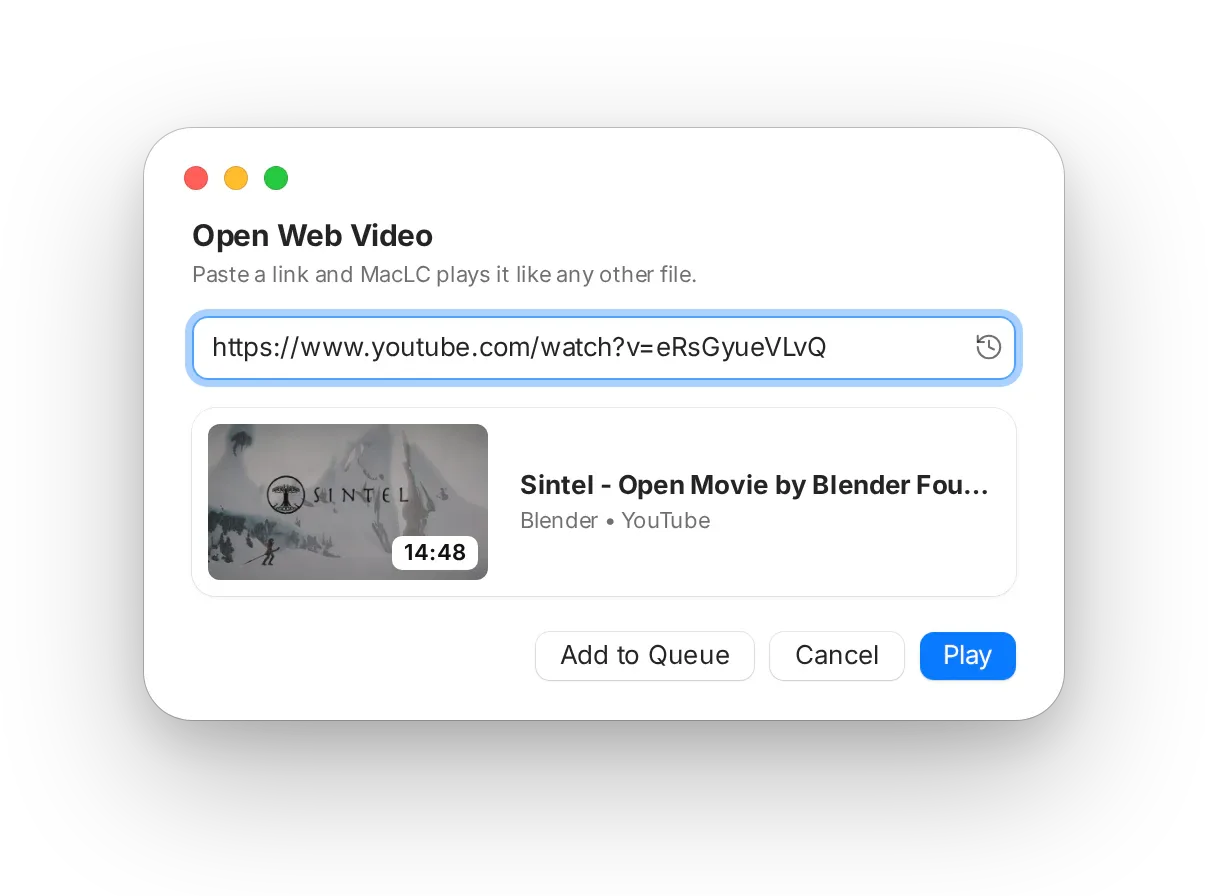
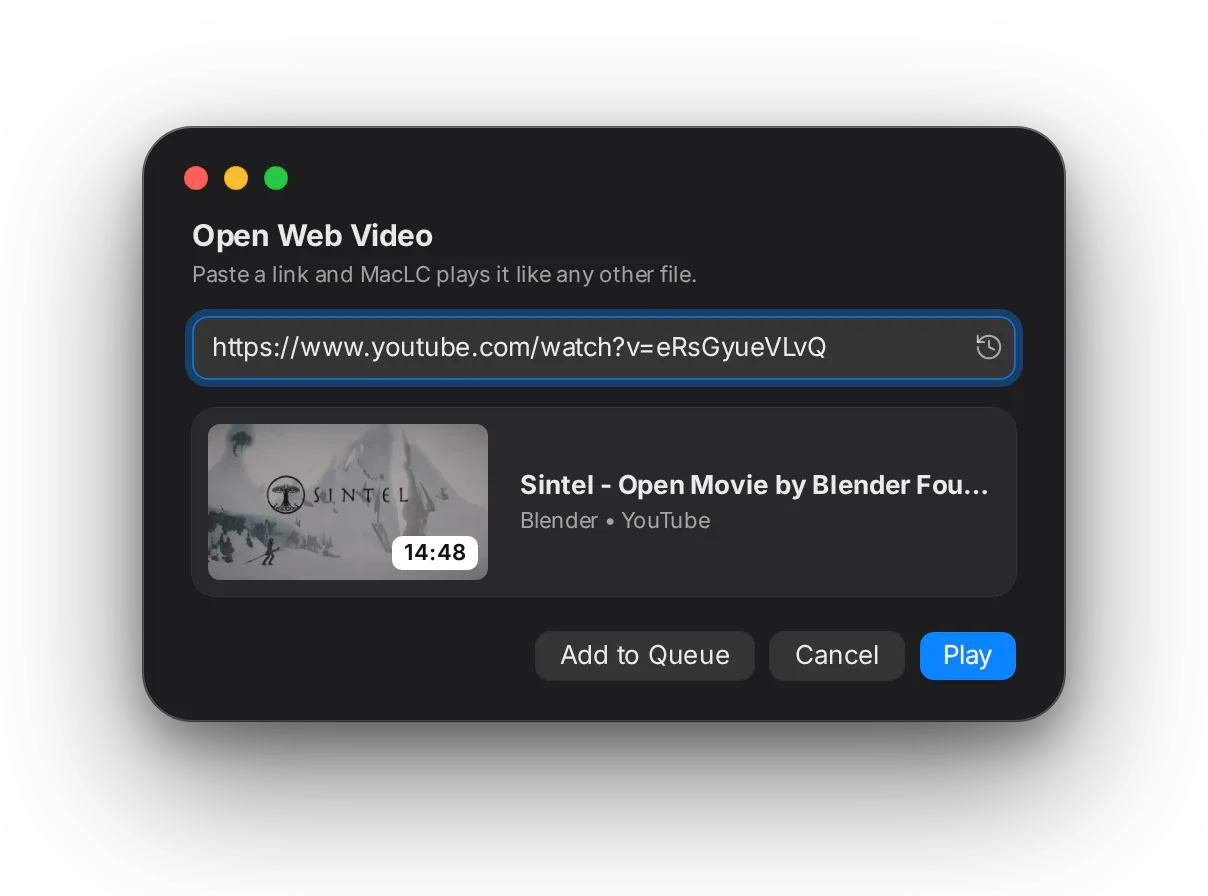
Panneau Open Web Video m3a lien YouTube: ywarri miniature, titre w moddet la vidéo, m3a boutons Add to Queue w Play.Panneau Open Web Video m3a lien YouTube: ywarri miniature, titre w moddet la vidéo, m3a boutons Add to Queue w Play.

Lassa9 lien, wella dour fi YouTube

Dour fi YouTube direct mel barre latérale m3a Home, Subscriptions, History, Watch Later w playlists, wella copier lien vidéo men ayy site w enzel ⌘ U. MacLC y5addmou fi nafs el fenêtre m3a kol contrôle ta3rfou.

Yesta3mel yt-dlp, outil gratuit t’installih marra wa7da b-commande wa7da. Connexion l-YouTube optionnelle: 3la page Google fi wost MacLC, wella 3bar navigateur mte3ek l-3adi. MacLC ma yched ken les cookies de session fi fichier privé.
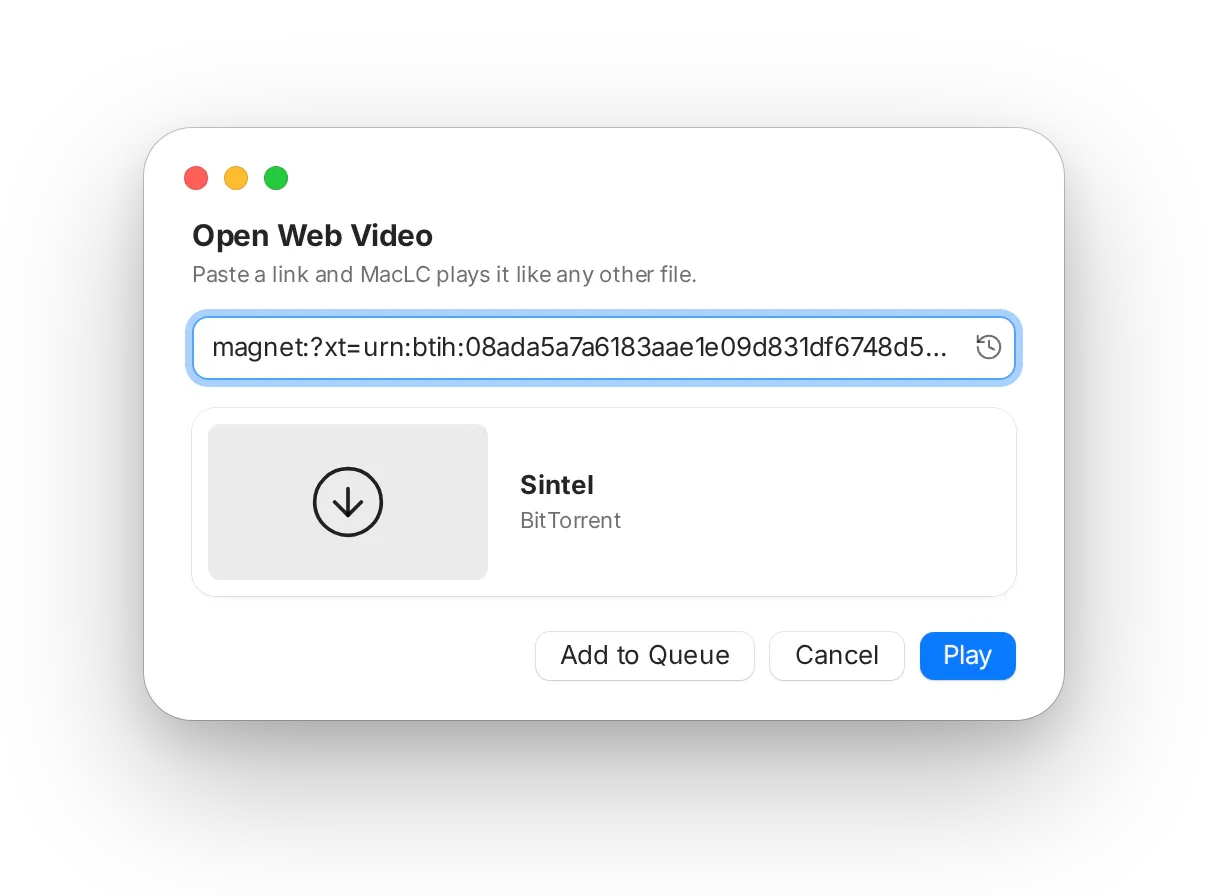
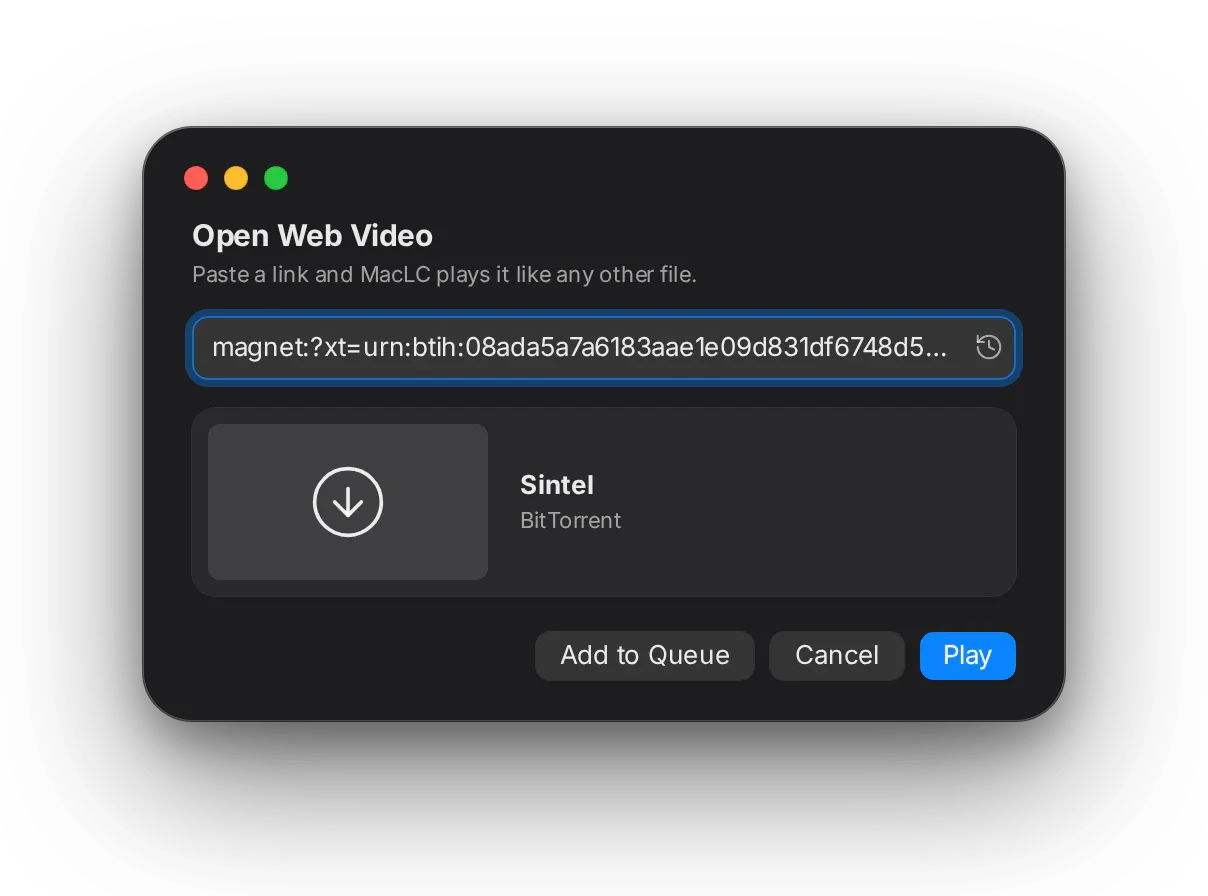
Nafs el panneau m3a lien magnet lel film ma7loul Sintel, ma3rouf k-lien BitTorrent.Nafs el panneau m3a lien magnet lel film ma7loul Sintel, ma3rouf k-lien BitTorrent.

Torrents tnajem ttaba3hom

7ell fichier .torrent wella lassa9 lien magnet. Ecran de chargement animé yfassar kol étape wa9t-elly yal9a les peers w start gate ytamponni thwéni vérifiés. Le tampon yet’adapta m3a vitesse es-swarm, w repère 3la barre de lecture ywarri chnowa tchargé l-9oddem m3a vitesse w peers.

Streami ken elli 3andek el 7a9 tetfarrej fih, kima Sintel louta, film ma7loul.

Détails techniques: Plays everythingLelli y7eb ya3ref akther f-technique
  • Moteur: masnou3 3la moteur de lecture open source mta3 VLC 4 (libvlccore) m3a ses démultiplexeurs, décodeurs w protocoles, FFmpeg w dav1d. Décodage matériel 3bar VideoToolbox (H.264, HEVC, ProRes; AV1 3la M3 w ma ajadd), chemins 10-bit w 16-bit ma7foudha.
  • Vidéo web & YouTube: File ▸ Open Web Video (⌘U) wel section YouTube fil barre latérale y5addmou yt-dlp barra mel thread principal m3a --cookies <file> (mode de fichier 0600) wella --cookies-from-browser. Les options yjiw 9bal -- hekka les adresses ma yet9rawch k-drapeaux. Yfaddhel flux fih sout, ye5tar codecs matériels fi nafs el taille, w yatlob men serveurs YouTube des plages de 1 MiB. E5er 10 liens mlass9in ma7foudhin localement.
  • BitTorrent start gate: yestanna 20 s men el film 7atta lin vitesse es-swarm tewallie ma3roufa, men ba3d 10 l-90 s 7asb vitesse téléchargement es-swarm par rapport lel film; yebda yemchi f-kol 7ala ba3d zouz d9aye9. Le tampon adaptatif yched fenêtre d’échéance de 2 d9aye9 (au moins 48 MiB) 9oddem el lecteur. L’avance du lecteur (délai PTS) tetba3 le tampon de démarrage, plafonnée à 10 s. Trackers par défaut zeydin. L’interface ta9ra instantané JSON marrtin f-thanya men ghir aller-retour libtorrent. Table de routage DHT ma7foudha bin les lancements hekka les peers yconnectaw fi thwéni. Métadonnées magnet en cache; les fichiers mta3 torrent ywalliw playlist, hekka les sous-titres yelss9ou wel épisodes yetrabbtou. MacLC ma y3allanch 3la schéma magnet:, hekka l’application torrent mte3ek tched les liens mte3ha.
  • Kol chay fil application (143 bibliothèques); 7atta chay e5er ma yet’installa bech t5addem les fichiers.

08 Réglages

Réglages ya7kiw loughtek.

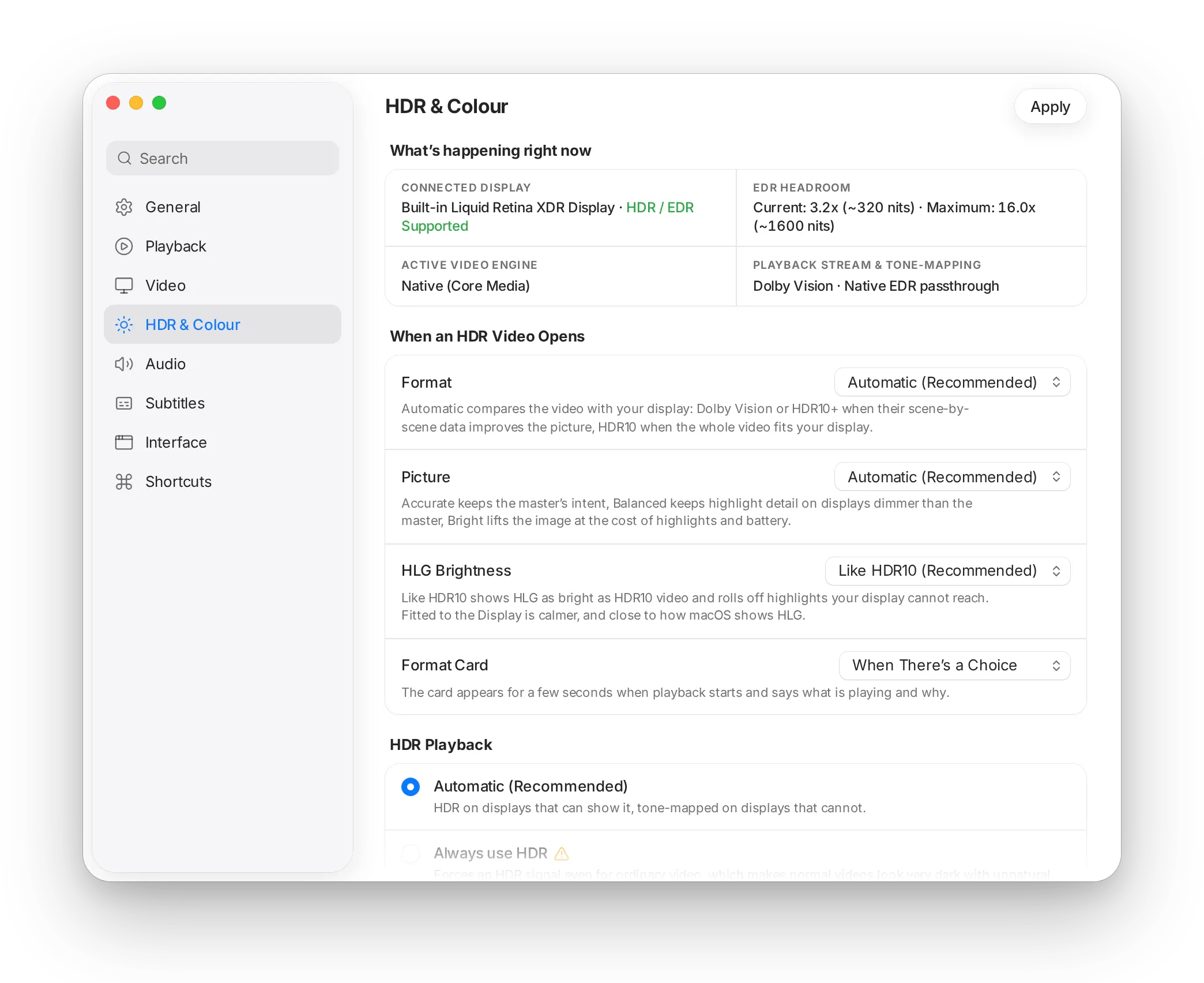
Kol option t9ollek chnowa bech tchouf wella tasma3 — mouch kifech te5dem men dekhel. Recherche tal9a réglage b-chnowa ya3mel, w 7atta chay ma yet7att zeyed lel mandhar.

MacLC y9oul« Lma3an yched les détails ama et-taswira a9al dhaw fi majmou3ha. »

Fi blastapplique un BT.2390 EETF

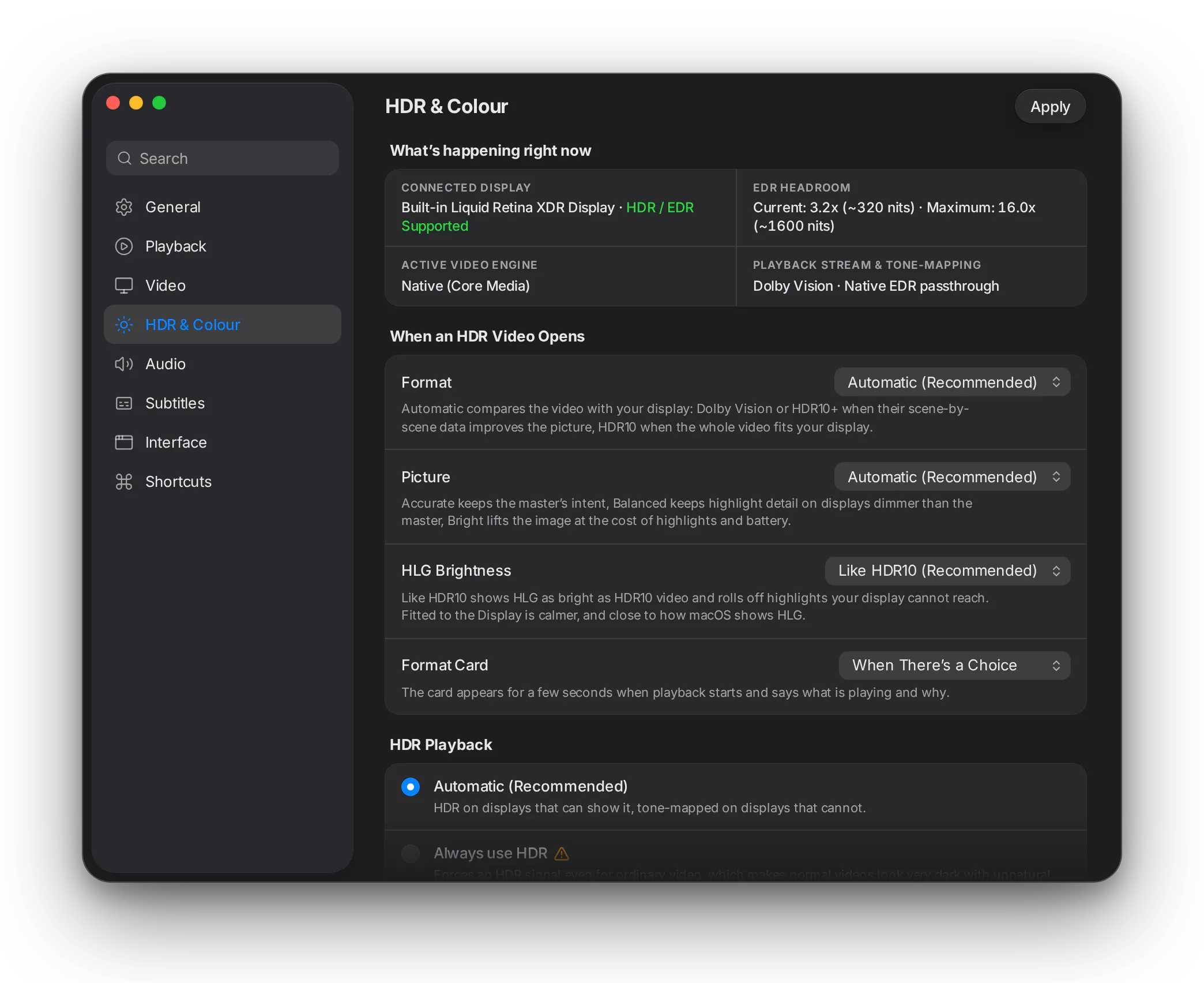
Réglages HDR & Colour: panneau direct ywarri l-écran connecté w chnowa 9a3ed yemchi, men ba3d choix b-klem wadha7 3la chnowa ysir wa9t tet7all vidéo HDR.Réglages HDR & Colour: panneau direct ywarri l-écran connecté w chnowa 9a3ed yemchi, men ba3d choix b-klem wadha7 3la chnowa ysir wa9t tet7all vidéo HDR.

Thmanya sections wadh7a

General, Playback, Video, HDR & Colour, Audio, Subtitles, Interface w Shortcuts — fi fenêtre wa7da, kima Réglages Système.

Recherche tefhem

Ekteb chnowa t7eb tbaddel, mouch chnowa esmou: recherche tlawej fil assemi, descriptions w mots-clés.

Chnowa 9a3ed ysir tawwa

Section HDR twarrik écranek, 9adeh ynajem ya9wa f-dhaw w chnowa l-vidéo 9a3da ta3mel, en direct.

7atta chay ma tna7a

Kol option mta3 experts to93od mawjouda, wara section avancée dépliable, l-nhar elli test7a9ha.

Détails techniques: SettingsLelli y7eb ya3ref akther f-technique
  • Fenêtre wa7da, barre latérale de catégories w champ de recherche elli yfiltri bel label, description w mots-clés par panneau; kol star fih label, contrôle w jomla wa7da 3la chnowa bech tchouf wella tasma3.
  • Kol contrôle mthabbet m3a option mawjouda fi hal build; option ne9ssa tna77i star mte3ha. Les 240 lectures de configuration lkol yet3addaw 3bar wrappers sécurisés, elli na77aw crash assert() fil panneau Interface.
  • Auto-test au démarrage ybni les 8 panneaux lkol: summary: 8 panes, 8 ok, 0 failed. L’arbre avancé kemel mta3 le moteur ma tmassch w mezel ma7loul.

Kifech t3awdet tbanet l-interface →

09 Masnou3 lel Mac

T7essou jé m3a l-Mac mte3ek.

Volume

Confirmations hedya

Baddel el volume, la vitesse wella les sous-titres w capsule sghira men 9zez t’akkedha — jamais ktaba maktouba fou9 et-taswira.

Fenêtres yjiw 9ad el film

Film widescreen ye5ou fenêtre widescreen: blech bandolet k7al, 7atta wa9t tlasa9 les fenêtres jnab l-jnab.

Mac mte3ek, b-tari9tek

Yetba3 couleur d’accent mte3ek, Clair w Sombre, Réduire les animations, Augmenter le contraste, VoiceOver w contrôle complet bel clavier.

Liquid Glass

3la macOS Tahoe, commandes de lecture, barre latérale w barre Now Playing y3oumou fou9 l-9zez, kima applications Apple bid-dhet.

7atta chay e5er ma t’installih

Codecs, sous-titres, bibliothèque w upscalers lkolhom fi wost l-app. 7otha fi Applications, tebda 7adhra lel fichiers w liens mte3ek.

Icône makhdouma lel Dock

Carré arrondi graphite marsouma 3la grille d’icônes Apple, m3a dhaw deffi wa7ed fi wostha — 5ater hedheka 3lech mawjoud MacLC.

Détails techniques: Made for the MacLelli y7eb ya3ref akther f-technique
  • AppKit kemel: NSGlassEffectView 3la macOS 26 m3a repli matériel HUD (zeda ta7t Réduire la transparence wella Augmenter le contraste), SF Symbols, vraie barre latérale source-list w étiquettes de temps b-chiffres à chasse fixe.
  • MacLCDesign y3arref kol couleur, style typographique, espacement, rayon, matériel w animation k-sémantiques système, heka 3lech réglages d’accessibilité yet’appliqiwa men ghir cas particuliers.
  • Autonome: 143 bibliothèques intégrées, identifiant 5ass org.maclc.MacLC. Les traductions yo93dou ye5dmou.
  • Fenêtres vidéo ya5dhou taille native mta3 la vidéo wella son rapport d’aspect da5el cadre agencé wella zoomé; menus yesta3mlou klem Apple (Settings…, Keep on Top, Take Snapshot).

Détails mta3 design w accessibilité →

10 Mo9arna

El lecteur elli 7add ma bneh.

QuickTime yod5ol b-di99a fil Mac ama y7ell chwaya formats. Infuse 3andou bibliothèque mezyna ama yetlob abonnement lel fonctions Pro. IINA behi barcha, gratuit w open source zeda, blech SDR to HDR, mise à l’échelle wella interpolation intégrées. MacLC ylem el behi men kol we7ed.

Mo9arnet MacLC b-lecteurs vidéo o5rin lel Mac
FonctionnalitéMacLCIINAInfuseQuickTime Player
Y5addem 9rib kol fichier vidéo Ba3dh les formats audio lezemhom Pro Akthariyet l-wa9t MP4 w MOV
Y5alli el vidéo el 3adiya telma3 3la écrans HDR (SDR lel HDR)
Méthodes upscaling intégrées Tes3a Shaders t’installihom wa7dek Mode IA wa7ed
Bibliothèque l-vidéowatek W mousi9tek zeda Playlists w historique El 5edma mte3ou
Gratuit Pro bel flous Yji m3a macOS
Open source GPL GPL

Mabni 3la fonctionnalités publiées mta3 kol lecteur nhar 2026-11-03. Famma 7aja ghalta? 9olna. Chouf el mo9arna kemla →

Players & apps11 min read

The best video players for Mac in 2026

Compare the best video players for Mac in 2026. From MacLC and IINA to VLC and Infuse, find the right player for HDR, MKV files, and battery life.

Formats & codecs10 min read

How to play MKV files on a Mac (no converting)

Learn how to play MKV files on Mac without converting. See why QuickTime fails, how to open MKVs instantly in MacLC, and how to set a default player.

HDR & picture11 min read

What is HDR? High dynamic range video, explained

HDR delivers brighter highlights, deeper contrast, and richer color than standard video. Learn what HDR means, how it differs from 4K, and how it works.

HDR & picture8 min read

SDR to HDR: can you turn ordinary video into HDR?

Can you convert SDR video to HDR? Learn how inverse tone mapping works, why crude conversions look fake, and how MacLC expands SDR highlights in real time.

Sound8 min read

Why is movie dialogue so quiet? And how to fix it on a Mac

Why movie voices are hard to hear while explosions are deafening. Learn why 5.1 downmixing buries dialogue, and how to fix it with Voice Boost and EQ.

Mac how-to9 min read

“Apple could not verify” an app? How to open it safely on a Mac

See what 'Apple could not verify that this app is free of malware' means on macOS Sequoia & Tahoe, why Open Anyway is needed, and how to open apps safely.

Gratuit. Privé. Open.

Gratuit, b-s7i7

Blech abonnement, blech pub, blech compte, 7atta fonctionnalité mouch m5obya. El da3m mar7ba bih, jamais ma howa mafroudh.

Privé b-tbi3tou

Blech tracking w blech télémétrie. Bibliothèque, historique w réglages mte3ek jamais ma yo5rjou mel Mac mte3ek.

Open source

Kol star public 3la GitHub ta7t licence GPL. Ayy chkoun ynajem ya9rah, ythabbet fih w yebnih.

Fondations ma7loula

MacLC masnou3 3la partie mel moteur de lecture open source mta3 VLC 4, libVLC, m3a chokr kbir l-VideoLAN.

MacLC fi bêta publique

L’ingénierie m9issa; tawwa test7a9 3inin. Ken 3andek écran HDR, bibliothèque kbira wella fichier mouch 3adi, jarreb MacLC w 9olna chnowa tchouf. Rapport de bug behi yesswa akther men barcha da3m.

Y5addem kol chay. W y5alli et-taswira telma3.

  • Gratuit
  • Version 1.6
  • 57.8 MB
  • macOS 26 Tahoe wella ma ajadd
  • Apple Silicon (M1 wella ma ajadd)

Before you download

MacLC is free. If it is useful to you, a gift helps it skip “Open Anyway” and funds the next release.