Design
T7essou mhabet m3a l-Mac mte3ek.
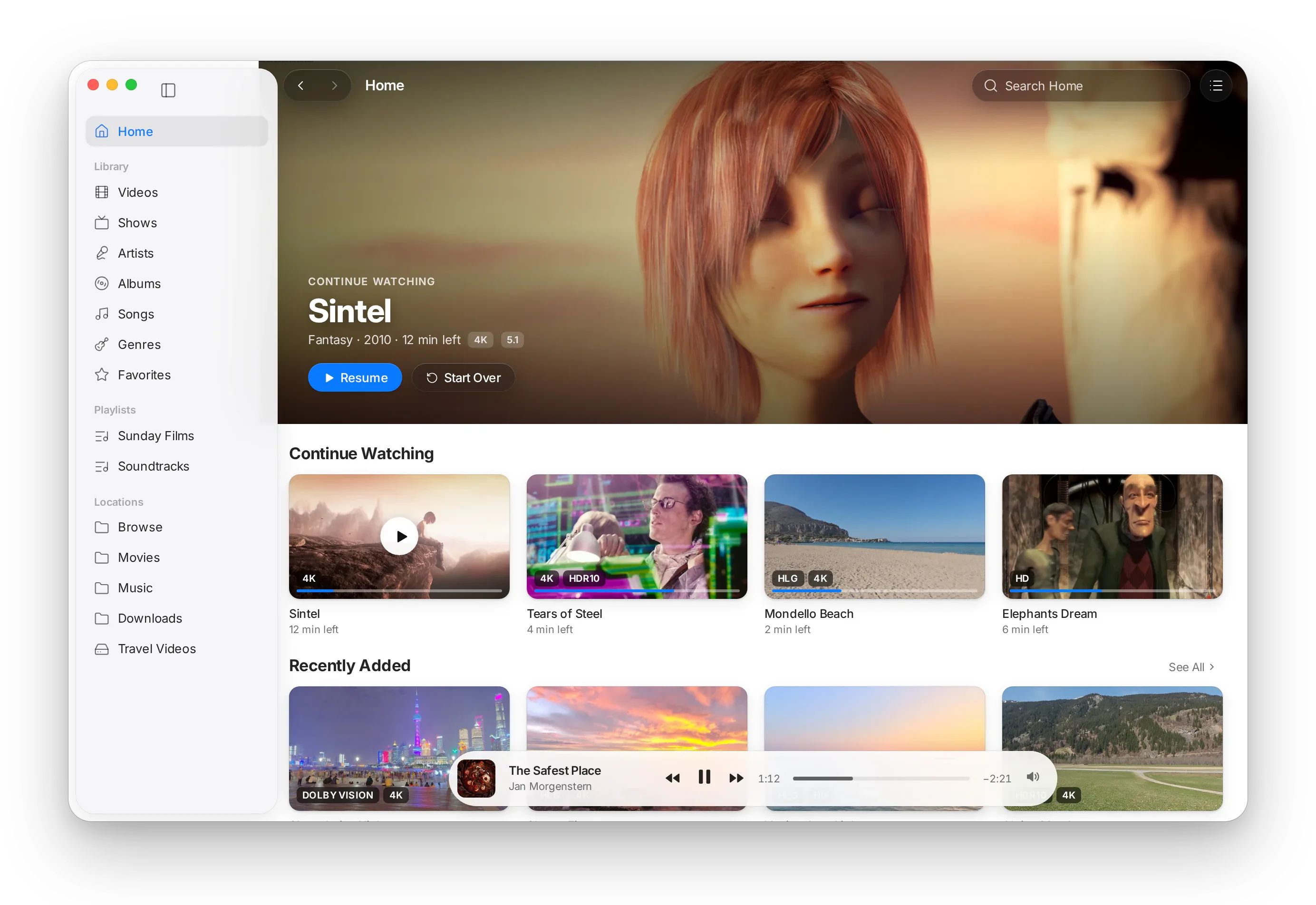
Les lecteurs multiplateformes yersmou les contrôles mte3hom 3la Mac. MacLC t3awed tbnâ 3la 9we3ed el Mac bidou: el matières mte3ou, les menus, les réglages wel accessibilité.
01 Interface
Mabni b-9ta3 el Mac bidou.
Liquid Glass
3la macOS Tahoe les contrôles de lecture, la barre latérale wel barre Now Playing y3oumou fou9 el bllar. 3la les systèmes el 9dom, wella m3a Réduire la transparence, yetbaddlou l-matière solide.
Barre latérale Mac s7i7a
Mouch liste mziyna bech tchabbah: hiya bidha la barre latérale mta3 es-système, b-matière mte3ha, tayyen mte3ha wel glisser-déposer.
Fenêtres 9ad el film
Film 2.39:1 ya5ou fenêtre 2.39:1. Fi fenetre mosaïque, et-tasswira tched format mte3ha men ghir boudourat ko7el l-fou9 w louta.
Ta2kidat saktin
El volume, es-sor3a, les pistes wel décalages yet2akkdou fi capsule bllar sghira — w yet9raw l-VoiceOver — fi 3odh ma yetketbou fou9 et-tasswira.
Ar9am rekkzin
L-affichage mta3 el wa9t yesta3mel ar9am b-ardh kif kif (monospaced), bech ma yo93douch yet7arkou ymin w ysar m3a kol seconde.
Menus b-klem Apple
Settings… (Réglages), Keep on Top (Eb9a l-fou9), Take Snapshot (Khoudh capture), Full Screen (Plein écran): les noms elli ta3rafhom dima, men ghir éléments fi menu ma ywaslou l-chay.
02 Les réglages
Kol réglage y9ollek chnowa bech tchouf.
Les préférences fel lecteurs el 9dom kenou akther wa9t 7it mta3 cases à cocher, zeyed arborescence avancée fiha alaf options ma fasserhom 7add. MacLC fih fenêtre wa7da, barre latérale, champ de recherche — w jomla ta7t kol option.
MacLC y9oul«El reflets ycheddu tafasilhom ama et-tasswira tji adhlil en général.»
Fi 3odhapplies a BT.2390 EETF
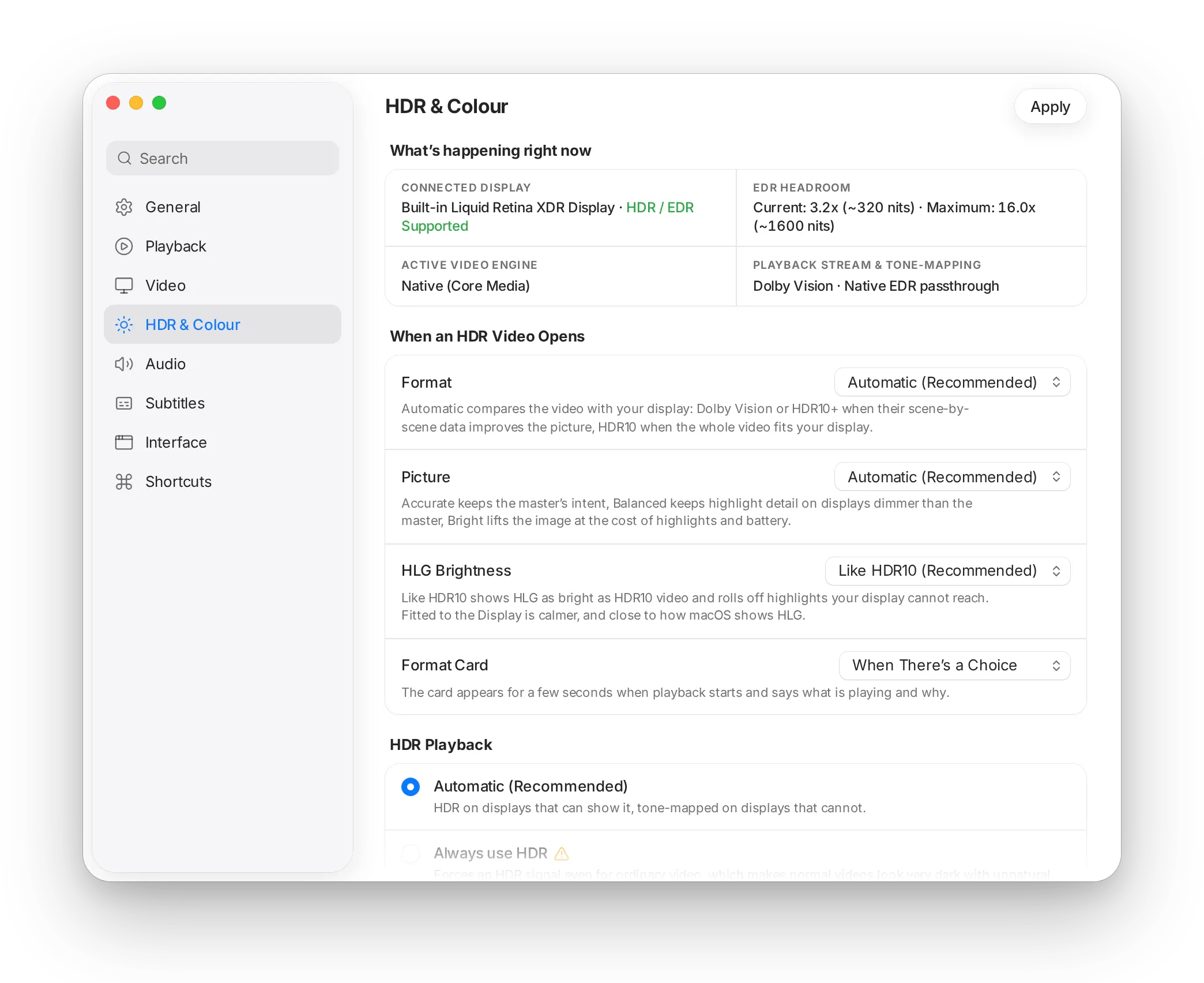
8 sections
General, Playback, Video, HDR & Colour, Audio, Subtitles, Interface w Shortcuts.
Recherche bel ma3na
El recherche tlawwej fil assemi, les descriptions wel mots-clés, ya3ni «dhow» wella «luminosité» tel9a chnowa 9ssadt.
Avertissements win lezem
Option elli tnajjem tfassed la lecture tal9a m3aha avertissement w jomla t9ollek chnowa bech yssir.
7atta chay mouch décor
Kol contrôle mthabbet m3a option mawjouda fil version hedhi. Ken option ne9ssa, star mte3ha ma yodhhorch.
03 Accessibilité
Yetba3 el Mac mte3ek, 5ater ma 7a9rouch jemla.
MacLC ma y7ottech alwen, 9yaset wella animations fardin fil code: yes2el es-système. Hedheka 3lech réglages el Mac mte3ek yetbabb9ou fi kol blasa, men ghir 7alet 5assa.
Couleur d'accent
Les boutons, les sélections wel commutateurs ya5dhou el couleur d'accent elli 5tarthou fi Réglages Système.
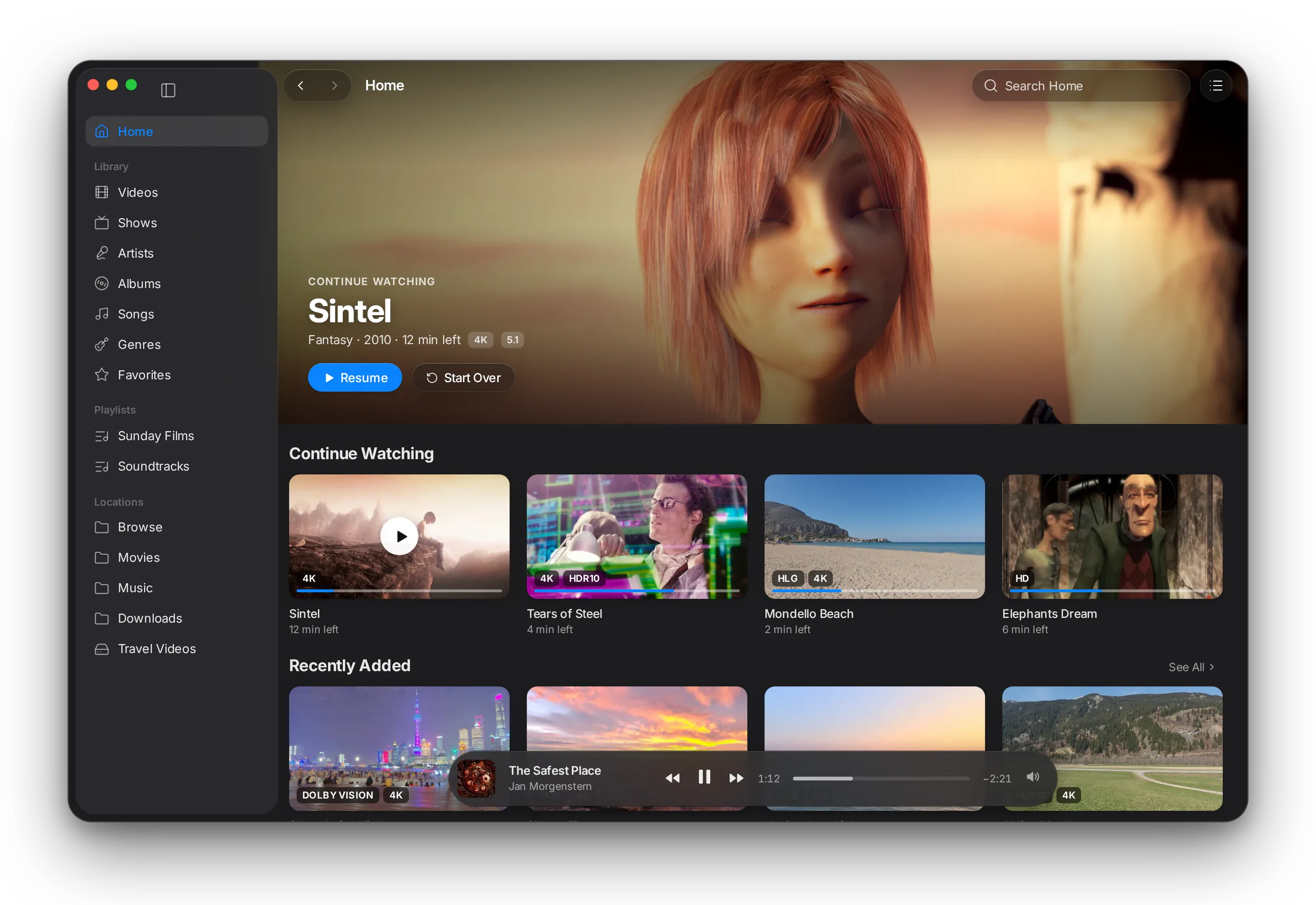
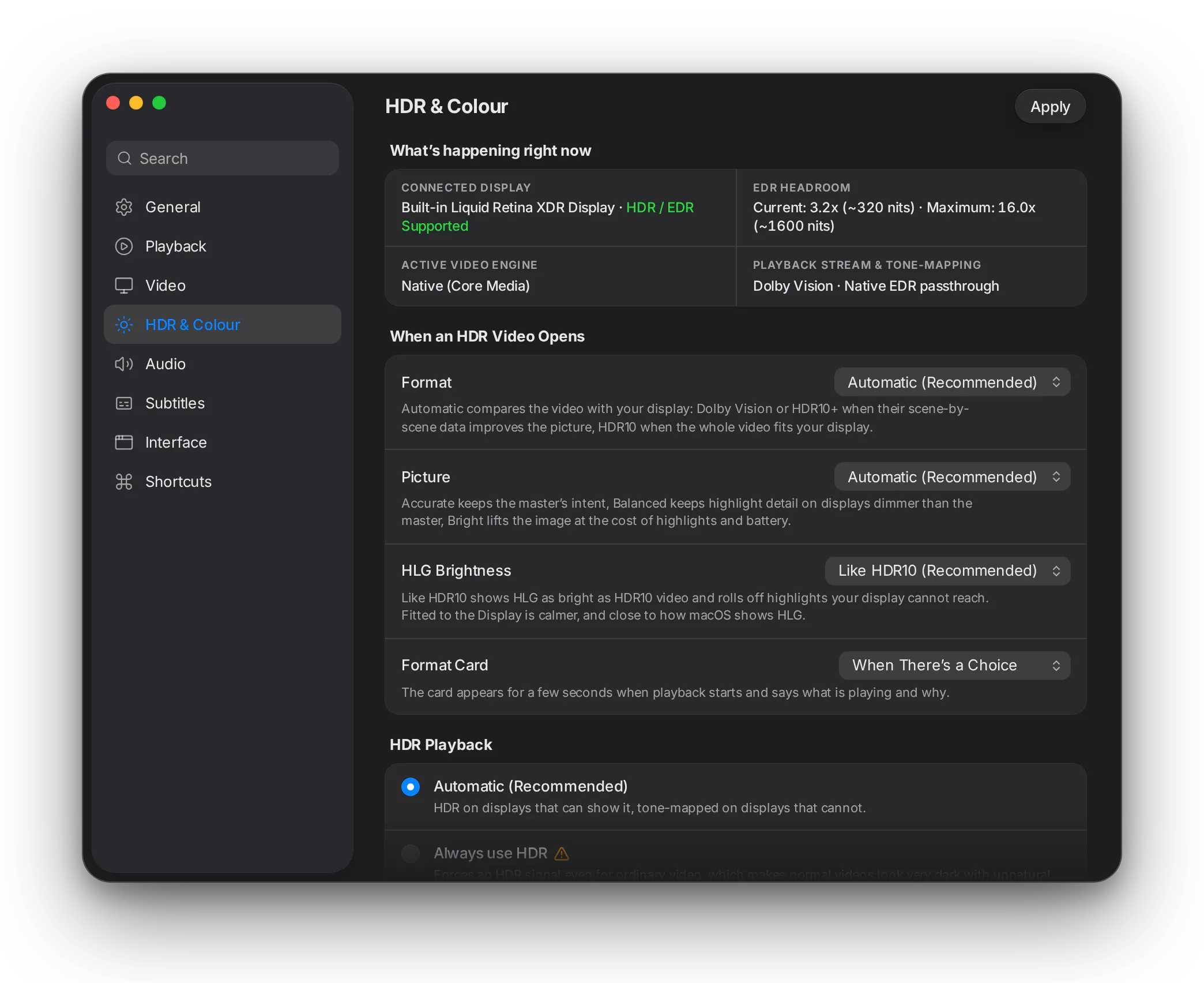
Clair w Sombre
Kol fenêtre w panneau yetba3 el apparence mte3ek, 7atta les panneaux d'effets w d'informations.
Réduire les animations
Les animations ywalliw fondus enchaînés bsat.
Contraste w transparence
M3a Augmenter le contraste wella Réduire la transparence, el bllar yetbaddel l-surfaces solides b-contraste 9wi.
VoiceOver
Les contrôles 3andhom étiquettes man9oulin bel klem, w ta2kidat 3al écran yet9raw — marra barka, bel valeur elli rkizt 3liha.
Clavier
Kol contrôle tousellou mel clavier, w Hold to Compare ye5dem zeda b-nzila 3la touche.
04 L-icône
Et-tafasil elli 7add ma tlabha.
Squircle graphite 3la grille d'icônes mta3 Apple, mouch rectangle arrondi 3adi: b-16 points fil Dock, hedhika l-courbe hiya elli t5alli l-icône tban fi blast-ha b-s7i7.
El loun el wa7id howa ed-dhow ed-dafi wara 3lamet el lecture, hedheka 3lech tet9ra k-dhow mouch k-d-dhen. W l-icône lkolha marsouma b-programme sghir ma7tout m3a l-code, bech tnajjem tetbaddel w tetqaren kima ayy code.
05 Ta7t el capot
Lel 3bed el fadhouliyin fil technique.
Design systemMacLCDesign
- Tokens
- Couche wa7da t3arref kol loun, style d'écriture, espacement, rayon, matière, configuration SF Symbol w moddet animation k-propriétés de classe mtab9a l-sémantiques AppKit (
labelColor,controlAccentColor,separatorColor…). Code macOS mta3 VLC ken fih 11 loun brut fi catégorie wa7da barka. - Mouvement
- Ressorts quick, standard w m2akkdin, délais d'attente w de repos; d5oul w 5rouj yarj3ou l-fondu enchaîné ta7t Réduire les animations.
- Bllar
NSGlassEffectView3la macOS 26, vue d'effet visuel HUD m3a bordure fine fi blayes o5ra, yetbaddlou en direct ki yetbaddel Réduire la transparence wella Augmenter le contraste.- Typographie
- Styles de texte système fi kol blasa; ar9am monospaced l-étiquettes mta3 el wa9t.
6 mesuresTna9lou lel grille mta3 8 points
| Mesure | VLC | MacLC | 3lech |
|---|---|---|---|
| Star liste sghir | 25 pt | 32 pt | 25 pt kenet a9al men zone de clic mrey7a. |
| Star liste motawasset | 50 pt | 48 pt | Modha3af mta3 8. |
| Star liste kbir | 100 pt | 96 pt | Modha3af mta3 8. |
| Star liste vidéos | 42 pt | 48 pt | Modha3af mta3 8, m3a blasa lel vignette. |
| Rayon mta3 coin | 4 pt | 8 pt | Er-rayon moyen mta3 es-système. |
| Fondu mta3 les contrôles | 0.4 s | 0.25 s | Moddet l-animation standard mta3 es-système. |
Fenêtre de réglagesmodules/gui/macosx/settings
- Structure
- Fenêtre wa7da, barre latérale mta3 catégories w champ de recherche yfalti bel étiquette, description w mots-clés l-kol panneau; kol panneau fih pile mta3 cartes m3anwna; contrôles avancés m5obyin wara flèche déroulante.
- Lectures m7amiya
- El 240 lecture de configuration lkol yet3addaw 3la wrappers ythabtou elli l-option mawjouda. 7allan panneau Interface ken y3ayet l-
config_GetPsz("http-password")fi versions men ghir Lua —assert()fi libvlccore kenet tba55er l-application. - Auto-test
MACLC_SELFTEST=1yebni et-thmanya panneaux lkol wa9t ed-demarrage w ya3ti rapportsummary: 8 panes, 8 ok, 0 failed.- 7atta chay ma tna7a
- L’arbre avancé mta3 le moteur yo93od kima howa w ma7loul wara section dépliable.
IdentitéApplication Mac 9eyma b-dhet-ha
- Bundle
org.maclc.MacLC. Wa9t ma ken yechrek l-identifiant mta3 VLC, macOS ken ywarri icône VLC 3la fenêtres MacLC fi Stage Manager wel Dock, w MacLC ken ya9ra w yekteb fi réglages w bibliothèque VLC.- Migration
- Awwel 7allan ykopi dossier de préférences VLC, dossier application-support wel domaine defaults. Ykopi barka.
- Assemi
- Assemi el marques yetbaddlou ba3d et-tarjama, hedheka 3lech kol catalogue fi
po/yo93ed ye5dem («Hide VLC» → «Masquer MacLC» fil français). Les captures yetsemmawmaclcsnap-*. - Icône
- Superellipse (exposant 5) t3abbi 824 3la 1024, ma5douma b-
extras/package/macosx/asset_sources/maclc_app_icon.swift, m3a 3lama template-image l-barre de menus.
StabilitéTasli7at fi th-thneya
- Crashes
- Use-after-free wa9t ma tsakker fi le5er mta3 lecture (yet3awed kol marra fi VLC), assertions tousel-hom mel interface, Browse m3a service de découverte feragh, curseur de progression 3la Mac men ghir écran actif.
- Blocages
- Deadlock wa9t et-teardown, wa9fet lecture, tarji3 plein écran yestanna fi verrous video-output, fenêtres de progression yblokiww el file principale, w mara 3la 5amsin wa9t ma tsakker ma tekmelech jemla.
- Tests
- Tests unitaires l-9yas el fenêtres, 9we3ed el reprise, courbes de tons, SDR to HDR, advisor HDR, conversions chroma NEON w métadonnées HDR CoreVideo.