HDR w SDR to HDR
Ed-dhow, kima écranek ynajjem ywarrih.
Écran el Mac mte3ek ynajjem ya3ti akther b-barcha melli totlbou aghlabiyat les vidéos. Hani chnowa ya3mel MacLC b-hedha — b-klem wadhah mel louwel, w ba3dou kol tafsil lel 3bed el fadhouliyin.
01 Chnowa ma3naha HDR
Dhow akther mel byadh.
Vidéo 3adiya to9ef 3and el byadh: maryoul abyadh w ech-chmes 3andhom nafs ed-dhow. Écran HDR y5alli chwaya dhow en réserve fou9 el byadh, l-koll 7aja tech3el b-s7i7.
9addeh dhow? Hedha yorbot b-écranek w réglage ed-dhow mte3ou. Écran XDR mta3 MacBook Pro ynajjem ywarri reflets youslou l-1 600 nits — a9wa b-barcha marrat mel byadh mta3 page web.
02 SDR to HDR
Vidéowet kol youm, mdhawya.
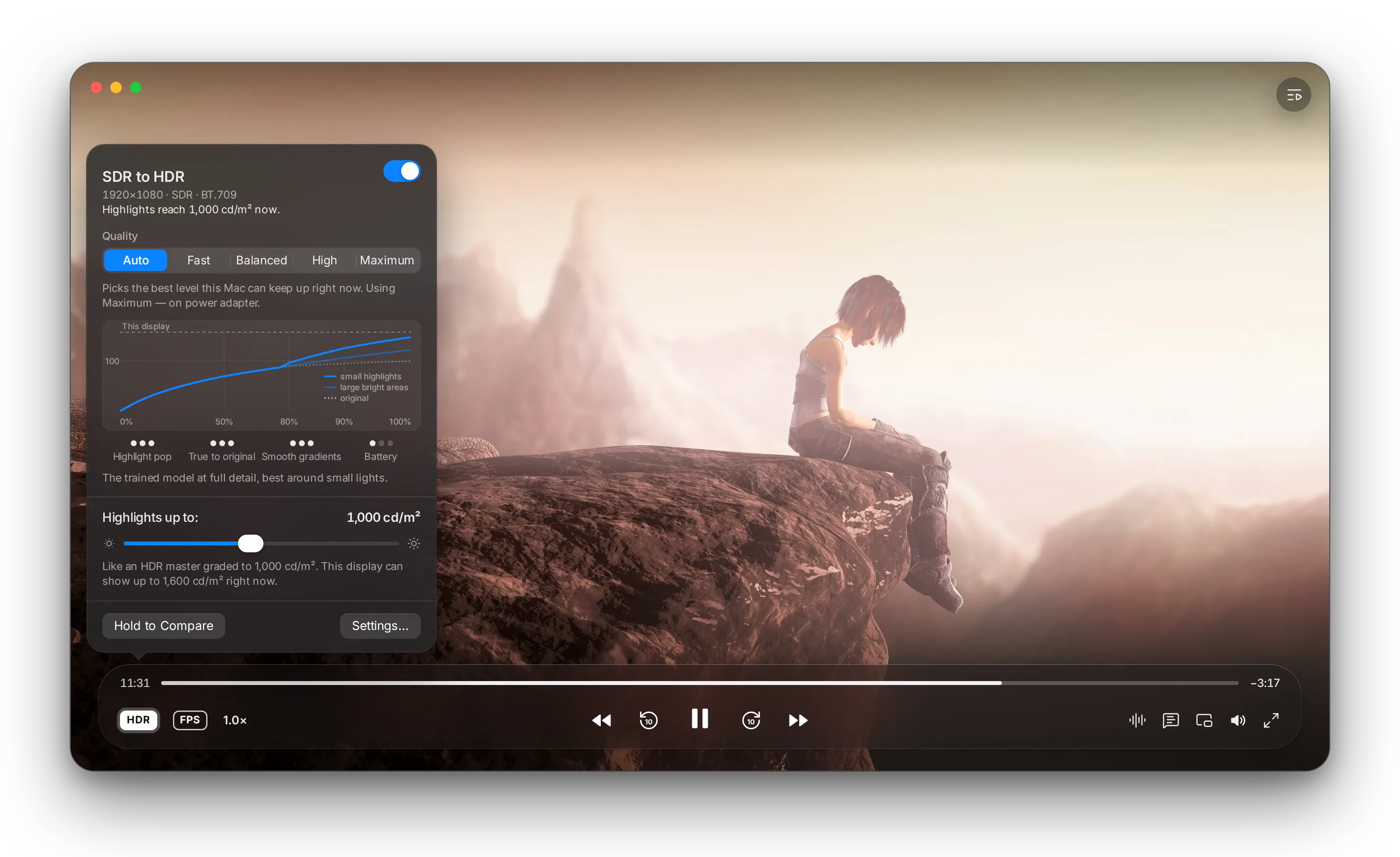
9rib koll vidéo 3andek ma5douma l-écrans 3adiyin. SDR to HDR y5alli adhweha, smeha w refleteha yesta3mlou er-réserve mta3 écranek — w y5alli el wjouh wel dhlel 9rab l-kifech tsawwrou.
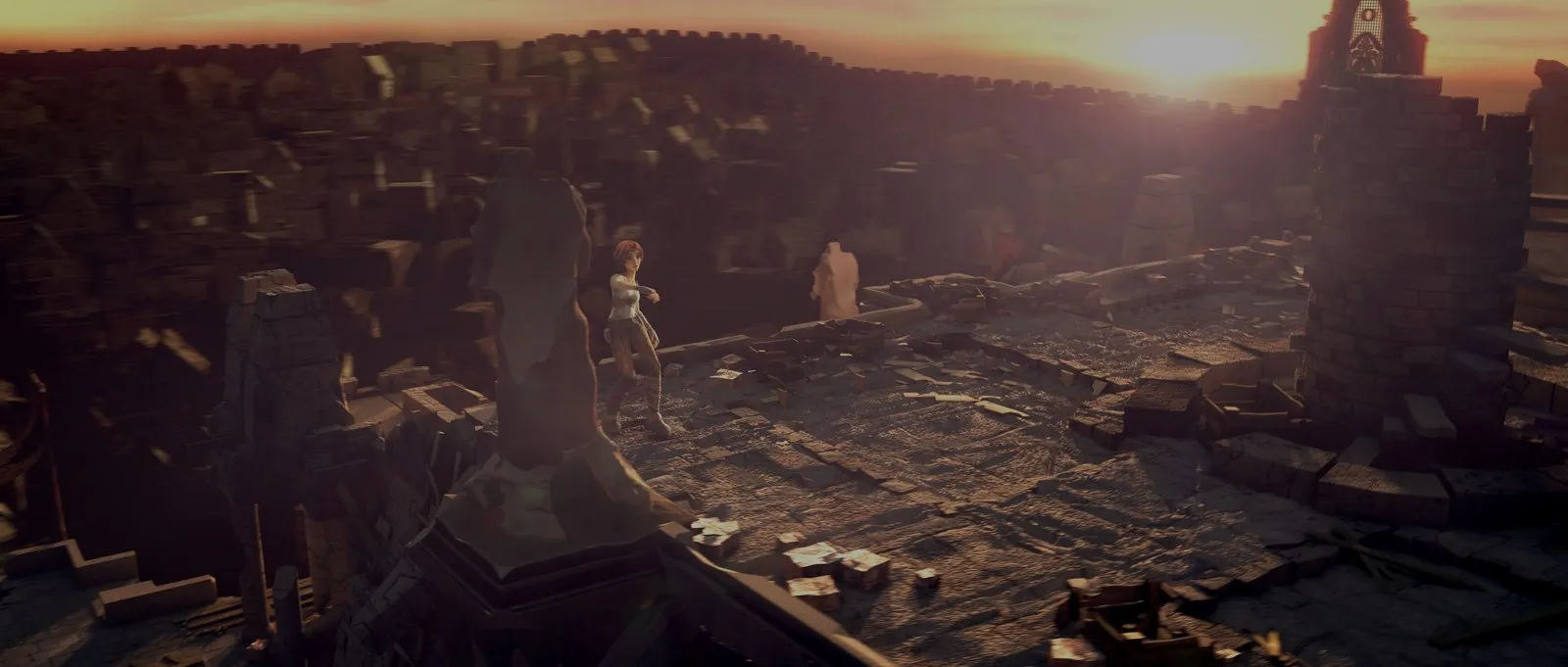
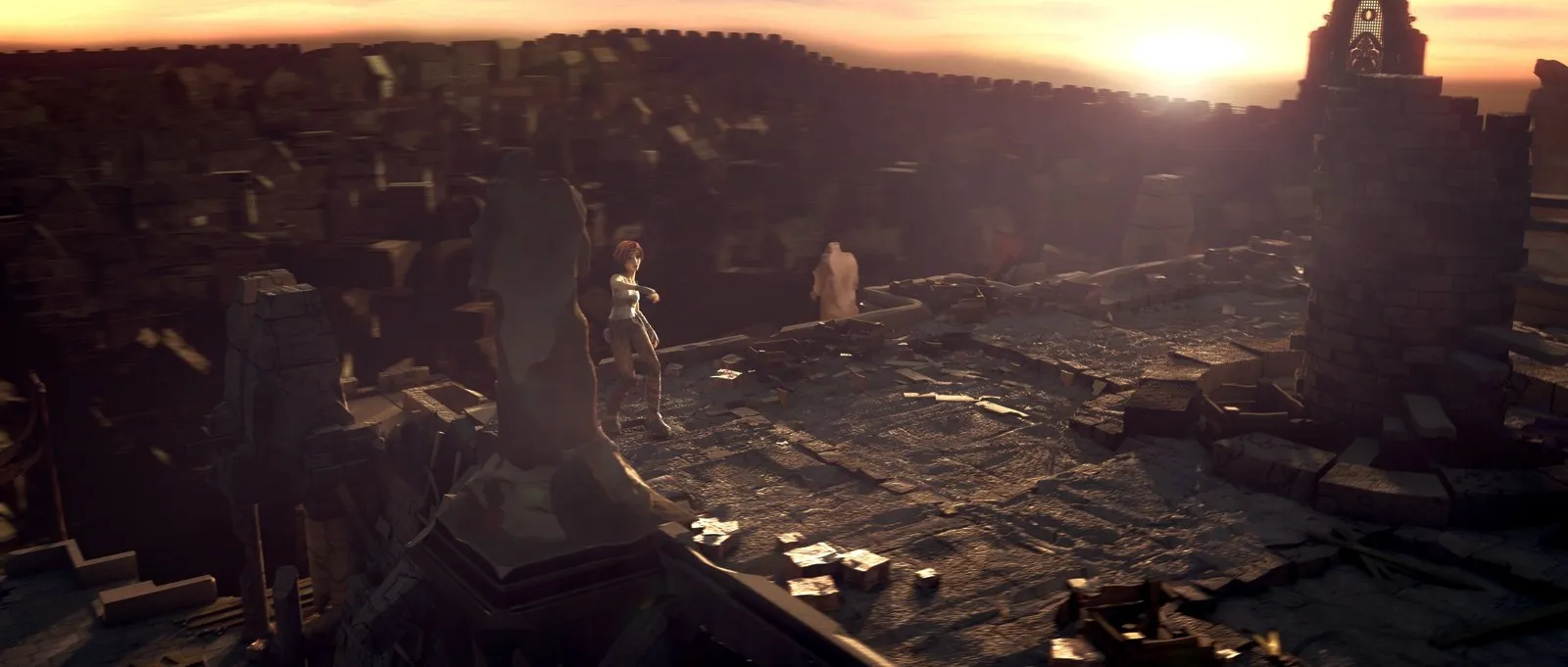
Ken el reflets yetbaddlou
L-luminosité tatla3 b-chwaya b-chwaya fil reflets, bla na9zan, wel alwen ycheddu teinte mte3hom. Fel niveau Balanced, kol chay ta7t el abyadh diffus — dhow marioul abyadh — yo93od kima ken.
T7ot enti es-sa9f
«Highlights up to» (Reflets 7atta l-) te5dem kima ed-dhow elli l-film HDR t3amel 3la 9issou. MacLC ma yotlob men écranek 7atta chay akther melli ynajjem ywarrih tawwa.
Qaren wa9t ma t7eb
Eb9a nezel 3la M, wella bouton Hold to Compare (Eb9a nezel bech tqaren), bech tchouf l-asli. A3mel Option-click 3al badge HDR bech tcha3lou wella ttffih.
Chnowa ma ya3melch
Ma ynajjemch ya5la9 tafasil ma tsawretch aslan. Ma ya3mel chay 3la écran 3adi, w les vidéos elli homa aslan HDR ma ymashomch.
Ya5tar a7sen niveau ynajjem yel7a9 3lih el Mac tawwa: Maximum 3la puce Pro wella Max ki yabda mbranchi, w niveaux a5aff 3al batterie wella ki yos5on el Mac.
Courbe wa7da lel tasswira lkol. A5aff 7aja 3al batterie.
Yet2a9lem m3a kol scène, y5alli el byadh naturel wel dégradés rtab, w ya7mi les sous-titres wel logos.
Modèle entrainé yel9a el adhwa2 wel reflets w yerfa3 ken homa.
El modèle l-entrainé b-kol tafasillou, a7sen 7aja dweyer el adhwa2 es-sghar.
03 Aflam HDR
El format es-s7i7, mafrouz fi jomla.
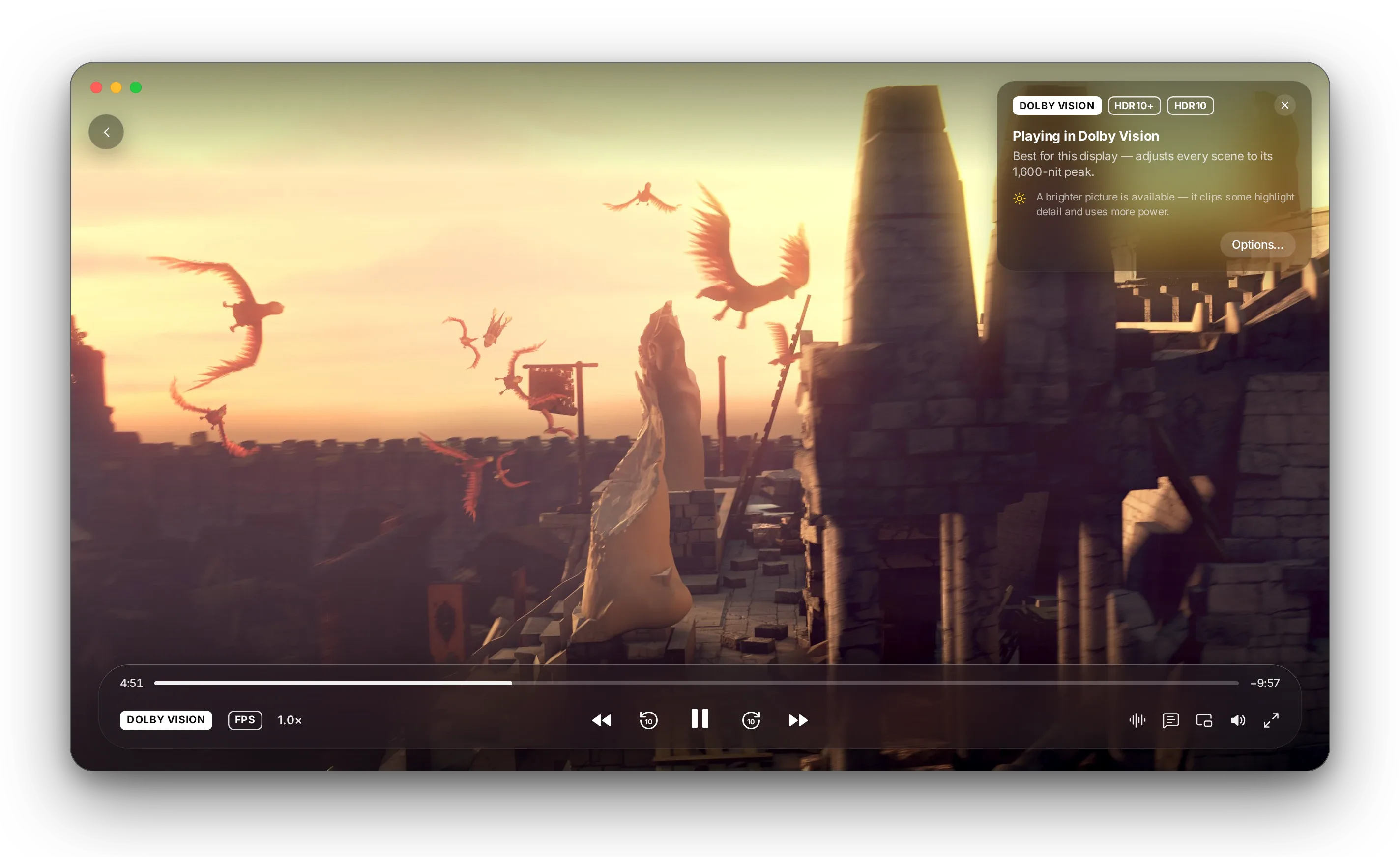
Ki yabda film HDR, carte tsemmi les formats elli fih wel format elli 5tarou MacLC l-écranek — w ba3d to5rej. Click wa7da tbaddlou.
Accurate
El film bed-dhabt kima t3amel el étalonnage mte3ou, fi 7dud chnowa ynajjem ywarri écranek. Ynajjem yben dhlil fi bit fiha barcha dhow.
Balanced
Yched tafasil el reflets 3la les écrans elli adhwehom a9al mel film. A7sen choix de tous les jours 3la aghlab les Macs.
Bright
Yerfa3 el tons moyens wel reflets. Adhwa fi koll chay, ama 3la 7seb chwaya tafasil reflets w chwaya batterie.
Vidéowet iPhone
Vidéowet HLG mel iPhone ye5dmou b-nafs dhow aflam HDR, wella yetfashlou 3la écranek bech yabda el mach-had arthn — enti w chnowa t7eb.
Sous-titres mrey7in
Les sous-titres yo93dou b-dhow texte abyadh 3adi, mouch b-dhow ech-chmes.
Kol écran
Jorr el fenetre l-écran e5er w MacLC yrigel el tasswira 3lih fi wa9tha.
Yfi9 bel batterie
MacLC y9ollek ki yabda ed-dhow ma7doud 3al batterie wella fi Mode économie d'énergie, w yfadhel el format elli yakel a9al énergie ki yabda el mandhar kif kif.
04 Les réglages
Kol chay fi fard blasa, b-klem wadhah.
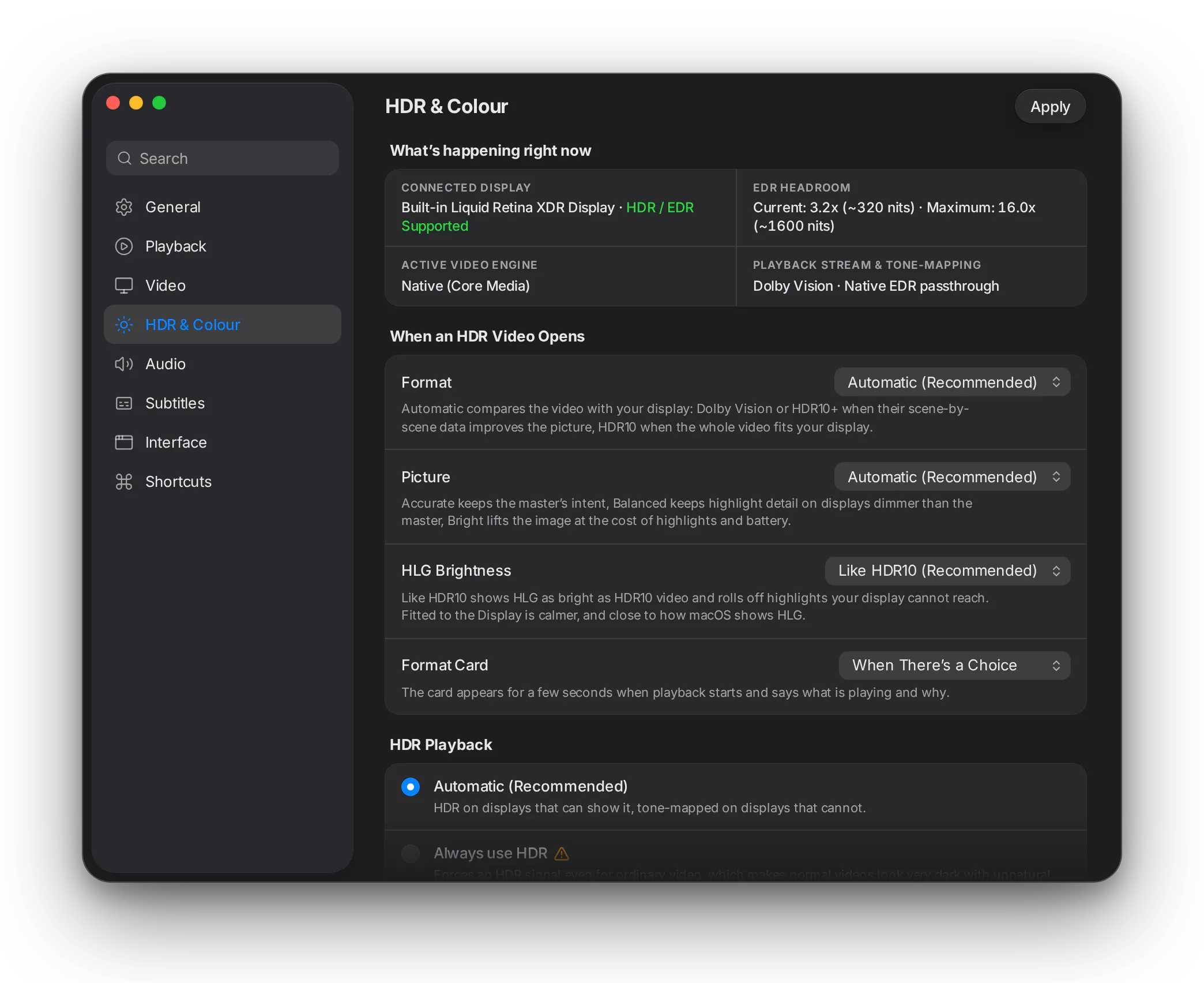
Settings › HDR & Colour (Réglages › HDR w Alwen) ywarrik chnowa 9a3din ya3mlou écranek wel vidéo tawwa, w ba3d yes2lek chnowa lezem yssir ki yet7al film HDR. Les réglages par défaut yse3dou aghlab el 3bed.
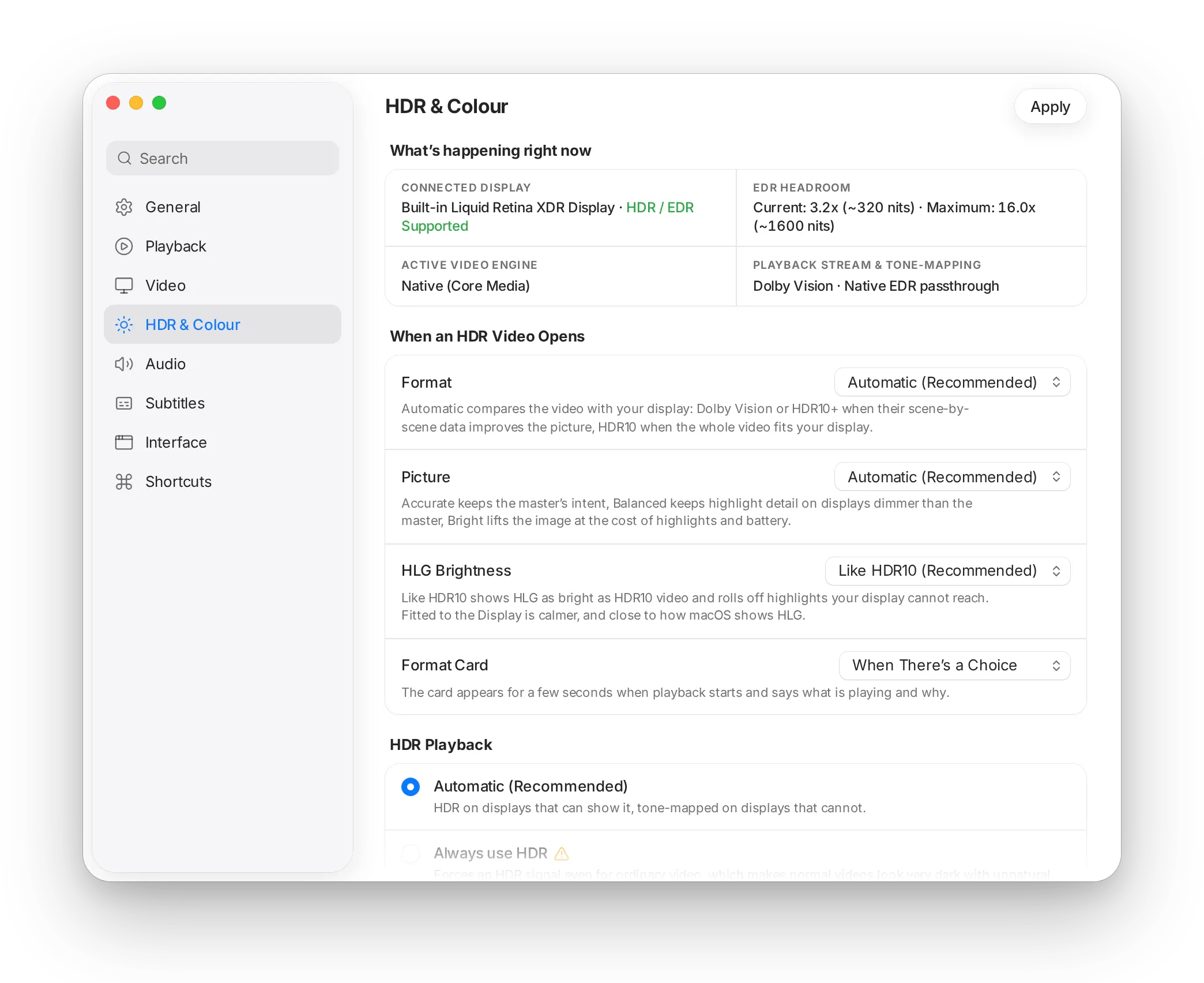
Automatic
HDR 3la les écrans elli ynajjmou ywarriwh, w mbeddel l-SDR 3la les écrans elli ma ynajjmouch. Mansou7 bih.
Always use HDR
Yelzem signal HDR 7atta l-vidéo 3adiya, elli y5alli les vidéos el 3adiyin ybanou dhlem. L-7alet 5assa.
Convert HDR to SDR
Aflam HDR b-dhow 3adi m3a tafasil el reflets mte3hom, men ghir l-lem3an ez-zeyed 3la écran XDR.
05 Ta7t el capot
Lel 3bed el fadhouliyin fil technique.
El 9awa3ed, el 9yaset w kol option, bed-dhabt kima homa fil code.
9a3det l-expansion
Et-taswira tetlinearisi w l-énergie mta3 kol pixel tet5adh k-akber valeur bin el luminance mte3ou w 85 % men akther canal mdhaoui. Fel niveau Fast, par rapport l-byadh SDR, l-énergie to93od kima hiya 7atta l-rokba fi nos byadh SDR, w quadratique fou9ha: f(x) = x pour x ≤ ½, f(x) = x + 4(B − 1)(x − ½)² l-fou9.
El valeur wel pente continus 3and er-rokba (f(½) = ½, f′(½) = 1) w byadh SDR yji bed-dhabt 3al boost (f(1) = B). El pixel kemel yetbaddel b-echelle bel résultat, hekka el teinte wel saturation ma yet7arkouch. Balanced ma yerfa3 ken elli yfout el abyadh diffus, w yan9as wa9t famma blayes kbar mdhawyin; High w Maximum ybentiw grille mta3 gains l-kol scène.
SDR to HDRPassage Metal 3al chemin d’affichage natif
- Pipeline
- Y′CbCr wella BGRA → R′G′B′ → dhow linéaire, bel courbe elli macOS ytabba9ha 3la kol naw3 buffer (BT.1886 wella sRGB, ma9yous) → expansion → primaires BT.2020 → buffer linéaire half-float 64-bit (1.0 = byadh SDR), yet3adda l-AVSampleBufferDisplayLayer men ghir métadonnées de mastering synthétiques.
- Peak
min(setting, current EDR headroom); yetna99az l-sources PQ w HLG w lel présentations elli totlob SDR.- Fast
- El courbe elli l-fou9, kol pixel wa7dou.
- Balanced
- Ma yerfa3 ken elli yfout el abyadh diffus, b-9owwa tan9as wa9t blayes kbar yabda fihom barcha dhow, statistiques mta3 scène, couche de base guidée, limiteur de zone, tasli7 debanding, w 7meya l-sous-titres wel logos l-las9in.
- High, Maximum
- L-analyse mta3 Balanced zeyed grille bilatérale mta3 gains prévus b-réseau sghir men vignette 256×256, yetkheddem b-MPSGraph men fichiers
.maclcnnelli kol forme mta3 couche fihom mthabta wa9t el chargement. Les gains yet9raw k-partie men log(10); kol canal yo93ed fi 7dud 0.2 log mel gain pondéré bel luminance (0.06° de précision d’alwen 3la scènes de test). - Modèle
sdr2hdr-high-v1,sdr2hdr-max-v1: m-entrainyin b-Hazen Studio 3la tsawer CC0 mta3 Poly Haven, LGPL kima l-module elli ychargihom.- Auto
- Ya5tar 3la 7ssab source d’alimentation, état thermique, classe mta3 GPU w débit de pixels; ki yfout wa9t el GPU yhabbet en arrière 7atta l-Fast.
- Ma9yous (M3 Max)
- Prédiction mta3 modèle 0.45 ms (High) w 0.53 ms (Maximum) l-kol trame. Wa9t ma tzed l-expander: 0.53 ms fi 1080p w 0.91 ms fi 4K m3a l-attente synchrone; mteba9 lel valeur fil code m3a référence CPU indépendante 3la rampe b-8 étapes; test 4K mta3 60 seconde fi nafs wa9t l-horloge kima el bouton tafi, m3a mémoire stable. Résultats dekhel l-app ytab9ou l-modèle offline bin 1–3 % 3la captures HDR.
- Chnowa t3amel 9bal
- L-inverse tone mapping mouch jdid: libplacebo, mpv w barcha telfzet ya3mlou versions mennou. Chnowa zad MacLC howa ennou ya3mlou 3al chemin d’affichage par défaut mta3 macOS, win libplacebo ma yel7a9ch yousel, b-bouton wa7ed w curseur wa7ed, m3a modèle entrainé 5sisan lih wel ar9am elli l-fou9.
Aflam HDRFormats, choix w modes d’image
- Formats
- Dolby Vision profils 5, 7 (couche de base w RPU; enhancement layer yet3adda), 8.1 w 8.4; HDR10+ (ST 2094-40, yo93ed 7atta ybaddlou el flux, kima ya3mlou et-telfzet); HDR10 (ST 2084 m3a mastering ST 2086 w MaxCLL/MaxFALL CTA-861.3); HLG. Configuration record Dolby Vision mta3 Matroska (dvcC, dvvC, dvwC) yet9ra 9bal awwel trame.
- Advisor
- Yet9ra l-transfert, les primaires, volume de mastering, MaxCLL/MaxFALL wel configuration Dolby Vision mta3 la piste, m3a l-headroom EDR potentiel, actuel w de référence mta3 l-écran, l-batterie w Mode économie d'énergie. Ken el master yji ta7t pic mta3 l-écran, et-thletha formats yaffichiw nafs et-tasswira w HDR10 yabda mansou7 bih (pipeline mta3 macOS bidou, yekel a9al énergie); sinon Dolby Vision, ba3dou HDR10+, ba3dou HDR10. Redémarrages automatiques mta3 piste ma yfoutouch thnin fi kol fichier; tabdil el format ya3mel recherche exacte w yched 9rib seconde.
- Modes d’image
- Accurate ywarri kol niveau 7atta l-90 % mel pic mta3 l-écran w yetwi l-be9i fi épaulement exponentiel rtab fi domaine PQ; Balanced howa ITU-R BT.2390 EETF; Bright yerfa3 7atta l-1.6× 9bal er-roll-off BT.2390. Ki yabda el master ywafe9, el mapping howa identité (wella gain 3adi ma7doud fil pic). Mthabbet fi aller-retour ST 2084, monotonicité men 0 l-10 000 cd/m², 7oudoud el pic wel continuité 3and er-rokba.
- Byadh de référence
- PQ mthabbet fi 100 cd/m² 3and byadh SDR, la convention elli macOS ytabba9ha 3la surfaces PQ (ma9yous b-captures HDR 3la macOS 26.2). HLG yet3adda b-OOTF BT.2100 l-écran de référence b-1 000 nits (
reference) wella l-100 × headroom actuel (display). - Moteurs
- Native (AVSampleBufferDisplayLayer, EDR) l-HDR10, HLG w SDR, m3awdin mapped 3al GPU b-courbes mta3 modes d’image. Lel RPUs Dolby Vision w HDR10+: renderer Metal mta3 MacLC (décodeur Dolby Vision ma9moul men libplacebo 7.351, 0.05 % d'erreur moyenne m9aren bel référence C 3la trame 4K profil 8.1), m3a OpenGL ma7tout k-secours.
Tsalba7 fel masar HDR l-mourouthAudit mta3 pipeline vidéo HDR mourouth mel moteur warrat 6 défauts w 9 emkaniyet ne9ssin 3la Apple Silicon
| Chnowa ken fassed | Chnowa kont tchouf | Chnowa ya3mel MacLC |
|---|---|---|
| El dhow yet9ra marra barka mel écran el principal | Ki t7arrek el fenetre l-écran theni, ed-dhow mta3 HDR yo93ed ghalet. | Y3awed yet9as fi kol écran, kol ta7rika mta3 fenetre w kol tabdil profil mta3 alwen. |
| Les réglages mta3 HDR ma kenou ya3mlou chay | El menu mta3 les modes wel curseur mta3 ed-dhow kenou décor. | Ezzouz ye5dmou tawa wa9t el lecture. |
| Ma fammech kifech tched HDR 3la écran 3adi | Aflam HDR kenet tech3el b-byadh faza3 3la les écrans el 3adiyin. | Conversion s7i7a l-gamme standard, m3a solution de secours 3la les systèmes el 9dom. |
| Les sous-titres dhowiyin 9ad les reflets | Les sous-titres el bidh kenou yech3lou fou9 machahed HDR dhlama. | Les sous-titres yo93dou fi byadh SDR el 3adi. |
| Akther men 10-bit yet3asrou fi 8-bit | Les sources 12 w 16-bit kenou ydhay3ou el tafasil 9bal ma youslou lel écran. | Décodage fi buffer 10-bit (P010); 16-bit 4:2:2 yet3adda direct. |
| Fichiers HDR sghar yet3arfou kima vidéo 3adiya | Les vidéos b-alwen wes3a a9al men 4K kenou ye5dmou b-alwen ghaltin. | Kol flux yet3arraf b-chnowa fih; ma 3adch famma volume de mastering b-sefr nit. |
Zeda tzedouAkther mel tasli7at
- AV1 matériel
- VideoToolbox 3la M3 w ma ajadd (mthabbet b-
VTIsHardwareDecodeSupported), dav1d fi blayes o5ra. - Métadonnées dynamiques
- HDR10+ yet3adda fi chaîne mta3 filtres; Dolby Vision ma5rouj mel flux binaire VideoToolbox b-analyseurs mthabtin belgdha, fihom tasli7 l-Dolby Vision elli ken ydhye3 b-bit taycha fi awwel trame.
- Alwen
- Métadonnées ST 2086 w CTA-861.3 yetba3thou lel couche d’affichage; profil ICC ma5oudh mel écran mta3 el fenetre bidha.
- Décodage logiciel
- Conversions chroma ARM64 NEON ma5doumin bel yed (NV12/P010 ↔ I420/I420_10L).
- OpenGL
- Profil Core 4.1/3.2 b-alwen 64-bit, elli y5alli shaders mta3 libplacebo ye5dmou (VLC ken yti7 b-«OpenGL version too old»).
Réglages avancésSettings › HDR & Colour › Advanced
- Courbe mta3 tone-mapping
- Automatique (les modes d’image mta3 MacLC), hard clip, ITU-R BT.2390 EETF, Reinhard, Mobius, Hable, gamma-power, linear stretch, ITU-R BT.2446A, single-pivot spline
- Paramètre mta3 tone-mapping
- Er-roll-off mta3 el courbe el ma5tara; 0 t5alli el valeur par défaut
- Gamut mapping
- Automatique, clip, perceptual, relative colorimetric, saturation preserving, absolute colorimetric, desaturate (sources BT.2020)
- Filtres de mise à l’échelle
- Bilineaire intégré, bicubique Mitchell-Netravali w Catmull-Rom, Lanczos, Spline16/36/64, EWA Lanczos (Jinc), lel upscaling wel downscaling
- Dithering
- Blue noise, white noise, Bayer 16×16 wella désactivé (moteur OpenGL; Metal yaffichi fi 16-bit float)
- Moteur vidéo
- Automatique, Native wella Metal; OpenGL (9dim) k-secours
- Décodage
- Décodeurs matériel barka; format de pixel mta3 décodeur (P010 10-bit par défaut, formats 8-bit mawjoudin)
- SDR to HDR, avancé
- Tons moyens (kima tsawret → marfou3in), alwen el reflets (arfa9 → a8na), tasli7 el banding (désactivé, normal, 9wi), 7meyet les sous-titres wel logos
OptionsLel ligne de commande w vlcrc
| Option | Valeurs | Par défaut | Chnowa ta3mel |
|---|---|---|---|
--macosx-hdr-mode | 0–3 | 0 | Lecture HDR: automatique, dima HDR, converti l-SDR, HDR désactivé |
--macosx-edr-headroom | float | 0.0 | 0 yetba3 l-écran; ≥ 1.0 ybassi headroom bel sif |
--macosx-sdr-to-hdr | bool | off | Kheddem vidéo SDR fi HDR |
--macosx-sdr-to-hdr-quality | auto | fast | balanced | high | maximum | auto | Niveau de qualité mta3 SDR to HDR |
--macosx-sdr-to-hdr-boost | 1.0–16.0 | 4.0 | El 9emma mta3 l-expansion, b-modha3afet byadh SDR |
--macosx-sdr-to-hdr-midtones | 0.0–1.0 | 0.0 | Raf3an el tons moyens |
--macosx-sdr-to-hdr-saturation | 0.5–1.5 | 1.0 | Loun el reflets el mdhawyin |
--macosx-sdr-to-hdr-deband | off | normal | strong | normal | Tasli7 el banding win ed-dhow yetrfa3 |
--macosx-sdr-to-hdr-protect | bool | on | Khalli les sous-titres wel logos l-las9in fi niveau mte3hom |
--maclc-hdr-presentation | auto | dolbyvision | hdr10plus | hdr10 | hlg | sdr | auto | El format elli yet7al bih film HDR |
--maclc-hdr-picture | auto | accurate | balanced | bright | auto | Mode d’image lel affichage HDR |
--maclc-hdr-hlg | reference | display | reference | HLG rendu kima HDR10 wella adapté lel écran |
--maclc-hdr-card | 0–2 | 1 | Carte de format: dima, ki yabda famma choix, abadan |
Mini-LED blooming on the MacBook Pro: causes and fixes
Notice glowing halos around text and subtitles on your MacBook Pro XDR screen? Learn why mini-LED blooming happens and how to reduce it during movies.
YCbCr vs RGB (and full vs limited range) on Mac and TV
Connecting your Mac to a TV over HDMI? Learn why YCbCr and RGB range mismatches cause washed-out grey blacks or crushed shadows, and how to fix them.
Apple Pro Display XDR for watching video: is it worth it?
How good is the Apple Pro Display XDR for watching HDR movies? Explore brightness, 576 dimming zones, 60 Hz limits, and how it compares to MacBook Pro.
Free HDR test videos (legal sources to check your screen)
Download legal 4K HDR test clips from Netflix and Blender. Test 1,000-nit peaks, shadow detail, banding, and subtitles on your Mac display.
How to tell if a video is really HDR on a Mac
Never trust a file name. Learn how to verify true HDR, Dolby Vision, and HLG video on Mac using metadata tools, player badges, and screen brightness.
How to turn off HDR on a Mac
Need to disable bright HDR or fix washed-out external monitors? Learn how to turn off HDR on macOS via display toggles, reference presets, and players.