What are Stremio add-ons? How the open protocol works
How the Stremio add-on protocol works. Learn about manifest.json, stream endpoints, official vs community add-ons, and how to install them safely.
In short
- Stremio add-ons are decentralized web services communicating over JSON-over-HTTP rather than plugins running executable code locally.
- Every add-on publishes a manifest.json file defining its catalogs, metadata capabilities, stream sources, and subtitle handlers.
- Official add-ons, curated by the Stremio team, focus on metadata and legal sources, starting with Cinemeta for posters, descriptions and cast.
- Third-party players supporting the protocol can browse catalogs and stream media without running Stremio's desktop application.
On this page
- What is the Stremio add-on protocol?
- What is the difference between official and community add-ons?
- What are the risks of unverified community add-ons?
- How does MacLC support Stremio add-ons natively?
- How do you install Stremio add-ons?
- How does the stream resolution process work during playback?
- Best practices for managing your add-ons
Stremio add-ons are lightweight web services that deliver media catalogs, metadata, video streams, and subtitles to a media player using a standardized JSON-over-HTTP protocol. Instead of downloading plugins that run executable code on your computer, your player communicates with remote web servers that return plain text answers describing what to watch and where to stream it.
This decentralized design separates the user interface of a media player from content distribution. Because the add-on protocol is open-source and publicly documented, it has grown beyond a single application into an entire ecosystem of media catalogs, public-domain archives, and streaming integrations.
Animation
The Stremio Add-on Request Lifecycle
- Media PlayerRequests manifest
- Remote ServerReturns manifest.json
- Catalogs & MetaFetches posters & cast
- Stream ResolverDelivers media URL
What is the Stremio add-on protocol?
The Stremio add-on architecture is formalized in the official open-source toolkit stremio-addon-sdk. At its core, the protocol is a stateless RESTful specification.
Unlike traditional media center extensions (such as Kodi add-ons) that execute Python scripts directly on your operating system, Stremio add-ons cannot access your local file system, modify system files, or install background processes. An add-on is simply a web server listening for HTTP requests on defined routes and returning responses formatted as JavaScript Object Notation (JSON).
The architecture relies on five standard elements:
- The Manifest (
manifest.json): The entry point of every add-on. When you install an add-on via a URL, the player makes an HTTP GET request tomanifest.json. This document defines the add-on identifier, human-readable name, version number, supported media types (such as movie, series, channel and tv), and the resources it provides. - Catalog Resource (
/catalog/{type}/{id}.json): Returns paginated lists of titles used for browsing, discovery grids, and search queries. For example, a catalog endpoint might deliver the top twenty trending science-fiction movies. - Metadata Resource (
/meta/{type}/{id}.json): Delivers rich title details when you select a specific movie or show. This includes IMDb ratings, release years, plot summaries, cast members, high-resolution posters, backdrops, and structured season and episode lists. - Stream Resource (
/stream/{type}/{id}.json): Returns the playable media sources for a title. A stream object can supply an HTTP/HTTPS video URL, a BitTorrentinfoHash, or a YouTube video identifier (ytId). - Subtitles Resource (
/subtitles/{type}/{id}.json): Returns synchronized subtitle files (typically.srtor.vtt) matched by language and release hash.
Because the interface is pure JSON, an add-on server can be written in Node.js, Python, Go, Rust, or hosted on serverless platforms like Cloudflare Workers.
What is the difference between official and community add-ons?
The ecosystem is divided into two distinct tiers: official add-ons curated by Stremio’s development team, and community add-ons maintained by independent third-party developers across the web.
Official add-ons
Official add-ons are listed by Stremio itself (the list comes from Cinemeta’s add-on catalog, which players like MacLC show as-is). They focus on metadata and legal sources:
- Cinemeta: the default metadata add-on, which provides posters, synopses, cast lists and episode guides for movies and series, plus search.
- Add-ons for legal content, such as Public Domain Movies, which points to films whose copyright has expired, and others for public video channels or for finding where a title streams legally.
Community add-ons
Community add-ons are created by outside enthusiasts. Anyone with basic web development skills can spin up a server, write a manifest.json, and publish their endpoint.
Community add-ons range from specialized subtitle repositories that cater to niche languages, to anime metadata trackers (like AniList or Kitsu), podcast aggregators, and sports schedule indexes. However, because community add-ons operate without centralized review, they introduce significant technical and legal variability.
What are the risks of unverified community add-ons?
While the open architecture encourages community innovation, installing unvetted add-ons from internet forums or anonymous code repositories introduces three primary categories of risk:
1. Legal liability and copyright infringement
The BitTorrent protocol and HTTP streaming are neutral networking technologies. However, unofficial add-ons that scrape unauthorized indexers or distribute copyrighted commercial films without a license violate international intellectual property laws.
Because streaming via peer-to-peer swarms simultaneously uploads data to other peers, users who stream copyrighted media through unofficial add-ons expose themselves to civil infringement lawsuits and statutory fines. For an in-depth breakdown of DMCA notices, German warning letters, and international copyright penalties, consult our legal review on is torrenting legal.
2. Privacy tracking and network logging
When you install a remote add-on, your media player transmits HTTP requests to that third-party server every time you browse a catalog or click a title. The server operator can log:
- Your public IP address and approximate geographical location.
- The exact movies, television episodes, and search terms you query.
- The timestamps and frequency of your viewing sessions.
- Your unique client user-agent string.
Unlike commercial streaming services bound by strict privacy policies, anonymous community add-on servers may store, analyze, or sell your viewing telemetry to third-party marketing brokers.
3. Server instability and dead endpoints
Community add-ons frequently run on cheap virtual private servers or hobbyist hosting tiers. When an add-on gains sudden viral popularity on discussion forums, the influx of thousands of simultaneous client requests often overloads the server, leading to 502 Bad Gateway errors, sluggish catalog loading, and broken streams.
How does MacLC support Stremio add-ons natively?
Many Mac users like Stremio’s catalog model but would rather use a native Mac app than a web-based one. In MacLC, we implemented the Stremio add-on protocol in a native AppKit app.
This integration brings several advantages for Apple Silicon users:
- Native Watch Section: MacLC features a sidebar Watch tab that displays your installed add-on catalogs with smooth scrolling, responsive search, and native macOS window controls.
- Cinemeta built in: posters, descriptions, cast and search work out of the box, shown in native views.
- Choose a Version: when several streams are available for a title, MacLC turns each one into plain facts: resolution, HDR and Dolby Vision, sound (5.1, Atmos), language, file size and peers.
- Local privacy: your favorites, history and Continue Watching are stored in a file on your Mac. Nothing is synced to a cloud account.
- The same player engine: streams play in MacLC’s own engine, with hardware decoding, HDR fitted to your screen, and styled subtitles.
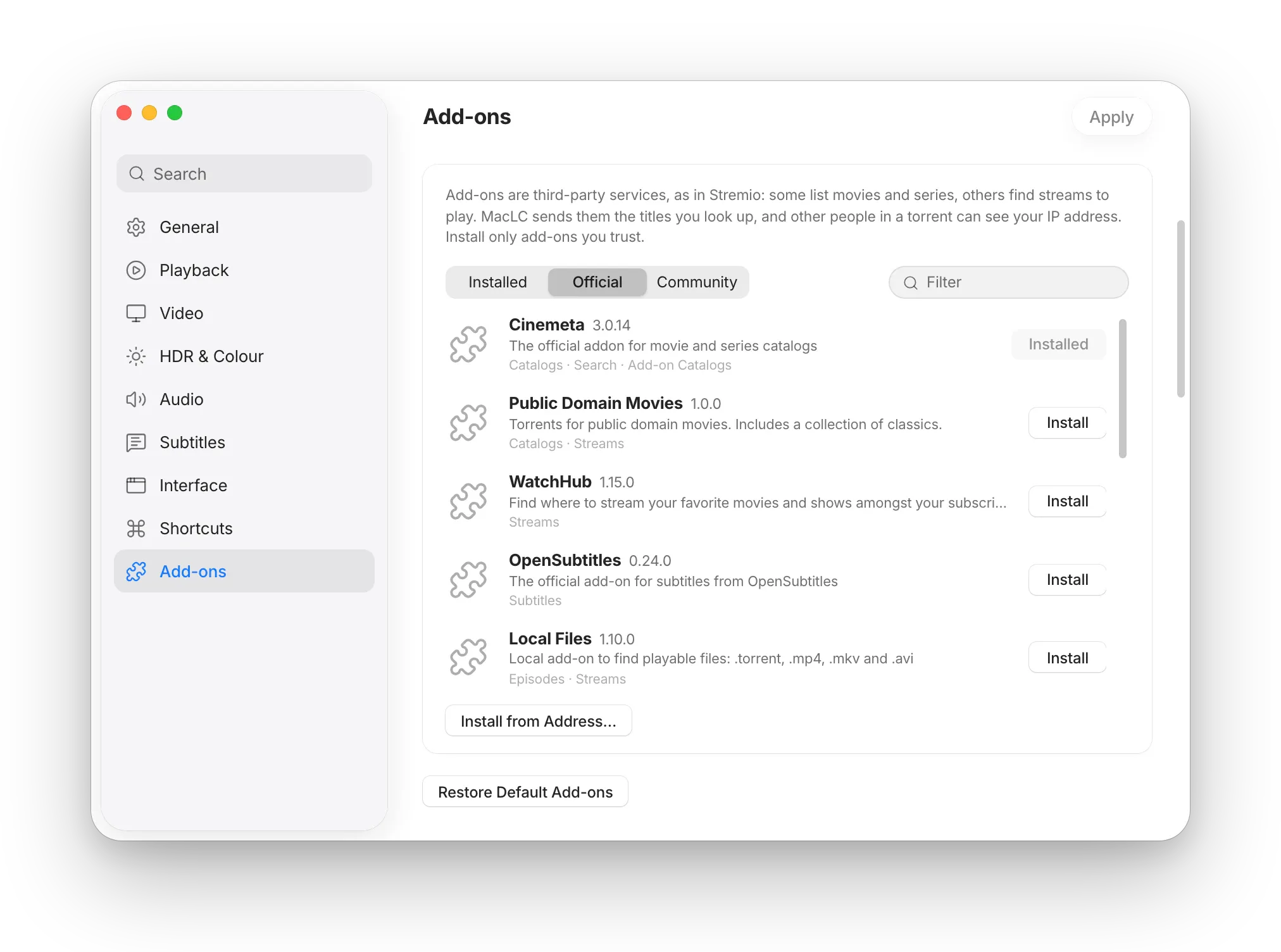
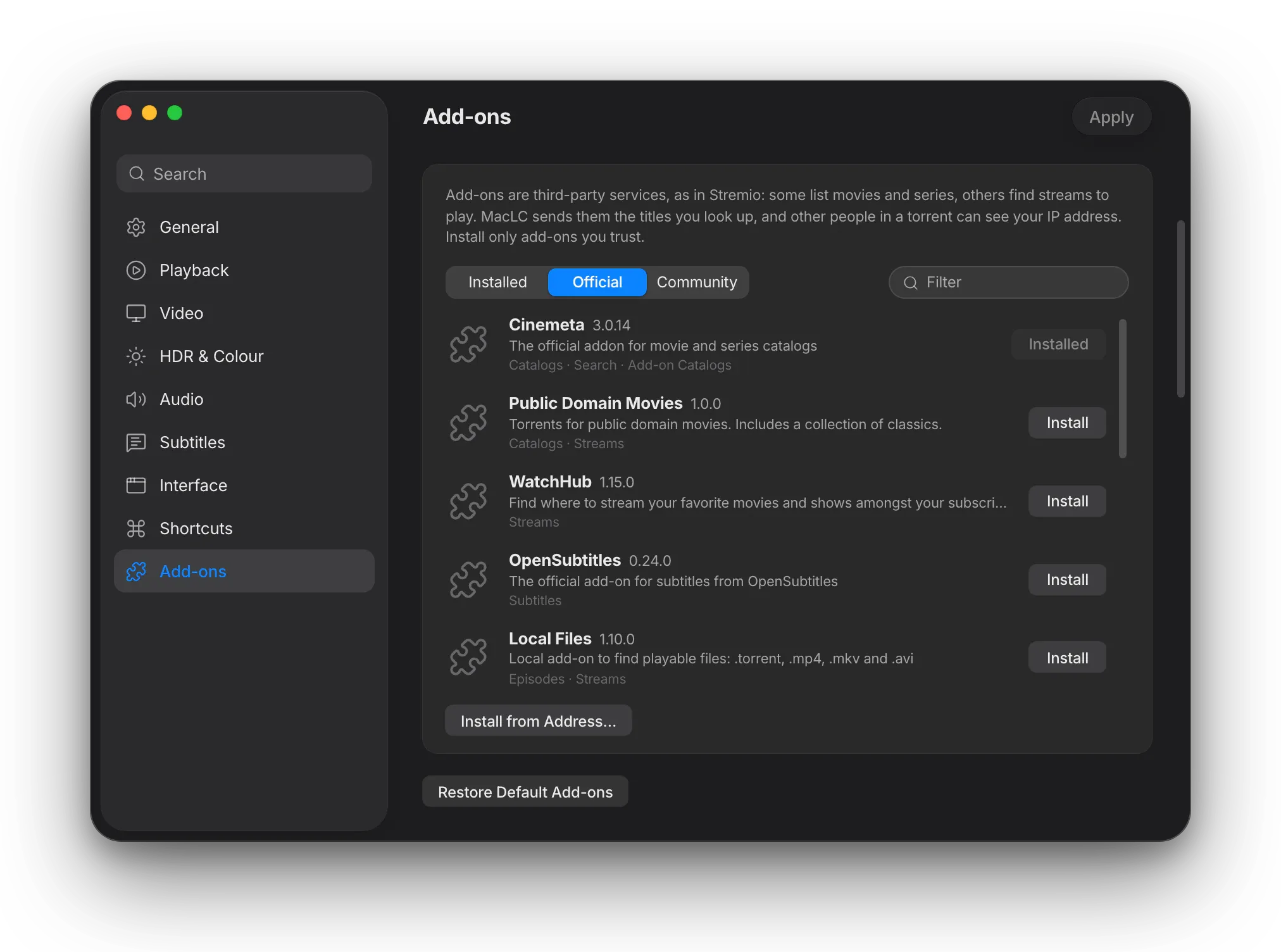
How do you install Stremio add-ons?
Installing an add-on follows the same logical process whether you use the official Stremio desktop client or a native player like MacLC.
Installing official add-ons
Official add-ons can be enabled with a single click:
- Open your player’s settings and go to the Add-ons section (in MacLC: Settings › Add-ons).
- Browse the Official list.
- Click Install next to the add-on you want.
- The player downloads its manifest, and the new catalogs appear (in MacLC, in the Watch section).
Installing community add-ons via URL or stremio:// links
When installing a community add-on hosted on an independent server:
- Copy the add-on URL from the developer’s repository. These URLs typically end with
/manifest.jsonor begin with the custom protocol prefixstremio://(for example,stremio://addon.example.com/manifest.json). - In your player’s Add-ons pane, select Install from Address….
- Paste the address into the input dialog and confirm.
- The media engine automatically normalizes
stremio://tohttps://, executes an HTTP GET request to validate the manifest schema, and registers the add-on endpoints.
To remove an add-on in MacLC, select it in Settings › Add-ons and click Remove; its catalogs disappear and MacLC stops contacting its server.
How does the stream resolution process work during playback?
To understand how a video stream appears on your screen, consider what happens under the hood when you click play on a title:
- User Action: You click a movie poster in the Watch section.
- Metadata Fetch: The player requests
/meta/movie/{id}.jsonfrom Cinemeta to display the cast, synopsis, and backdrop art. - Stream Query: When you click “Watch”, the player sends parallel HTTP GET requests to
/stream/movie/{id}.jsonacross all installed add-ons that support that media type. - Stream Aggregation: Each add-on server responds with an array of stream objects. An add-on might return direct HTTP video links, another might return YouTube video identifiers, and another might deliver BitTorrent info hashes.
- Stream Decoding: In MacLC, “Choose a Version” reads each stream’s raw description and shows plain facts instead: resolution, HDR and Dolby Vision, sound, language, size and peers.
- Playback Hand-off: Once you select a version, the media engine starts playback:
- For HTTP/HTTPS links, the player opens the stream directly.
- For torrent info hashes, the internal libtorrent engine connects to the peer-to-peer swarm, establishes an initial playback buffer, and begins sequential decoding. For details on swarm buffering mechanics, read our complete guide on how torrent streaming works.
Best practices for managing your add-ons
The Stremio add-on protocol offers an elegant, modular alternative to walled-garden media platforms. By keeping media catalogs separate from the playback engine, it empowers users to curate their own streaming experience.
To keep your playback smooth, safe, and reliable:
- Stick to verified sources: Prioritize official add-ons and established community repositories with open source code.
- Audit your add-on list: Remove outdated or dead add-ons periodically to prevent slow catalog loading times.
- Understand your streams: Be mindful of whether an add-on connects to standard HTTP web servers or peer-to-peer BitTorrent swarms.
- Pair with a native player: use a native Mac app like MacLC for hardware decoding, HDR fitted to your screen and Mac conventions, without a web layer in between. And only play what you have the right to watch.
Questions people ask
What is Stremio and is it legal to use?
Stremio is an open-source media aggregation application whose core code is published on GitHub. The software itself is legal: it hosts no video content. Legality depends entirely on which add-ons and streams an individual user chooses to access.
Do Stremio add-ons run executable code on your computer?
No. Unlike browser extensions or Kodi plugins that execute Python or JavaScript binaries on your local operating system, Stremio add-ons are remote web services. Your media player makes simple HTTP GET requests to the add-on server, which returns structured JSON data containing titles, posters, or stream URLs.
What are the four primary resource handlers in the Stremio protocol?
The protocol defines catalog (browsing and search lists), meta (posters, cast, synopsis, and episode lists), stream (playback URLs, torrent info hashes, or YouTube IDs), and subtitles (external caption tracks in SRT or WebVTT format).
Can you use Stremio add-ons in other media players?
Yes. Because the Stremio add-on specification is a public, open standard based on standard JSON-over-HTTP endpoints, any media player engineered to parse the protocol can load catalogs, retrieve metadata, and play streams directly.
How do you install an add-on from a stremio:// link?
In a supported player, navigate to add-on settings and paste the link into the installation bar. The player replaces the stremio:// scheme with standard https://, fetches the manifest.json file from the host server, verifies its schemas, and registers the catalogs.