How torrent streaming works and how to do it safely
How torrent streaming plays video without waiting for a full download. Learn how piece deadlines, rarest-first swarms, and sequential buffers work.
In short
- Standard BitTorrent downloads pieces rarest-first, whereas streaming forces pieces into sequential playback order using piece deadlines.
- Streaming a torrent still downloads the file to local storage and uploads data to other peers across the public swarm.
- Containers matter: MKV files can start from their first pieces, while MP4 files with their index (the moov atom) at the end need the end of the file first.
- Legal torrent streams include Blender Studio open-source movies, Internet Archive public-domain films, and Linux distribution media.
On this page
- How does traditional BitTorrent downloading organize pieces?
- How does sequential downloading turn a torrent into a stream?
- Why does pure sequential downloading threaten swarm health?
- How do libtorrent piece deadlines balance streaming with swarm health?
- Why do container formats change torrent streaming performance?
- How does MacLC handle torrent streaming?
- Do you still upload to the swarm while streaming?
- Where can you find legal torrents to stream?
- How to get started with torrent streaming
Torrent streaming works by requesting pieces of a video file in chronological order rather than the traditional rarest-first order, buffering the upcoming seconds of video in memory while playing earlier frames. As long as the swarm delivers data faster than the video stream bitrate, playback begins within seconds instead of waiting for a multi-gigabyte file to finish downloading.
Behind that simple experience lies a delicate networking compromise. BitTorrent was engineered specifically to avoid sequential downloads, because if every peer requests only the beginning of a file, the overall health of the peer-to-peer swarm collapses. Modern streaming engines solve this by using adaptive piece deadlines, urgent byte prioritization, and intelligent start gates.
Animation
Where the pieces come from, and in which order
How does traditional BitTorrent downloading organize pieces?
To understand how torrent streaming works, you first need to understand how standard BitTorrent distributes files. When a content creator creates a .torrent file, the underlying data is divided into equal chunks called pieces, typically between 256 kilobytes and 16 megabytes depending on total file size. Each piece is fingerprinted with a SHA-1 hash listed in the torrent’s metadata, as specified in BitTorrent Enhancement Proposal 3 (BEP 3).
When your client connects to a swarm using a tracker or the distributed hash table (DHT), it exchanges bitfields with connected peers to see which pieces everyone owns. In standard non-streaming BitTorrent, clients use an algorithm called rarest-first:
- The client scans the bitfields of all connected peers and identifies which pieces are held by the fewest participants.
- The client requests those scarce pieces first, regardless of where they sit in the timeline of the video.
- Once downloaded, the client verifies the piece against its SHA-1 hash and immediately begins uploading it to other peers who need it.
Rarest-first is mathematically brilliant for network health. It prevents rare pieces from vanishing if the original seeder disconnects, maximizes overall download speeds across the swarm, and turns every downloader into a valuable contributor. However, rarest-first makes real-time playback impossible. You might download piece 5,000, piece 12 and piece 3,420 first, so the opening seconds of the movie can stay missing until late in the download.
How does sequential downloading turn a torrent into a stream?
Torrent streaming replaces or modifies the rarest-first strategy with sequential downloading. Instead of hunting for scarce blocks across the file, the player prioritizes the exact byte ranges required to decode audio and video right now.
When you click play on a streaming torrent, the media engine divides its requests into three operational zones:
- The Header Zone: The player requests the first pieces of the file to read the container header. The header contains track identifiers, video codecs, audio channel counts, and frame rates.
- The Active Playback Buffer: The player requests the consecutive pieces immediately following the current playback position. If you are watching minute 05:00 of an MKV file, the engine urgently requests the pieces corresponding to minute 05:01 through 06:00.
- The Speculative Lookahead Buffer: Once the immediate playback window is safely buffered, the engine allocates remaining download bandwidth to pieces further down the timeline or falls back to rarest-first piece picking.
If your network connection downloads pieces at 8 megabytes per second (64 Mbps) and a 4K movie has a bitrate of 20 Mbps, the player steadily accumulates a safety cushion of verified data. If your connection speed drops below the video bitrate, the playhead catches up to the uncompleted pieces, causing a playback stall.
Why does pure sequential downloading threaten swarm health?
Pure sequential downloading introduces a well-documented tragedy of the commons into peer-to-peer networks. When thousands of users stream a popular video simultaneously using strict sequential downloading, every client requests piece 0, then piece 1, then piece 2 at roughly the same time.
This creates severe structural problems across the swarm:
- Piece Duplication: The swarm floods with requests for the first 10 minutes of a film, while the final 30 minutes are held only by a few original seeders.
- Tit-for-Tat Starvation: BitTorrent uses an unchoking algorithm based on reciprocity. Clients prioritize uploading to peers who upload back to them. If everyone in a swarm only possesses pieces 0 through 100, peers have nothing unique to trade with one another, causing transfer speeds to drop drastically.
- Leech Churn: Viewers who preview the first five minutes of a film and close the app disconnect without ever downloading or redistributing the middle or end of the file, wasting swarm bandwidth.
To resolve this conflict, professional streaming libraries like libtorrent avoid naive sequential modes. Instead, they use deadline-driven piece scheduling.
How do libtorrent piece deadlines balance streaming with swarm health?
Advanced media engines do not simply flip a switch marked “sequential”. They utilize the set_piece_deadline() interface provided by libtorrent to balance immediate playback requirements with decentralized network efficiency.
Rather than locking the whole download into a rigid sequence, set_piece_deadline() gives individual pieces a deadline based on when the player will need them:
- Pieces needed in the next few seconds get tight deadlines. libtorrent treats them as time-critical and requests them from the peers most likely to deliver in time.
- Pieces further ahead get looser deadlines and are fetched in order as bandwidth allows.
- Leftover bandwidth goes to normal rarest-first downloading, which keeps rare pieces flowing through the swarm.
By bounding sequential priority to a rolling sliding window, the client ensures smooth, uninterrupted video while still downloading and sharing rare pieces from other sections of the file, preserving its standing across the swarm.
Why do container formats change torrent streaming performance?
Not all video files stream equally over BitTorrent. Even with a high-speed broadband connection and a healthy swarm with hundreds of seeders, the internal architecture of the video container dictates how quickly playback can safely begin.
The primary difference lies between Matroska (.mkv) and MPEG-4 (.mp4) containers:
| Container Feature | Matroska (.mkv) | Standard MP4 (.mp4) | Faststart MP4 (.mp4) |
|---|---|---|---|
| Where the structure lives | Track info at the front; seek index (Cues) often at the end, not needed to start | Index (moov atom) at the end |
Index (moov atom) at the front |
| Streaming readiness | Starts from the first pieces | Delayed (requires end pieces) | Starts from the first pieces |
| Subtitle embedding | Arbitrary SRT, ASS, PGS | Limited Apple CC / TX3G | Limited Apple CC / TX3G |
| Partial file tolerance | High (clusters play independently) | Low (unplayable without index) | Moderate (playable sequentially) |
In an MP4 container, structural information defining codec parameters, audio tracks, and sample offsets is stored in a metadata box known as the moov atom. Video capture devices and consumer encoders often write video data (mdat) first and append the moov atom at the very end of the file once the total frame count is known.
If a torrent contains an unoptimized MP4 file, a streaming player cannot decode a single frame from piece 0 until it also downloads the very last pieces of the torrent where the moov atom resides. A sophisticated player must pause, jump its piece picker to the final megabytes of the file, download and parse the moov atom, and only then seek back to byte zero to begin playback.
In contrast, Matroska files describe their tracks at the very beginning (the EBML header, SeekHead and Tracks), and store video and audio inside self-contained Cluster elements with their own timestamps. The seek index (Cues) is often written at the end, but it is only needed to jump around, not to start. A player that downloads the first two megabytes of an MKV file can immediately initialize hardware decoders and begin rendering frames without inspecting the end of the file. To understand how audio, video, and subtitle tracks are structured inside containers, see our guide to video container architecture and remuxing.
How does MacLC handle torrent streaming?
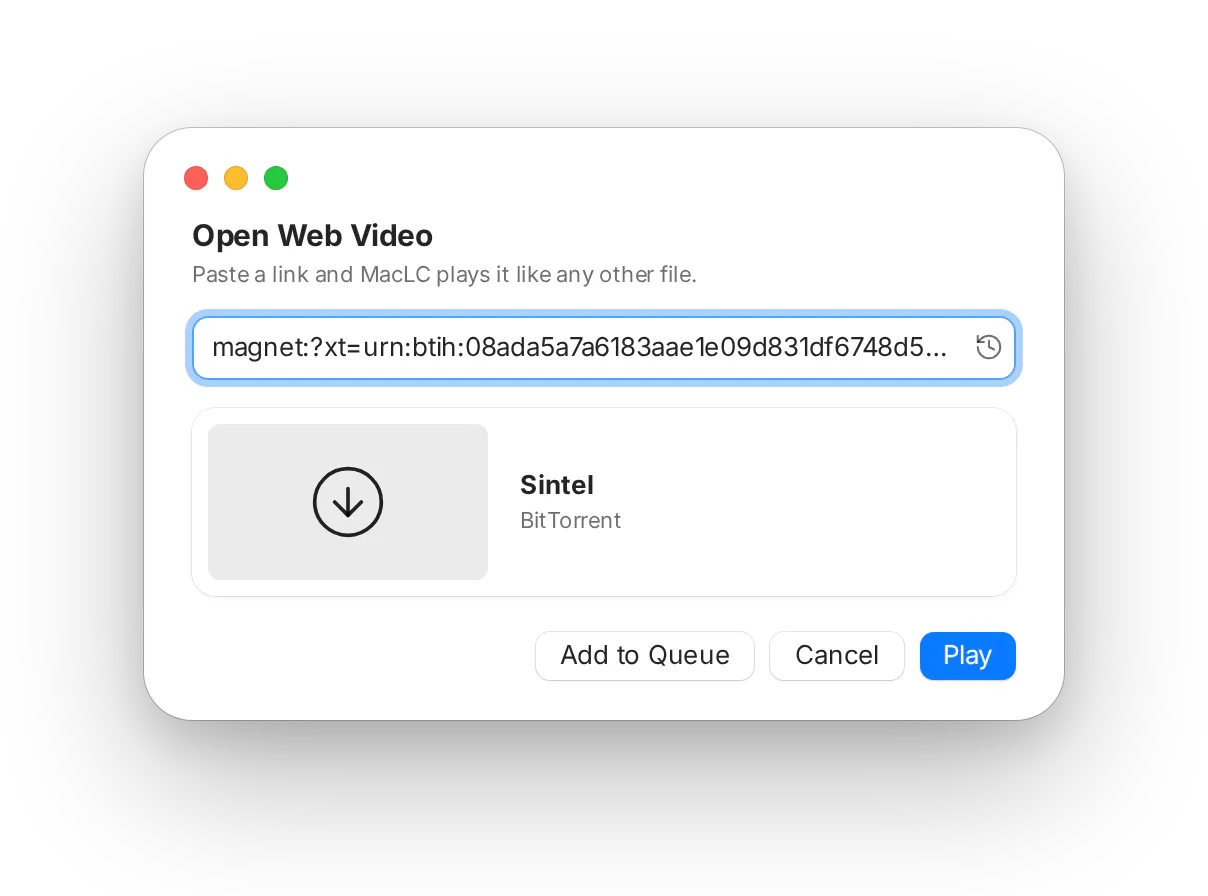
Building an open-source media player for Apple Silicon required a thoughtful approach to peer-to-peer playback. In MacLC, you can open a .torrent file (File › Open File…, or drag it onto the window) or paste a magnet link (⌘U).
Instead of rushing to display a frame that might immediately freeze, MacLC uses a start gate:
- Measuring the swarm: MacLC connects to peers through DHT and trackers and waits until it has about 20 seconds of film, by which time the swarm’s real speed is known.
- A buffer to match: depending on that speed, it builds a buffer of 10 to 90 seconds before playing, short on a fast swarm and longer on a thin one.
- Explained on screen: while it buffers, an animated screen explains each step in plain words.
- A marker on the playback bar: once playback begins, it shows how much verified film is downloaded ahead of you.
- Playlists: if a torrent contains a whole season, its files become a playlist: subtitles attach to their episodes, and episodes play one after another.
Do you still upload to the swarm while streaming?
A common misconception among casual users is that streaming a torrent behaves like an anonymous web download where you only receive data. In reality, torrent streaming clients are full participants in the peer-to-peer swarm.
Under the rules of the BitTorrent protocol:
- As soon as your player verifies a single piece with its SHA-1 hash, it sends a
HAVEmessage to all connected peers. - Other peers running standard torrent clients or streaming players will request blocks of that verified piece from your computer.
- Your client uploads data back to the swarm in real time, consuming upstream network bandwidth.
Because you are distributing pieces while watching, your public IP address is visible to every peer in the swarm routing table. If you want to understand peer distribution and swarm terminology, see our breakdown of seeders versus leechers and our guide on how magnet links resolve metadata.
Where can you find legal torrents to stream?
The BitTorrent protocol is a neutral transport mechanism. In the United States, the Supreme Court held in Sony v. Universal (1984) that a technology with substantial lawful uses is not illegal in itself, and in MGM v. Grokster (2005) that promoting a tool for infringement is. What makes streaming legal or not is the material: whether it is authorized for sharing or in the public domain.
Legitimate, legal sources for torrent streaming include:
- Blender Studio Open Movies: The Blender Foundation produces high-fidelity computer-animated short films (such as Sintel, Tears of Steel, Big Buck Bunny, and Charge) licensed under Creative Commons Attribution (CC BY). Blender publishes them on studio.blender.org, and anyone may share them, by torrent too.
- The Internet Archive: Archive.org provides verified
.torrentdownloads for thousands of classic films, silent cinema masterpieces, historical documentaries, and audio recordings that have entered the public domain. - Open-Source Software Distributions: Operating system developers such as Canonical (Ubuntu), Debian, and Fedora rely heavily on torrent swarms to distribute multi-gigabyte ISO installation images to millions of users without incurring crippling centralized server costs.
- Independent creators: some musicians and filmmakers release their work under Creative Commons licenses that allow sharing by torrent. Our guide to public domain movies lists more legal sources.
For a detailed analysis of international copyright frameworks, DMCA statutory notices, and legal precedents in the US, Germany, and France, read our guide on is torrenting legal.
How to get started with torrent streaming
Torrent streaming transforms peer-to-peer distribution from an agonizing waiting game into an immediate viewing experience. By replacing blunt rarest-first downloading with intelligent piece deadlines and adaptive buffering, modern players deliver high-bitrate video while respecting the underlying swarm health.
To try torrent streaming on an Apple Silicon Mac:
- Download MacLC and move it to your Applications folder.
- Visit a legal media repository like the Blender Studio film library or the Internet Archive.
- Copy a magnet link or download a
.torrentfile. - Press ⌘U in MacLC, paste the address, and let the start gate establish your playback buffer.
Questions people ask
Can you watch a torrent while it is downloading?
Yes. Torrent streaming clients prioritize the video file header and the specific pieces immediately ahead of the playback cursor. As long as your download throughput exceeds the video bitrate, the player renders frames in real time without waiting for the full file to finish.
Does torrent streaming download the file to your computer?
Yes. Torrent streaming is not a temporary cloud stream like Netflix. Your computer downloads every piece sequentially to a local cache or download folder on your storage drive, assembling the complete media file as you watch.
Do you still upload data while streaming a torrent?
Yes. BitTorrent is inherently bidirectional. As your player receives verified data pieces from the swarm, it announces them to connected peers and uploads those blocks to other leechers, maintaining your peer health.
Why do some MP4 torrents take longer to start streaming than MKV files?
Many MP4 files store their index, called the moov atom, at the very end. A streaming player has to fetch the end of the file before it can decode the first frame. Matroska files describe their tracks at the front and store video in self-contained clusters, so they can start playing from the first pieces.