Free Infuse alternatives for Mac in 2026
Looking for a free Infuse alternative for Mac? Compare the top local media libraries, open-source servers, and player apps without subscriptions.
In short
- Infuse is the polished choice across Apple TV, iPhone, iPad and Mac, but its Pro features are paid, which sends Mac-only viewers looking for free options.
- MacLC offers an automatic local media library with embedded artwork and TV season grouping stored entirely on your Mac.
- Plex and Jellyfin are media servers: one computer holds the library and streams it to every screen in the house.
- Kodi delivers a free 10-foot media center experience, while Infuse remains unmatched for multi-device Apple TV sync.
On this page
- What makes Infuse popular on Apple platforms?
- What does Infuse cost?
- Why look for a free Infuse alternative on a Mac?
- How can you build a free local media library on a Mac?
- Can Plex or Jellyfin replace Infuse for home streaming?
- When is Kodi a viable free alternative?
- How do the top Infuse alternatives compare?
- Who should stick with Infuse Pro?
The best free Infuse alternative for Mac depends on whether you watch media exclusively on your computer or stream across multiple rooms. For local playback on Apple Silicon, free open-source players can organize movies and television series without recurring subscription fees.
Infuse by Firecore has long been a favorite on Apple devices: it turns folders and network shares into an elegant poster wall and keeps your place across iPhone, iPad, Apple TV and Mac. Its paid Pro tier is what sends many Mac users looking for free alternatives. This guide analyzes the top alternatives to Infuse, explains their architectural differences, and helps you pick the right media setup.
What makes Infuse popular on Apple platforms?
Infuse is a media hub more than a player. When you point it at a folder or network drive, it automatically matches filenames against The Movie Database (TMDb), downloading high-resolution artwork, actor biographies, release dates, and plot summaries.
Infuse excels in three specific areas:
- Broad network protocol support: It connects to SMB, NFS, WebDAV, FTP, SFTP, and UPnP/DLNA servers, as well as existing Plex, Emby, and Jellyfin installations.
- Apple ecosystem continuity: Using private iCloud syncing, Infuse shares metadata, watch history, Up Next queues, and custom collections across macOS, iOS, iPadOS, and tvOS without requiring you to run a central home server.
- HDR on Apple TV: it is well known for strong HDR and Dolby Vision playback on the Apple TV 4K.
For households centered on the Apple TV in the living room, Infuse provides an experience that feels like a private, personal Netflix.
What does Infuse cost?
Infuse is free to download, with a paid Infuse Pro that unlocks more formats and features, sold monthly, yearly or for life (see Firecore’s site for today’s prices and the list of Pro features). For a household with an Apple TV, iPhones and iPads, that is often money well spent. For someone who only watches on one Mac, a free player can do the job.
Why look for a free Infuse alternative on a Mac?
The primary driver for finding an alternative is cost relative to usage. If you do not own an Apple TV, the multi-device iCloud sync that justifies Infuse’s subscription provides little value.
Some viewers also prefer an app that keeps everything on the Mac, with no account and no cloud sync at all. To explore file naming conventions that help players identify your titles, see our guide on organizing your movie library on a Mac.
How can you build a free local media library on a Mac?
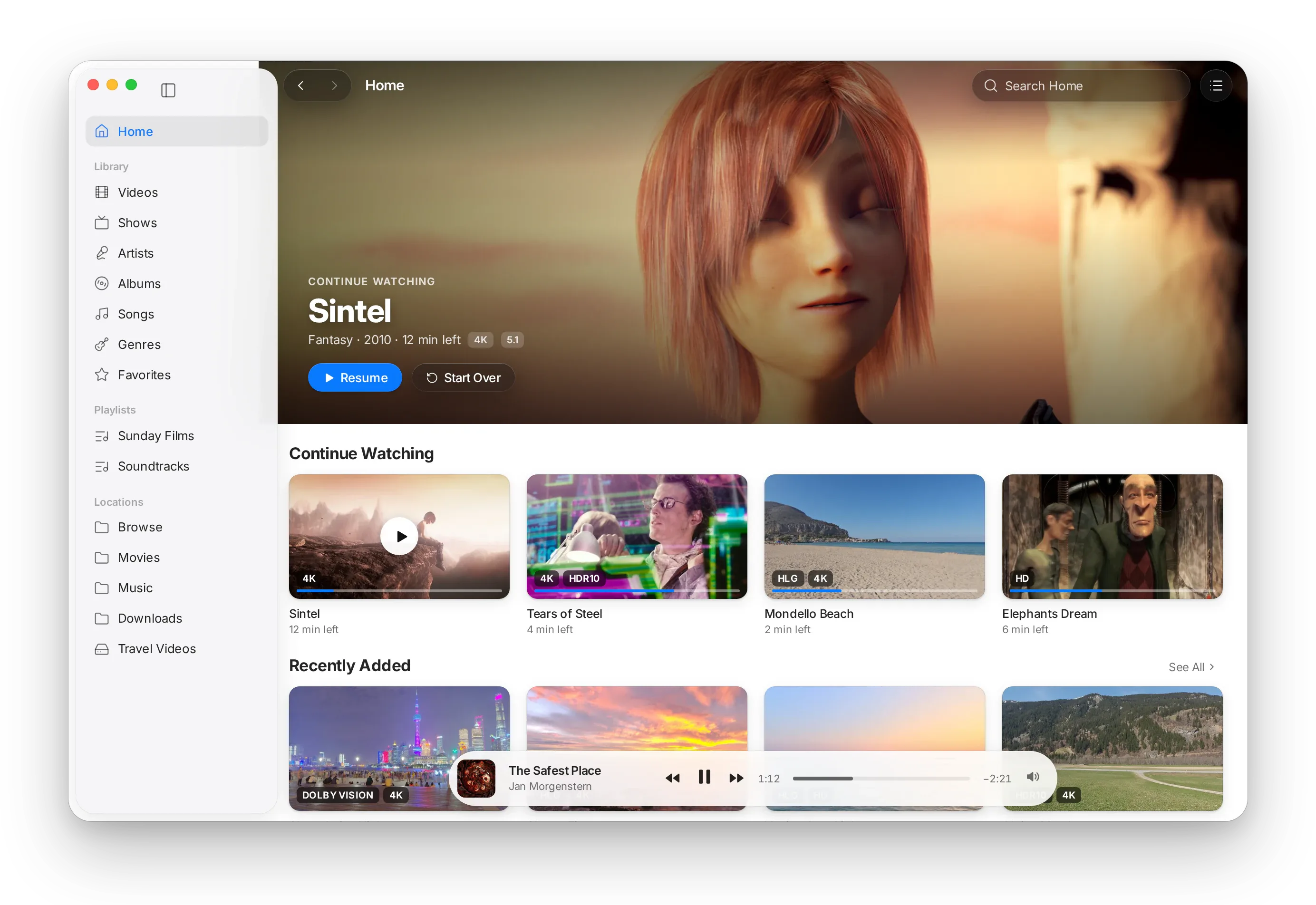
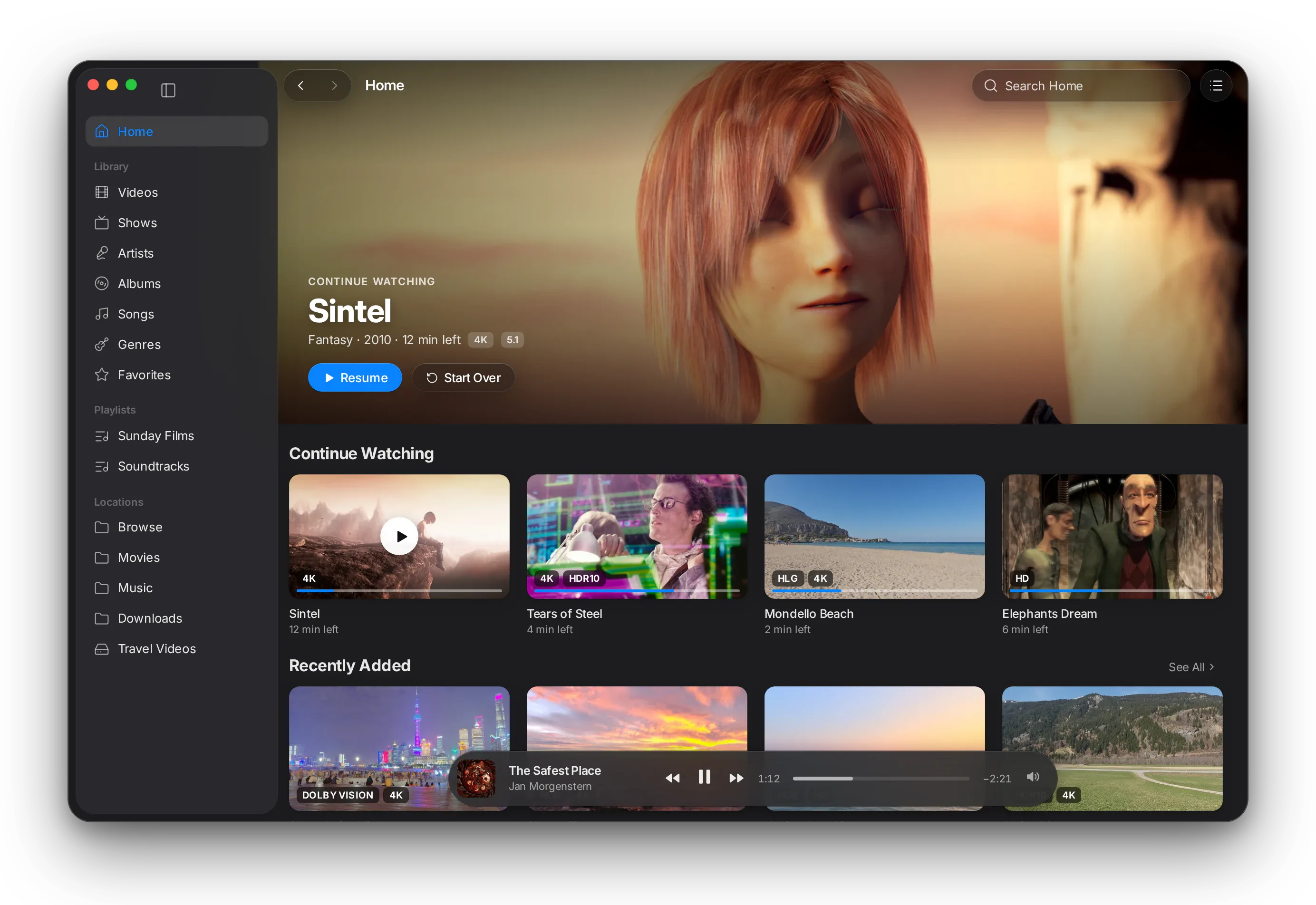
For viewers whose primary screen is an Apple Silicon Mac, an independent open-source player called MacLC provides the visual organization of Infuse without subscription costs or cloud dependencies.
Built as an independent fork of VLC 4.0 by Hazen Studio, the application introduces a native AppKit media library. Point the application at your media folders. The player scans your video files locally, grouping television episodes named with standard patterns (like “Show Name S01E02”) into organized seasons and shows. It populates a Home view featuring Continue Watching and Recently Added shelves, alongside a dedicated Up Next queue that tracks chapters and playback progress.
Crucially, the application respects your storage and privacy:
- Zero file manipulation: Your video files are never moved, renamed, or duplicated into hidden system packages.
- 100% offline and private: Metadata parsing and history logs stay strictly on your Mac; nothing is transmitted to cloud analytics or third-party servers.
- Every format VLC plays: it keeps VLC’s complete engine, so MKV, WebM, HEVC and AV1 play as they are, decoded in hardware where the chip allows.
- HDR done right: Dolby Vision (profiles 5, 7, 8.1, 8.4), HDR10+, HDR10 and HLG, fitted to the screen it measures.
- Price: 100% Free and open source (GPL-2.0 or later).
- Requirements: Apple Silicon Mac (M1 or newer), macOS 26 Tahoe or later. Downloaded as a 58.4 MB disk image from our download page.
Can Plex or Jellyfin replace Infuse for home streaming?
If your media collection lives on a desktop Mac or a network-attached storage (NAS) unit and you want to stream to multiple devices across your home, client-server platforms provide an alternative to Infuse.
Jellyfin: The 100% free, open-source server
Jellyfin is a free, open-source media server. You install the server on a Mac or a NAS, point it at your folders, and watch through its apps on computers, phones and TVs.
Jellyfin automatically fetches posters and metadata, tracks watch history across user accounts, and supports client-side ASS/SSA subtitle rendering without forcing CPU-heavy server transcoding. Unlike commercial alternatives, Jellyfin has no premium passes, no remote streaming restrictions, and no tracking. However, setting it up requires maintaining a background server process and configuring local network ports. For a comprehensive comparison of server architectures, read our guide to Plex vs Jellyfin vs Infuse.
Plex: The commercial streaming platform
Plex operates on a similar client-server model but offers a more polished setup wizard and broader smart TV app availability. The basic server and local network streaming are free.
Some features need a paid Plex Pass, such as hardware-accelerated transcoding and downloads to mobile devices; check plex.tv for the current list and prices.
When is Kodi a viable free alternative?
Kodi is a veteran open-source media center, with native Apple Silicon builds for macOS on kodi.tv.
Kodi is unmatched in its internal scraping and file-sharing capabilities. It connects directly to SMB, NFS, FTP, and WebDAV network shares, scraping rich artwork and summaries into a local database without requiring a separate server program.
However, Kodi was engineered as a “10-foot interface” intended for televisions controlled by handheld remotes. On a desktop Mac, its full-screen interface feels clunky. It does not integrate smoothly with macOS window management, lacks native trackpad pinch gestures, and does not support Apple’s system Picture-in-Picture window. Kodi is best suited for Mac minis permanently connected to a living room projector or television.
How do the top Infuse alternatives compare?
The table below contrasts Infuse Pro with its primary free alternatives across storage models, server requirements, and macOS display capabilities:
| Solution | How it works | Price | Shows grouped by season | Best for |
|---|---|---|---|---|
| Infuse | App on each device, iCloud sync | Free, Pro paid | Yes, with online artwork | Apple TV and Mac households |
| MacLC | Player with a local library | Free, open source | Yes, from file names | Watching on an Apple Silicon Mac |
| Jellyfin | Server + apps | Free, open source | Yes | Free whole-home streaming |
| Plex | Server + apps | Free, Plex Pass paid | Yes | Streaming to many kinds of devices |
| Kodi | Full-screen media center | Free, open source | Yes | A Mac mini plugged into a TV |
If you only need a lightweight tool to double-click individual video files without managing a poster library, consult our roundup of the best video players for Mac.
Who should stick with Infuse Pro?
Despite the existence of capable free alternatives, Infuse Pro remains worth every penny for a specific group of users:
- You do most of your film and television viewing on an Apple TV 4K in your living room, but also watch episodes on your MacBook Pro or iPad while traveling.
- You store terabytes of 4K Dolby Vision remuxes on a local NAS and want instant playback without configuring transcode profiles or server ports.
- You value private iCloud sync that keeps your Up Next list identical on your iPhone, iPad, Mac, and Apple TV without third-party account logins.
If that describes your household, Infuse Pro is worth what it costs.
If you mostly watch on your Mac, you don’t need to pay to open your own MKV files: MacLC is free, with a local library, every format VLC plays and HDR on XDR screens.
Questions people ask
Is there a free alternative to Infuse for Mac?
Yes. For watching videos locally on a Mac, MacLC provides an automatic media library with TV show grouping and HDR tone mapping for free. If you need multi-device home streaming, Jellyfin is a 100% free, open-source media server.
How much does Infuse Pro cost?
Infuse Pro is sold as a monthly or yearly subscription or a lifetime purchase. Prices change, so check Firecore's site or the App Store for today's price and for which features need Pro.
Can I use Infuse without a subscription?
Yes, Infuse has a free version. Some formats and features need Infuse Pro; Firecore lists them on its site.
What is the difference between Infuse and Jellyfin?
Infuse is a standalone client application that connects to network shares and scrapes metadata locally or through iCloud. Jellyfin is a centralized client-server platform where a central computer indexes files and streams them to client apps across your home.